


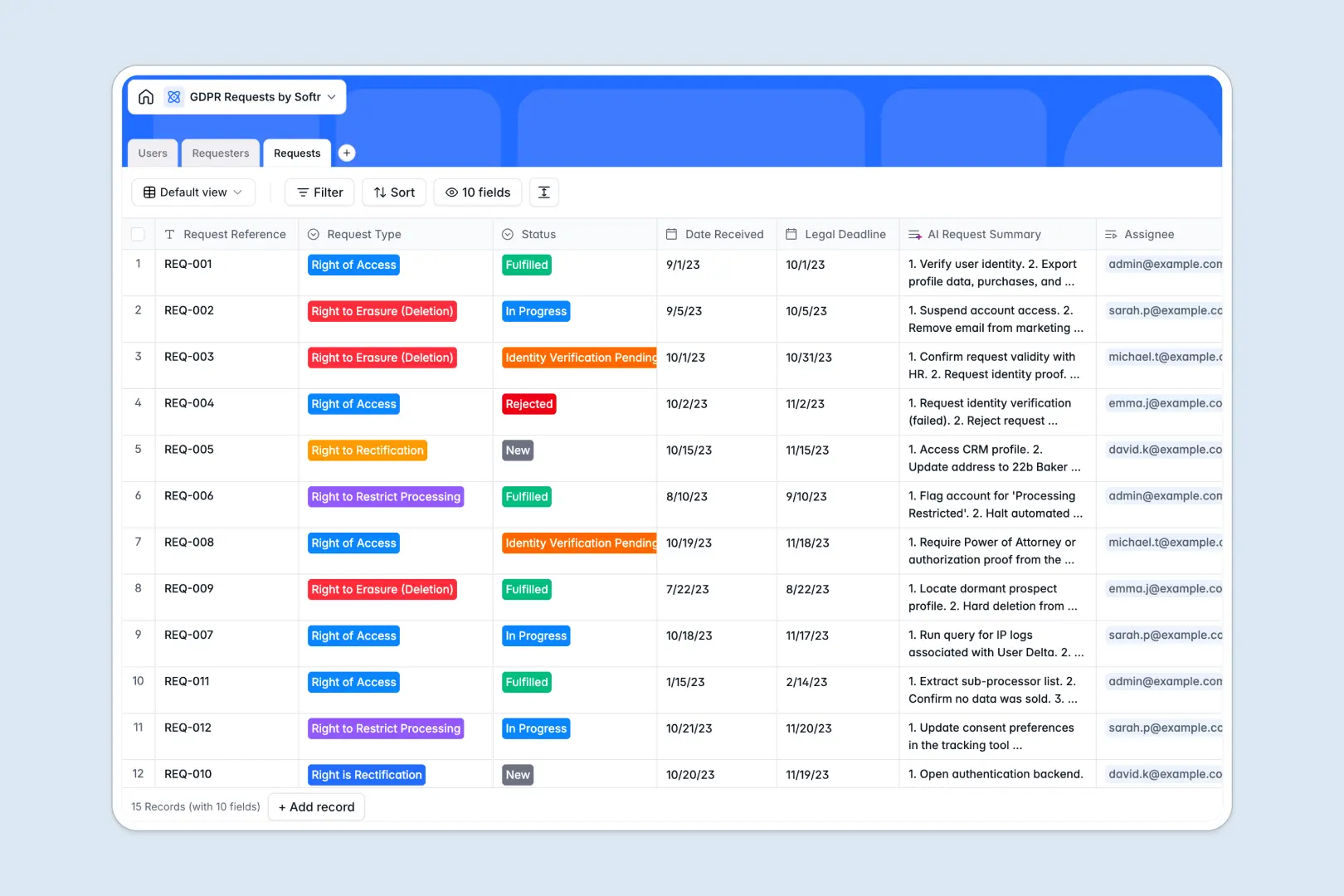
Your GDPR Requests Database at a glance
This template gives your privacy team a secure, centralized system to track every right of access or erasure request. It ensures nothing slips past legal deadlines while keeping sensitive subject data highly organized.
It cleanly connects Requesters, Users (your privacy agents), and individual Requests in one unified view. Instead of scattered rows, every privacy action links directly to verified data subjects and assigned staff.
It even automatically manages complex text via an AI Request Summary. This extracts the exact actionable steps your team needs to fulfill incoming descriptions, saving hours of manual review.
Why tracking GDPR requests inside Google Sheets breaks down
Managing data subject requests in a spreadsheet quickly becomes a compliance nightmare. As priority requests pile up, tracking legal deadlines, verifying identities, and storing resolution evidence in a flat layout inevitably leads to critical mistakes.
What a structured database changes
A true database enforces strict formatting—status dropdowns stay precise, dates trigger actual deadlines, and resolution evidence securely attaches directly to the record. You no longer have to worry about rows being accidentally deleted or data getting mixed up.
It also links data naturally without fragile VLOOKUP formulas breaking under pressure. You can connect a single verified requester to multiple ongoing privacy actions effortlessly.
This is exactly what Softr Databases are designed for. They provide the secure, relational foundation needed for strict compliance tracking at scale.
What you can do with this template
You can instantly log new privacy requests, assign them to internal staff, and monitor the pipeline from "New" to "Fulfilled." Built-in tracking ensures an identity is securely verified before any sensitive file is handed over.
Thanks to powerful Database AI agents, your compliance team doesn't have to read through long, confusing request descriptions manually. The system automatically creates a step-by-step summary of the actions required for each unique ticket.
-
Users
Manage internal privacy staff roles, contact info, and assigned requests
-
Requesters
Track data subjects with identity verification status and request history
-
Requests
Track GDPR cases with deadlines and AI-generated summaries for action steps
Who is this GDPR Requests database for
This template is built specifically for teams handling sensitive data subject operations.
- Data Protection Officers (DPOs): Centralize all privacy actions and securely store resolution evidence for regular audits.
- Legal & Compliance Teams: Track strict legal deadlines effectively and avoid costly regulatory fines.
- Customer Support: Easily log newly submitted requests and manage identity verification before internal handoff.
- IT Managers: Maintain a single source of truth for tracking right of access and right to erasure executions.
How to take it further
You can easily customize this database to match your exact compliance operating procedures. Modify the status dropdowns, adjust request types, or set up new internal role definitions with a few simple clicks.
If you have older requests scattered elsewhere, you can quickly import your current backlog via a CSV upload. You can also connect via API to sync new data subjects directly from your support desk software.
As your compliance needs scale, you can transform this raw database into a fully secure internal privacy portal. By connecting an interface builder, your team can log in to view only their securely assigned tasks visually.
By leveraging users and permissions, you guarantee that external subjects or unauthorized staff never see sensitive operations. A properly structured database makes building these highly regulated environments seamless.
-
1
-
2
-
3
-
4
Frequently asked questions
-
What is a GDPR requests database?
-
Why use a no-code database to build a GDPR tracker?
-
How can AI help managing data for GDPR requests?
-
Can I build an app with this GDPR requests database?
-
Is this GDPR requests template free?
-
How is a database different from managing GDPR requests inside Google Sheets?
Start building today. It's free!
Build and launch your first app in under 30 minutes.