


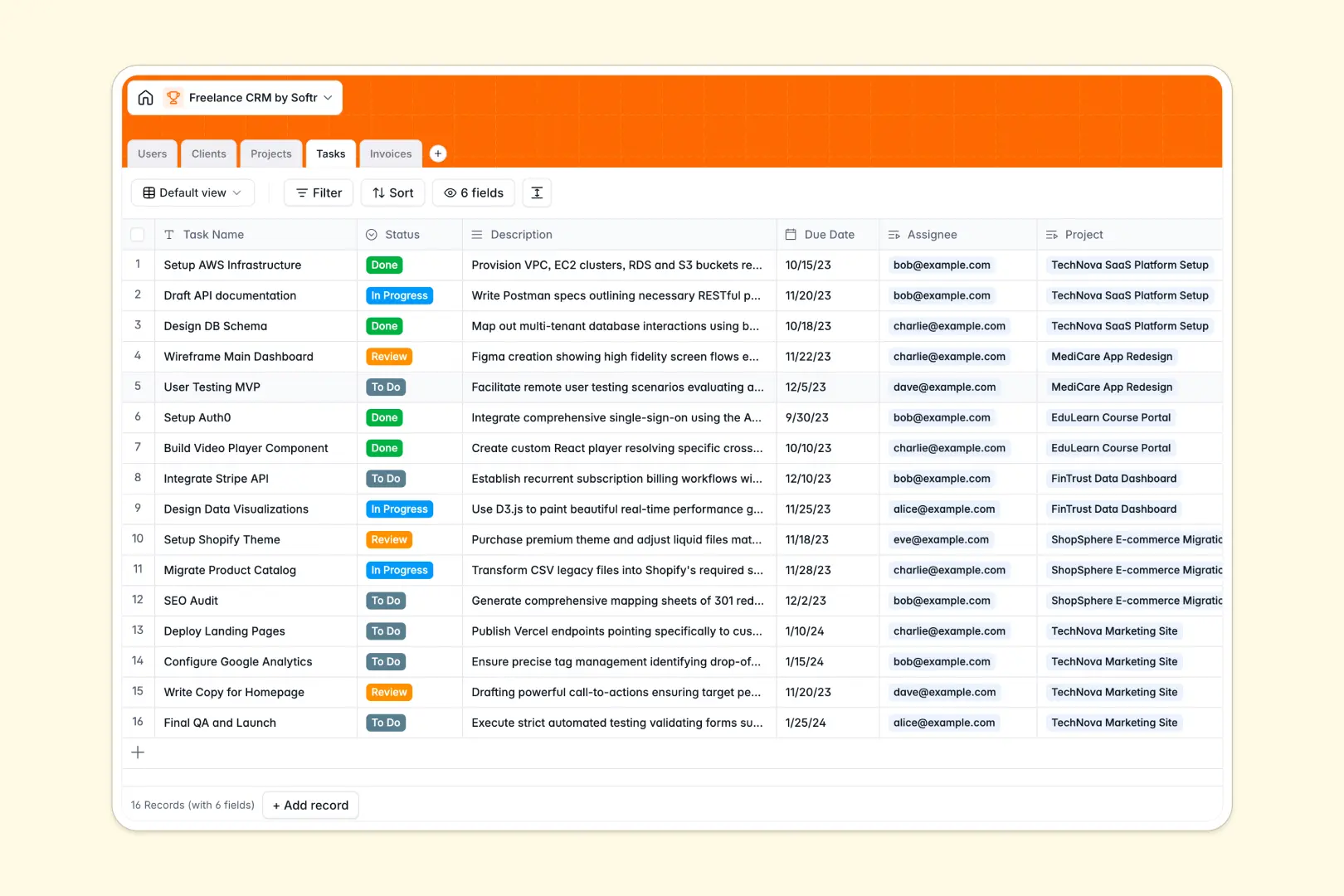
Your Freelance CRM database at a glance
This template gives you an all-in-one workspace to manage client relationships, ongoing deliverables, and billing without manual cross-referencing.
Everything connects natively: Clients link directly to Projects, tasks roll up under specific milestones, and Invoices stay tied to the exact scope of work.
Built-in AI fields automatically research new client websites to summarize their market positioning and categorize their industry into standard tags.
When a shared Google Sheet becomes an accidental backend
Google Sheets is excellent for quick lists, but using it as a client portal backend inevitably leads to accidental formula breaks and shared view headaches.
What a structured database changes
In a structured database, every column enforces strict data types so dates never turn into text notes and invoices always carry valid currency values. Tables link together automatically, allowing you to attach tasks and billing records directly to a client record without fragile lookups across tabs.
This is exactly what Softr Databases are designed for, giving you a clean backend that scales without messy spreadsheet maintenance.
What you can do with this template
Keep client history, project statuses, and invoice tracking organized in one connected place that your team or subcontractors can easily navigate.
Native Database AI agents automatically browse client URLs to generate instant executive summaries and classify business types.
While Softr can connect an existing Google Sheet as a data source, starting directly with a dedicated database ensures rock-solid structure from day one.
-
Users
Manage team members, freelancers, and clients with roles and project links
-
Clients
Track client organizations with AI-powered industry tagging and summaries
-
Projects
Organize active gigs and retainers with automated AI scope summaries
-
Tasks
Track deliverables and action items with status workflows and deadlines
-
Invoices
Manage billing records, payment statuses, and attached invoice files
Who is this Freelance CRM database for
This template is designed for independent professionals and boutique service providers looking to streamline operations:
- Solo Freelancers: Track every client relationship, active deliverable, and outstanding payment in a unified system.
- Contract Consultants: Manage multiple client engagements and quickly generate scope summaries with built-in AI.
- Freelance Collectives: Coordinate assignees across shared projects while keeping billing and client notes organized.
- Agency Founders: Oversee client pipelines and project delivery without worrying about broken spreadsheet formulas.
How to take it further
Customize the database to match your personal workflow. Add custom project statuses, adjust invoice stages, or create new select tags for service categories in just a few clicks.
Import your existing data instantly using CSV uploads or connect via API to sync client information from existing tools without manual re-entry.
Build a full app around it whenever you are ready. Use the AI app generator to generate a dedicated client portal or freelancer dashboard on top of this database with a single prompt. Configure granular users and permissions so clients only see their own deliverables and invoices while your internal team accesses everything.
-
1
-
2
-
3
-
4
Frequently asked questions
-
What is a freelance CRM database?
-
Why use a no-code database to build a freelance management system?
-
How can AI help managing data for a freelance CRM?
-
Can I build an app with this Freelance CRM database?
-
How is a database template different from a Freelance CRM Google Sheet?
-
Is this Freelance CRM database template free?
Start building today. It's free!
Build and launch your first app in under 30 minutes.