


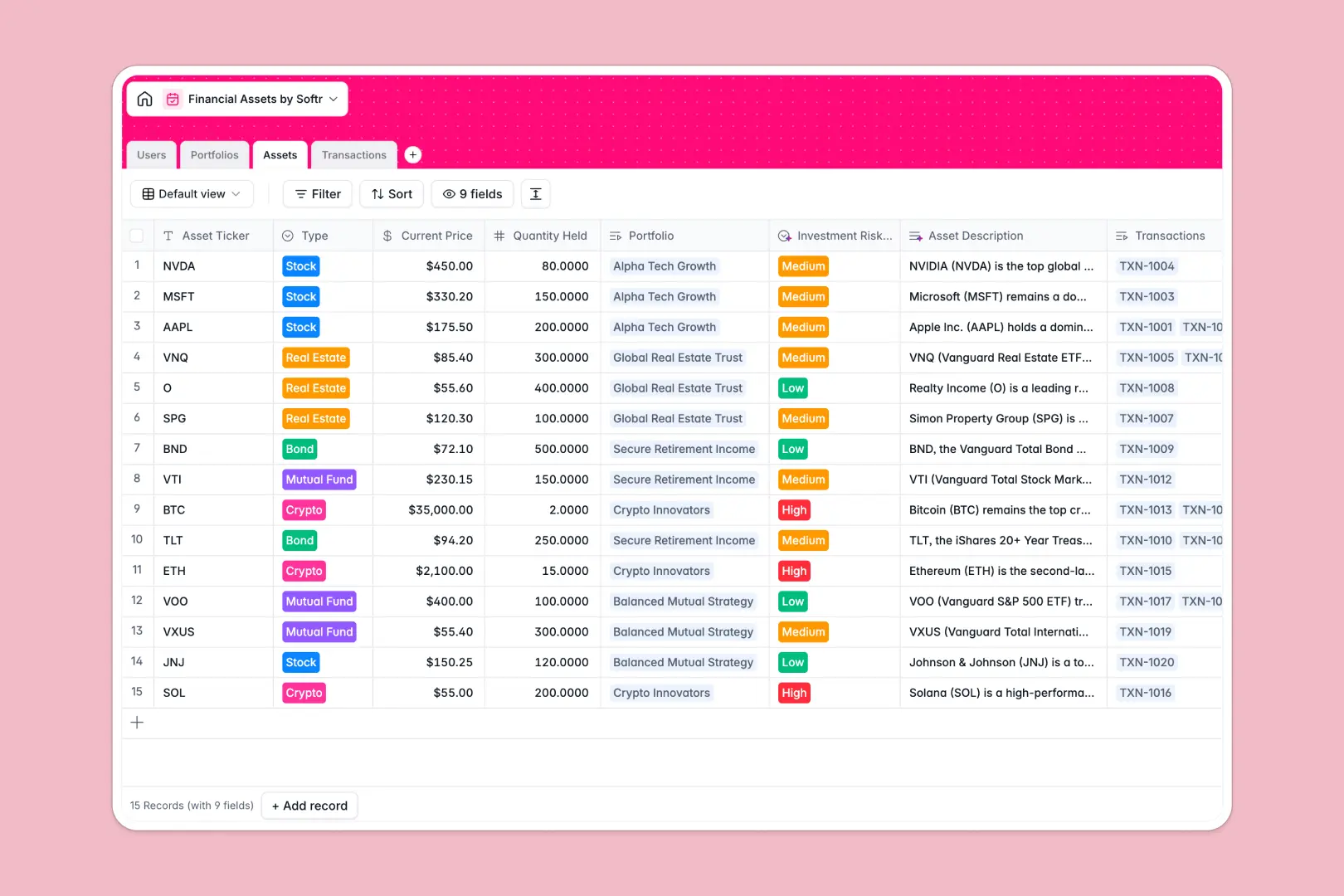
Your Financial Assets database at a glance
This template gives you a robust system to track portfolios, assets, and transaction histories in one reliable place. It eliminates the manual tracking and fragile formulas that make financial management difficult.
The database is divided into four connected tables: Users, Portfolios, Assets, and Transactions. When you log a new transaction, it automatically links to the exact asset and securely updates the overall portfolio value.
Best of all, native AI agents do the heavy lifting for you. They automatically browse the web to write asset overviews, classify investment risk levels, and summarize portfolio strategies based on live data.
Why managing financial assets gets messy in Google Sheets
Tracking investments in a spreadsheet often starts simple, but quickly turns into a maze of broken VLOOKUPs and outdated rows. When you have one sheet for managers and another for trade logs, matching transactions to client portfolios becomes a nightmare.
What a structured database changes
A real database enforces pristine structure so everything stays clean. Numbers stay numbers, receipts are securely stored as attachments, and formulas calculate exact transaction totals without human error.
Instead of risky copy-pasting, tables link directly to each other. A portfolio naturally connects to its manager, client, and individual asset holdings in an airtight system.
This is exactly what Softr Databases are designed for. You get the familiar ease of a spreadsheet, but with the power of a scalable, relational architecture.
What you can do with this template
Automatically roll up transaction data to see total asset values instantly. Keep transaction receipts securely attached to their logs for flawless compliance and record-keeping.
You can also leverage Database AI agents to enrich your financial records automatically. The template natively researches asset tickers to write market overviews and analyze investment risks without manual data entry.
-
Users
Manage staff and clients with roles, contact details and portfolio links
-
Portfolios
Consolidate investments by client with AI-generated strategy summaries
-
Assets
Log instruments with AI-powered market insights and risk classification
-
Transactions
Record buy, sell and dividend events including amounts and receipts
Who is this Financial Assets database for
This structured system is built for teams and professionals who need accurate, reliable oversight of financial investments.
- Portfolio Managers: Track client asset performance and summarize investment strategies automatically.
- Financial Advisors: Keep a clear, secure directory of client profiles linked directly to their specific holdings.
- Investment Syndicates: Log every buy, sell, or dividend event clearly with attached execution receipts.
How to take it further
You can easily customize this database to fit your exact firm's needs. Add new transaction types, modify the risk level options, or create custom formulas to track yield metrics.
Stop manually re-entering data to get started. Quickly import your existing client lists and asset histories via CSV to get an instant snapshot of your entire operation.
When you're ready, you can turn this database into a secure client portal or an internal dashboard. Portfolio managers can log in to safely update asset logs, while clients can view their tailored investment summaries.
Because you're building on a clean relational foundation, assigning detailed users and permissions is effortless. Admins see everything, managers see assigned portfolios, and clients only access their individual returns.
-
1
-
2
-
3
-
4
Frequently asked questions
-
What is a financial assets database?
-
Why use a no-code database to build a financial management system?
-
How can AI help managing data for financial assets?
-
Can I build an app with this financial assets database?
-
Is this Financial Assets template free?
-
How is a financial assets database different from Google Sheets?
Start building today. It's free!
Build and launch your first app in under 30 minutes.