


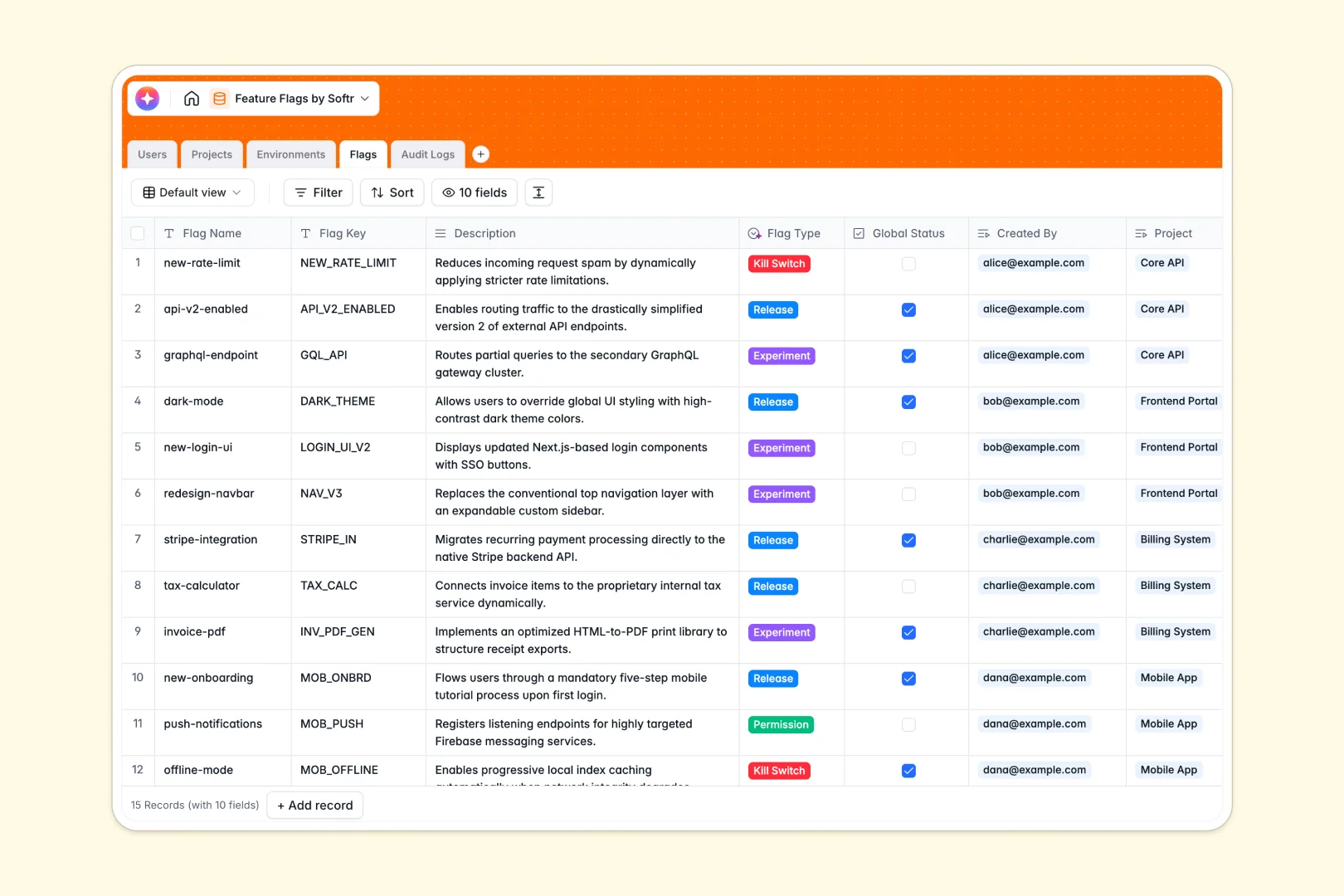
Your Feature Flags database at a glance
This template allows you to safely track and manage software feature rollouts across multiple environments efficiently. It acts as a clear, centralized command center for your product and engineering teams.
It works by connecting individual feature flags to specific software projects and deployment environments natively. Every time a toggle state changes, the system automatically links it to an audit log and the user who made the update.
Integrated AI automatically categorizes your toggles as experiments or kill switches based on their descriptions. It also generates quick, plain-English summaries of a project's overall deployment state as data changes.
Why feature flags get messy in Google Sheets
Tracking application switches across multiple testing and production stages quickly outgrows a simple row-and-column layout.
What a structured database changes
Spreadsheets lack the structure to enforce data types, making it easy to accidentally overwrite a production toggle status or lose the history of who turned a feature on.
A proper database links entities securely, connecting an audit log directly to a flag and the user who flipped it without relying on fragile VLOOKUPs.
This is exactly what Softr Databases are designed for, keeping your deployment data clean, connected, and reliable as your codebase grows.
What you can do with this template
Instantly connect distinct projects and deployment environments to their specific feature toggles in one clear view.
Automatically maintain a strictly structured audit log so you always know exactly who updated a flag and when.
Use Database AI agents to instantly classify new toggles and generate automatic summaries of an entire project's flag status without manual data entry.
-
Users
Manage team members and roles responsible for feature flag administration
-
Projects
Organize applications with AI-generated status digests of deployed flags
-
Environments
Define deployment stages and API keys for dev, staging, or production
-
Flags
Control app behavior with AI-categorized toggles and automated summaries
-
Audit Logs
Track change history and flag status updates for security and compliance
Who is this Feature Flags database for
This system is built for product and engineering teams who need safe, scalable release management.
- Product Managers: Gain clear visibility into which features are live in production versus staging without asking developers.
- Engineering Leads: Maintain a reliable, automatic audit trail of all toggle changes for compliance and faster debugging.
- QA Testers: Easily map specific feature flags to the right testing environments without disrupting main production rollouts.
How to take it further
You can easily customize this database to fit your exact release cycles. Add new flag types to the select field, or rename environments to match your company's continuous integration stages.
Bring in your existing toggles immediately to get started. Import your current spreadsheet lists via CSV, or connect directly through the API to sync live application states.
When your team is ready, you can build an app to serve as a complete, custom rollout portal for your team.
Using robust users and permissions, you can ensure only authorized administrators can flip production kill-switches, while giving product managers view-only access to live states.
A well-structured database makes crafting these secure internal tools incredibly fast and reliable.
-
1
-
2
-
3
-
4
Frequently asked questions
-
What is a feature flags database?
-
Why use a no-code database to build a feature flag system?
-
How can AI help managing data for feature flags?
-
Can I build an app with my feature flags database?
-
Is this Feature Flags database free?
-
Why are feature flags in Google Sheets difficult to manage?
Start building today. It's free!
Build and launch your first app in under 30 minutes.