


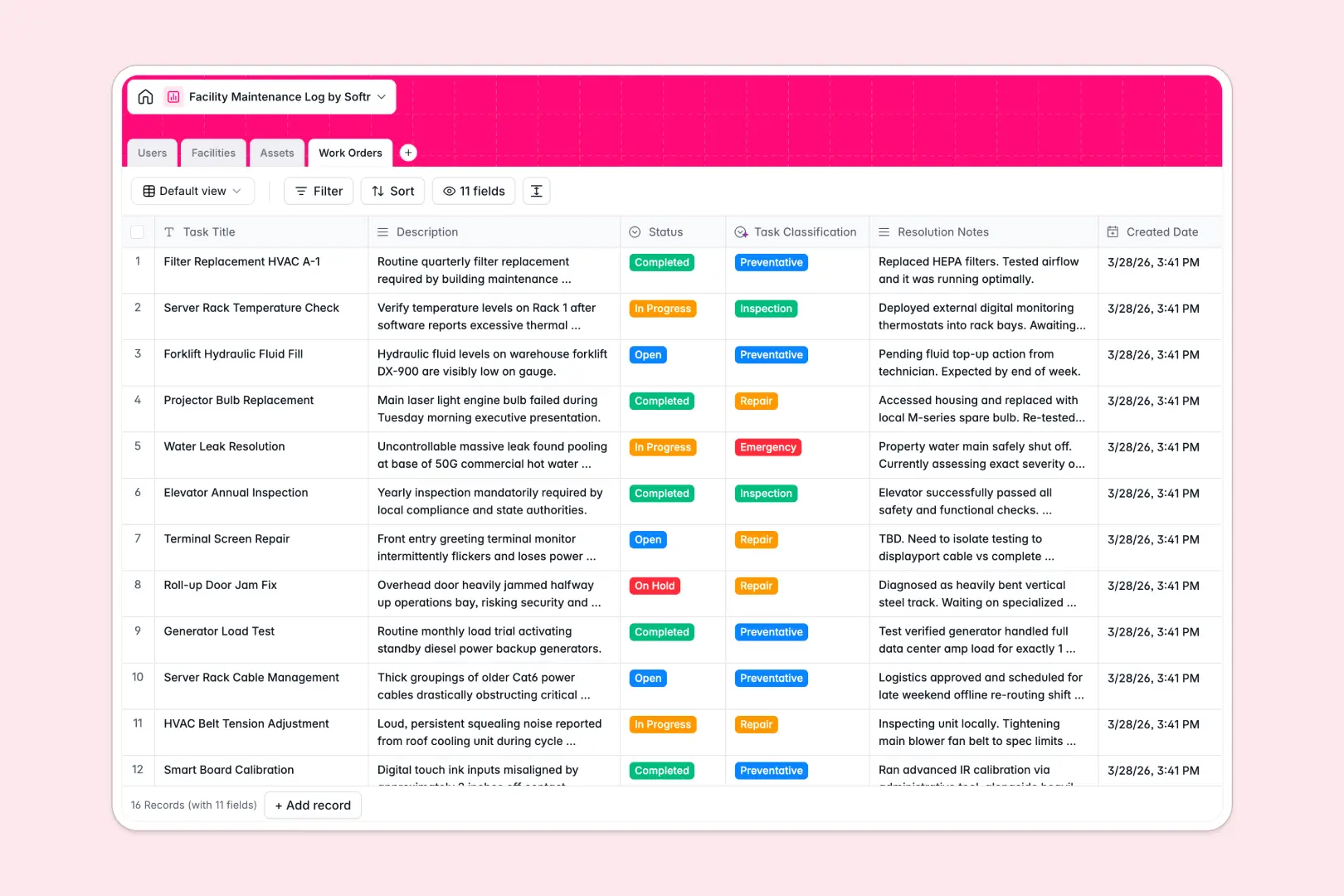
Your Facility Maintenance Log database at a glance
This template gives your team a structured way to track building assets, prioritize repair requests, and coordinate work orders across physical locations without messy spreadsheet tabs.
It connects Facilities, Assets, Users, and Work Orders natively. Every repair task links directly to the specific equipment, its physical location, and the technician assigned to resolve it.
Built-in AI fields automatically research asset technical specifications from the live web, classify work orders by urgency, and generate executive summaries from completion notes.
When a maintenance grid needs permissions and real structure
Google Sheets makes it easy to share a maintenance list, but it fails when you need to control who edits what, prevent broken formulas, or attach blueprints and inspection logs securely.
What a structured database changes
In a standard spreadsheet, anyone with edit access can accidentally overwrite an asset serial number, corrupt a lookup formula, or misplace an emergency request.
Dedicated relational tables ensure dates stay formatted, categories remain consistent, and blueprints attach cleanly to specific rooms.
This is exactly what Softr Databases are designed for, giving you relational integrity and clean data without fragile formulas. While Softr can also connect an existing Google Sheet as an external data source, a dedicated database keeps your core operational records safe from accidental overwrites.
What you can do with this template
Assign technicians directly to incoming work orders while tracking equipment categories like HVAC, electrical, and plumbing across your facilities.
With native Database AI agents, the database searches the live web to populate technical specifications for equipment and automatically categorizes tickets as preventative, inspection, repair, or emergency.
-
Users
Manage staff, technicians, and managers with contact details and work orders
-
Facilities
Organize physical locations, buildings, and rooms with blueprints and assets
-
Assets
Track equipment status and use AI web search to retrieve technical specifications
-
Work Orders
Manage maintenance logs using AI for task classification and executive summaries
Who is this Facility Maintenance Log database for
Designed for operations teams and property managers who need reliable oversight of physical spaces and equipment:
- Facility Managers: Track multi-building infrastructure, monitor equipment status, and balance technician workloads across sites.
- Maintenance Technicians: Access assigned work orders, view equipment specifications, and log resolution notes directly.
- Property Operations Leads: Maintain accurate asset histories, warranty dates, and blueprint attachments in one reliable place.
- Building Admins: Categorize incoming maintenance requests quickly and maintain full visibility over operational uptime.
How to take it further
Customize your schema to match your facilities by adding custom asset categories, modifying maintenance statuses, or adding fields for spare parts inventory.
Import your existing maintenance history and asset registries in seconds using simple CSV upload or direct API connections.
When you are ready, use Softr to build an app on top of this data. Softr's AI Co-Builder can generate a complete technician portal and dispatch dashboard in one prompt.
Set up custom users and permissions so technicians only see their assigned tickets while managers retain full control over building assets and reporting.
-
1
-
2
-
3
-
4
Frequently asked questions
-
What is a facility maintenance log database?
-
Why use a no-code database to build a facility maintenance system?
-
How can AI help managing data for facility maintenance?
-
Can I build an app with this facility maintenance log database?
-
Is this Facility Maintenance Log template free?
-
How is this database different from a facility maintenance log in Google Sheets?
Start building today. It's free!
Build and launch your first app in under 30 minutes.