


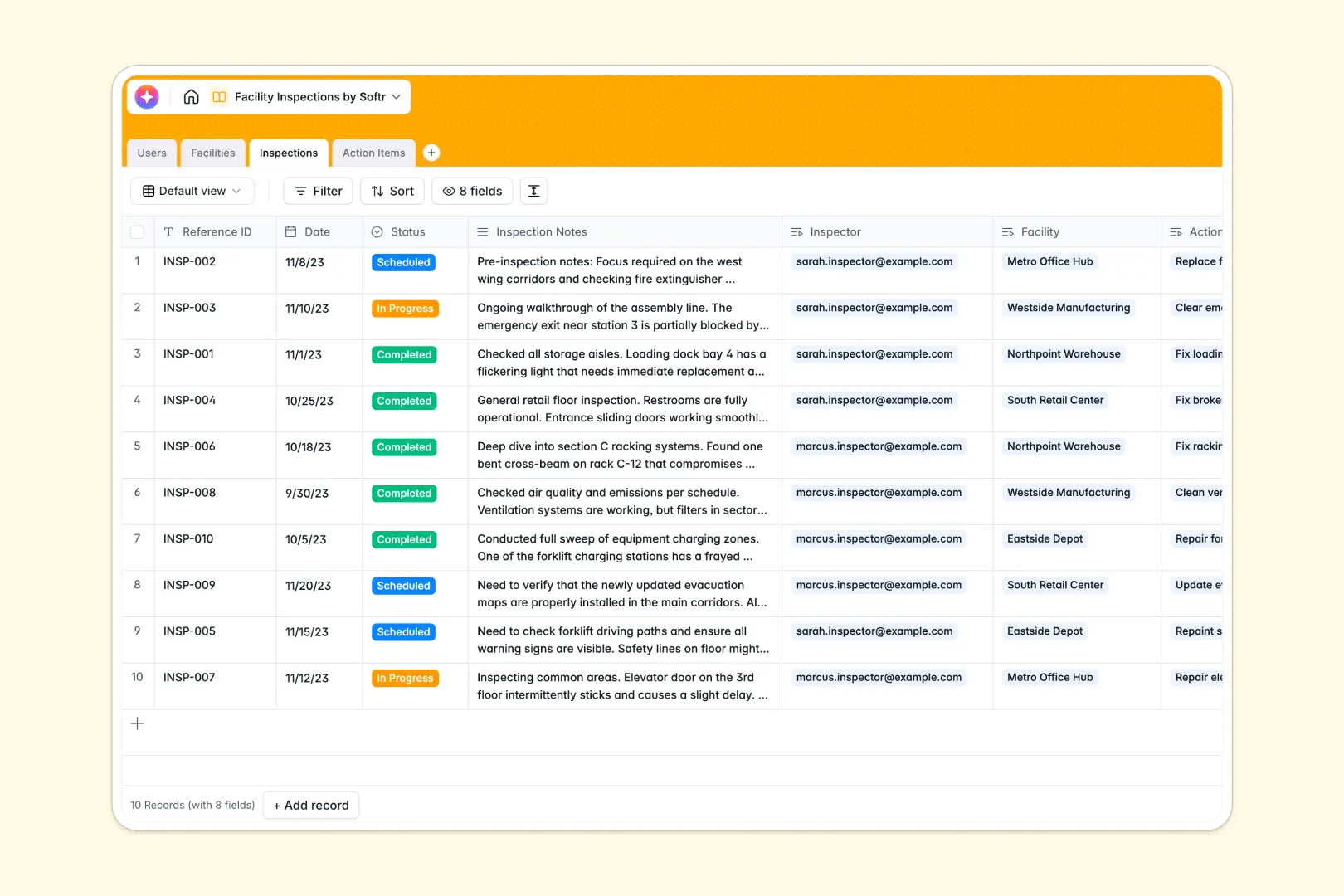
Your Facility Inspections database at a glance
This template replaces scattered spreadsheets with a centralized system to track facilities, log inspections, and manage critical action items.
It uses connected tables to link inspectors directly to specific facilities, while tying every logged issue and proof image back to its original inspection report.
Built-in AI automatically summarizes long inspection notes into quick bullet points and instantly evaluates the urgency of new action hazards.
Why facility inspections get messy in Google Sheets
Managing inspections across multiple locations quickly outgrows a spreadsheet. Rows get accidentally deleted, text columns become unreadable, and attaching proof images is a nightmare.
What a structured database changes
A true database keeps your data strict and organized. Dates stay formatted, statuses remain consistent, and facilities connect securely to their individual inspection logs.
Instead of relying on fragile VLOOKUPs to match action items with their parent inspections, everything is natively linked. This is exactly what Softr Databases are designed for.
What you can do with this template
Log scheduled, in-progress, and completed inspections while attaching photo evidence directly to specific action items. Track compliance across warehouses, offices, and retail spaces in one clean view.
Let built-in AI handle the heavy lifting by automatically classifying safety risks as Low, Medium, or High. It even writes concise summaries of your field notes without manual effort.
-
Users
Manage administrative staff, inspectors, and facility managers with contact details
-
Facilities
Track physical locations and buildings with manager assignments and inspection logs
-
Inspections
Log inspection events using AI to summarize key findings into concise briefs
-
Action Items
Monitor repair tasks using AI to classify urgency based on issue descriptions
Who is this Facility Inspections database for
This database is built for teams that need to maintain safety, compliance, and operational standards across physical locations.
- Safety Inspectors: Log findings, assign urgency to hazards, and attach proof images without fighting spreadsheet cells.
- Facility Managers: Track the total number of administered inspections per location and monitor unresolved action items.
- Operations Admins: Keep a bird's-eye view on scheduled audits and ensure all locations remain compliant.
How to take it further
Customizing this system is simple. You can easily add new facility types, modify inspector roles, or add columns for specific compliance codes.
Bring your historical audit data into the template instantly. Just import your existing CSV files to populate your facilities and past inspection logs in seconds.
When you are ready to scale, use the interface builder to turn this database into a custom app. You can create a mobile-friendly portal for field inspectors to log items on the go. With native users and permissions, facility managers will only see data for the specific buildings they oversee.
-
1
-
2
-
3
-
4
Frequently asked questions
-
What is a facility inspections database?
-
Why use a no-code database to build a facility inspections system?
-
How can AI help managing data for facility inspections?
-
Can I build an app with this facility inspections database?
-
Is this Facility Inspections template free?
-
How is this database different from Google Sheets?
Start building today. It's free!
Build and launch your first app in under 30 minutes.