


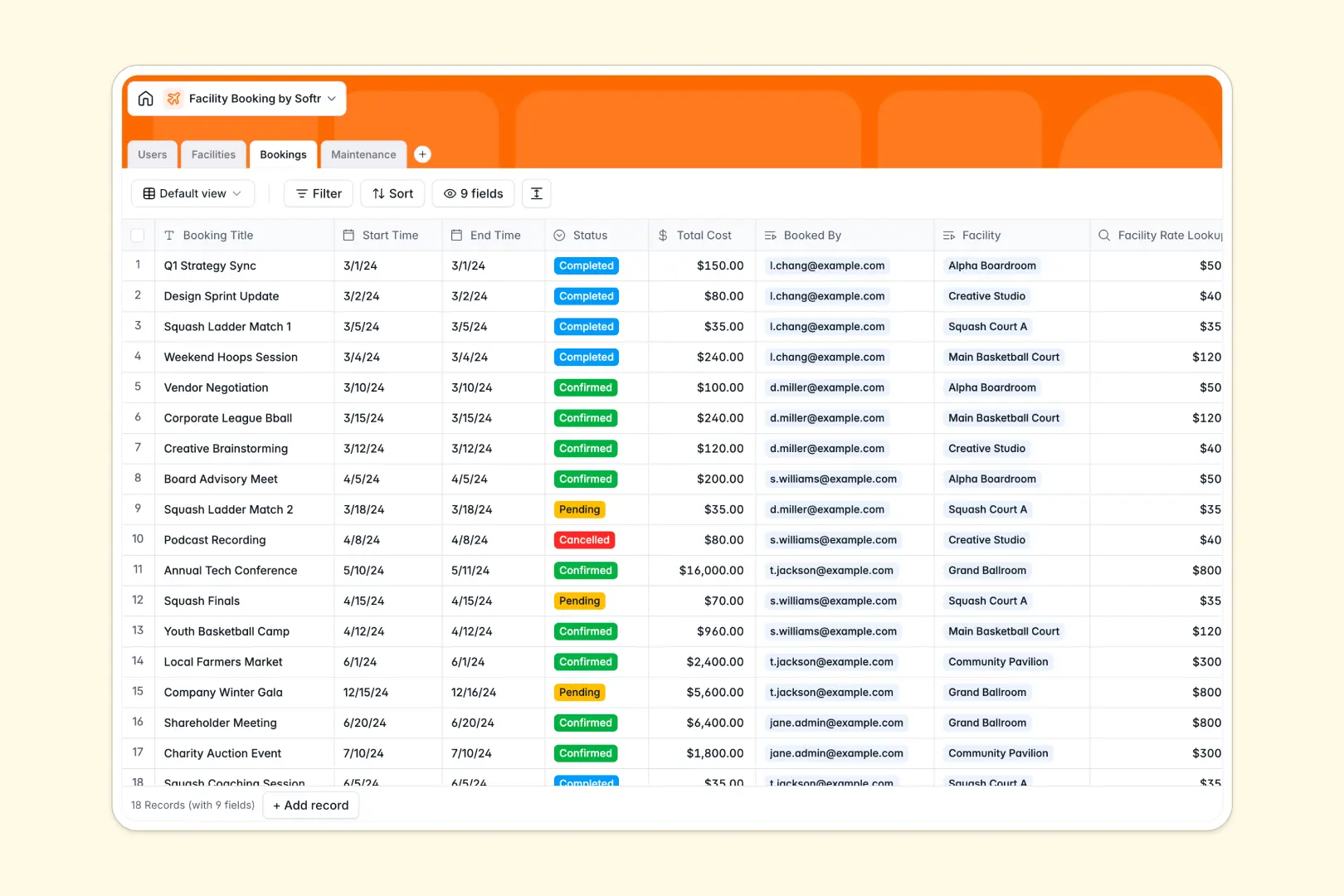
Your Facility Booking database at a glance
This template helps you organize bookable spaces, coordinate reservation schedules, and manage ongoing maintenance in one centralized system.
It connects four dedicated tables: Facilities, Bookings, Users, and Maintenance. Every reservation links directly to the selected space and user, ensuring pricing, availability, and upkeep remain perfectly aligned.
Built-in AI fields draft engaging facility descriptions automatically, summarize booking requests into digests, and triage maintenance tasks by urgency.
When a shared sheet turns room reservations into double bookings
Google Sheets makes sharing a schedule easy, but it was never designed to act as an operational reservation backend. Anyone with edit access can accidentally overwrite a slot, paste text over formulas, or see other members' contact details.
What a structured database changes
In a dedicated database, data integrity is guaranteed. Dates remain valid timestamps, hourly rates stay locked, and reservations link directly to specific spaces without messy formulas.
Tables share connected context naturally. When a member books an Event Hall, the system automatically pulls the hourly rate and calculates the total cost without manual data entry.
This is exactly what Softr Databases are designed for: giving teams structured records that scale cleanly without breaking.
What you can do with this template
You can track reservations across meeting rooms and sports courts, verify availability, and assign maintenance staff to repair tasks immediately.
With integrated Database AI agents, the database also categorizes maintenance urgency from issue notes and generates concise booking summaries automatically.
While Softr can connect to an existing Google Sheet, running your operations on a native database provides real structure, automated workflows, and data security from day one.
-
Users
Manage user accounts, contact details, assigned maintenance and roles
-
Facilities
Catalog spaces with rates, capacity, and AI-generated descriptions
-
Bookings
Track facility reservations, schedules, costs, and AI booking summaries
-
Maintenance
Manage facility upkeep tasks with AI-powered urgency classifications
Who is this Facility Booking database for
This database is built for organizations managing shared physical spaces and scheduling:
- Coworking Spaces: Manage hot desks, private offices, and conference room reservations smoothly.
- Sports Complexes: Coordinate court schedules, equipment maintenance, and member bookings in one place.
- Community Centers: Handle event hall rentals, track deposit rates, and assign janitorial tasks.
- Corporate Office Managers: Organize meeting spaces, visitor schedules, and facilities upkeep seamlessly.
How to take it further
Customize your fields and spaces. Adapt the template to your exact venue operations. You can add new facility categories, adjust hourly rates, or include equipment checklists for specific rooms.
Import your existing records. Bring your current schedules and member lists into the system instantly using CSV file imports or connect external tools via API.
Turn this database into a full booking portal. When you are ready, use the AI app generator to turn this backend into a complete web app where members book rooms and staff manage maintenance tickets.
Configure custom users and permissions so members only see their own reservations while facility managers retain full administrative access.
-
1
-
2
-
3
-
4
Frequently asked questions
-
What is a facility booking database?
-
Why use a no-code database to build a facility booking tool?
-
How can AI help managing data for facility booking?
-
Can I build an app with this facility booking database?
-
Is this Facility Booking database free?
-
How is this database different from a facility booking Google Sheet?
Start building today. It's free!
Build and launch your first app in under 30 minutes.