


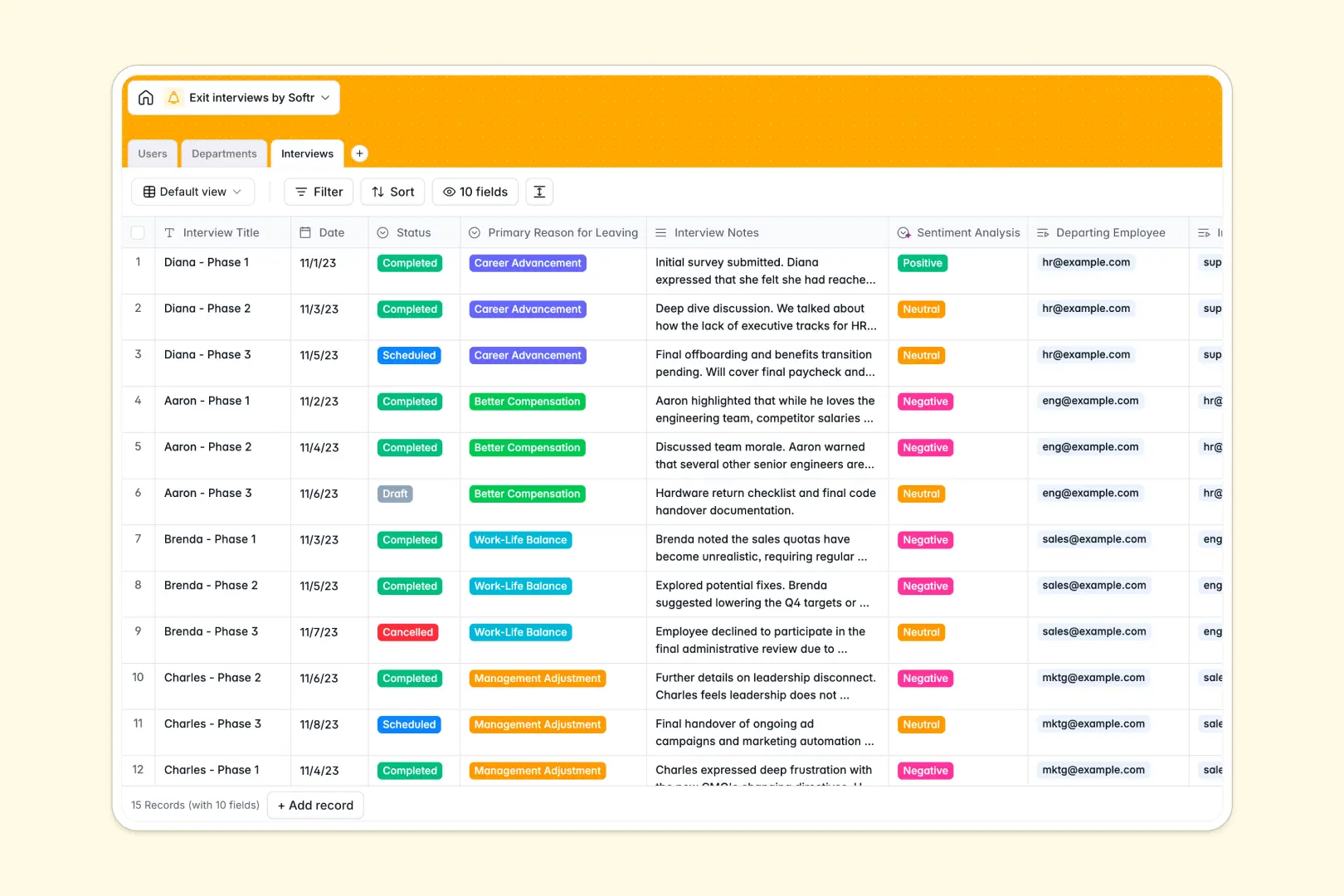
Your Exit Interviews database at a glance
This template helps HR teams capture candid departure feedback, track turnover trends, and turn offboarding insights into actionable retention strategies.
It connects Users, Departments, and Interviews so you can review feedback by team, monitor manager-specific trends, and aggregate department headcounts without messy lookups.
Built-in AI fields analyze raw Interview Notes to extract concise key takeaways and score employee sentiment instantly.
When sensitive departure notes live in a shared grid
Google Sheets makes sharing simple, but offboarding feedback requires strict confidentiality and structured analysis that standard rows cannot guarantee.
What a structured database changes
In a standard spreadsheet, everyone with access can view sensitive employee feedback, or fragile cross-sheet formulas break when someone edits department names.
A structured database enforces clean field types, ties departing staff directly to departments, and calculates headcount automatically.
This is exactly what Softr Databases are designed for: keeping your HR records secure and connected.
What you can do with this template
Standardize your offboarding by tracking departure reasons, interview statuses, and interviewer assignments in structured relational views.
Native Database AI agents automatically scan interview notes to generate executive summaries and evaluate overall sentiment on every completed exit interview.
You can also connect an existing Google Sheet if you already have legacy departure logs to reference.
-
Users
Maintain employee directory with roles, departments, and exit history
-
Departments
Track organizational teams with managers and active employee headcounts
-
Interviews
Log exit sessions with AI-generated takeaways and sentiment analysis
Who is this Exit Interviews database for
This database gives people teams and business leaders structured clarity on why talent leaves:
- HR Leaders: Spot turnover patterns across departments and track primary departure reasons reliably.
- People Operations Managers: Standardize exit interview workflows from initial scheduling to final documentation.
- Department Heads: Review aggregated retention insights and feedback without exposing confidential personal notes.
How to take it further
1. Customize the database
Add custom select options for departure reasons, include onboarding cohort fields, or configure specific interview questions to match your HR policy.
2. Import your existing data
Upload historical exit logs instantly via CSV import or use the API to sync employee profiles directly from your HRIS.
3. Build a full app around it
When your team is ready, turn this database into a secure internal HR portal. You can build an app using AI in seconds, generating custom intake forms and analytics dashboards on top of your tables.
Set up role-based users and permissions so managers only view sanitized department rollups while HR retains full access to raw notes.
-
1
-
2
-
3
-
4
Frequently asked questions
-
What is an exit interviews database?
-
Why use a no-code database to build an exit interview system?
-
How can AI help managing data for exit interviews?
-
Can I build an app with this exit interviews database?
-
Is this Exit Interviews database free?
-
How is this Exit Interviews database different from Google Sheets?
Start building today. It's free!
Build and launch your first app in under 30 minutes.