


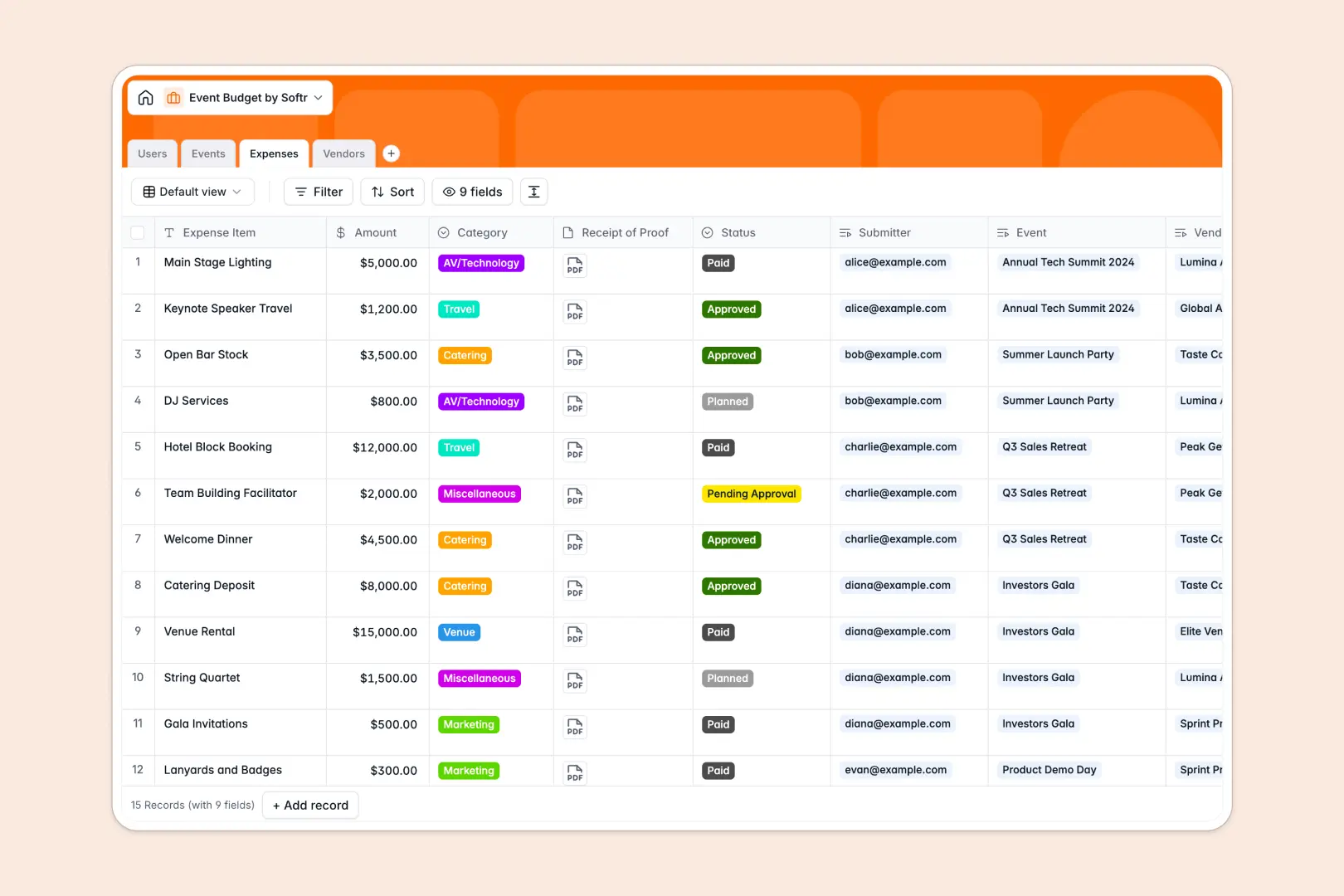
Your Event Budget database at a glance
This template gives you complete control over event finances by connecting planned allocations directly to actual line-item costs. You can monitor overall spending, prevent overruns, and keep every stakeholder aligned throughout planning.
It works through linked tables for Events, Expenses, Vendors, and Users. When a team member logs an expense, rollups automatically update the total used budget and calculate remaining funds instantly.
Built-in AI fields help you draft project briefs, write justification summaries for line items, and research vendor services automatically.
When shared budget rows overwrite your real event numbers
Google Sheets makes sharing simple, but financial tracking breaks down when multiple coordinators edit formulas, insert rows, or paste unvalidated numbers across shared event tabs.
What a structured database changes
In a structured setup, field types enforce accuracy so currency stays numeric, receipts stay securely attached, and formulas never get overwritten by accident.
Instead of fragile cross-sheet lookups, expenses link directly to specific events and vendors. This ensures every logged receipt calculates into real-time totals without broken cell references.
This is exactly what Softr Databases are designed for, giving you a clean environment where numbers remain accurate as your team grows. (You can also connect an existing Google Sheet to Softr if you ever need to read legacy data).
What you can do with this template
You can track allocations against actual spend across categories like catering, venue, marketing, and AV technology. Status tags let managers review, approve, and track pending versus paid reimbursements clearly.
With native Database AI agents, the database can automatically search vendor websites to enrich service profiles and draft professional expense justifications on demand.
-
Users
Manage internal event staff with roles, contacts, and managed budgets
-
Events
Track event budgets, spending progress, and AI-generated project briefs
-
Expenses
Log event expenditures with receipts and AI-generated cost justifications
-
Vendors
Oversee contracted event suppliers and research offerings using web AI
Who is this Event Budget database for
This template is tailored for teams and professionals who need accurate, shared financial tracking across multiple events:
- Event Planners: Track line items, manage venue contracts, and monitor vendor spending in real time.
- Marketing Leads: Maintain strict visibility over campaign event budgets, sponsorships, and paid promotional costs.
- Operations Teams: Streamline reimbursement approvals, attach receipts, and keep payment records organized.
- Finance Managers: Review department-wide event allocations, remaining funds, and vendor payouts accurately.
How to take it further
You can easily customize this database to fit your team's specific accounting practices. Add custom expense categories, modify approval stages, or create new fields to capture purchase order numbers.
If you have existing event data, import your records in seconds using CSV upload or sync your existing spreadsheets via API to start working immediately.
When your team is ready, you can build an app on top of this database in minutes. Simply describe your requirements to generate an internal expense portal or a vendor submission hub with tailored users and permissions for managers, coordinators, and external partners.
-
1
-
2
-
3
-
4
Frequently asked questions
-
What is an Event Budget database?
-
Why use a no-code database to build an event budget tool?
-
How can AI help managing data for an event budget?
-
Can I build an app with this Event Budget database?
-
Is this Event Budget template free?
-
How is an Event Budget database different from Google Sheets?
Start building today. It's free!
Build and launch your first app in under 30 minutes.