


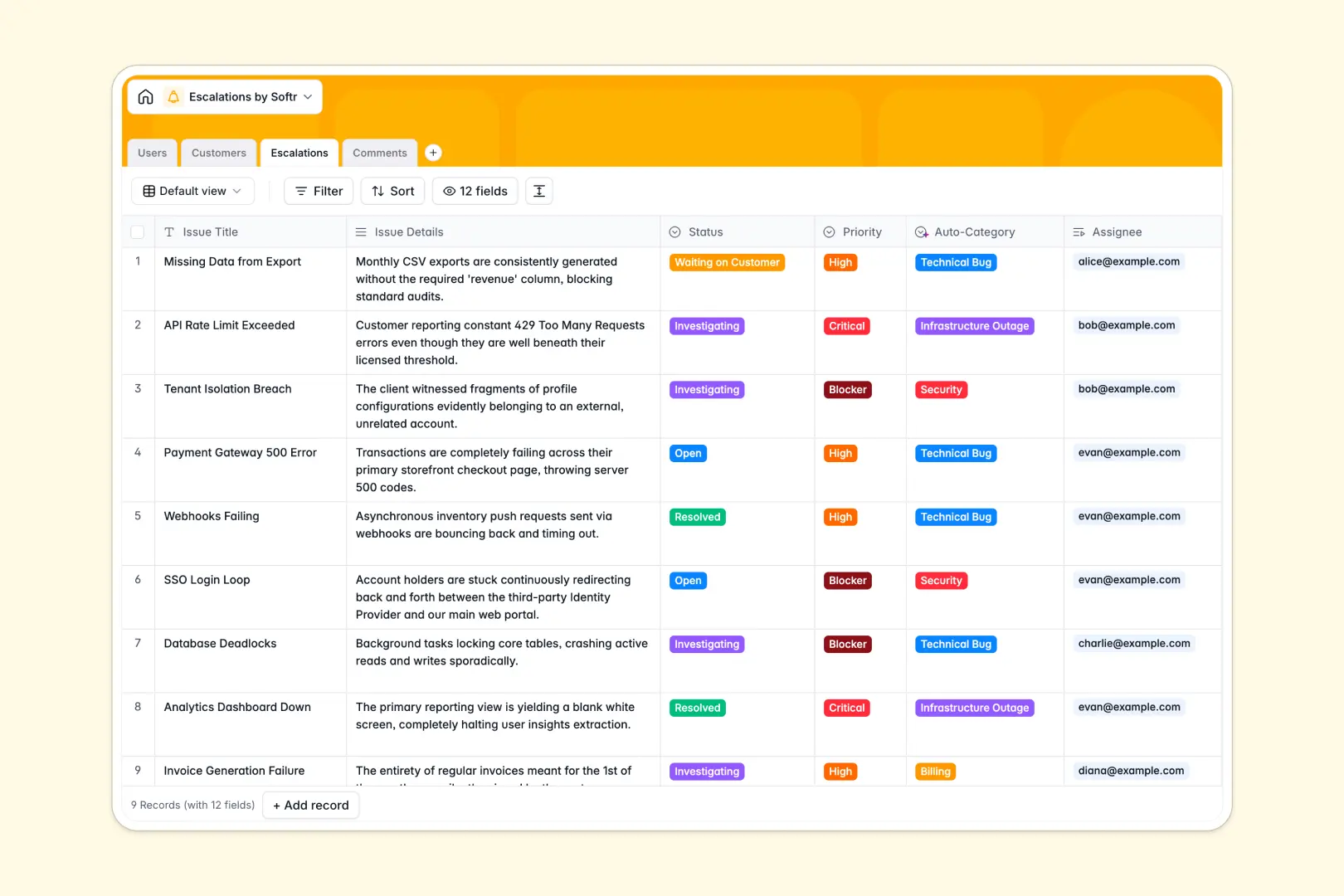
Your Escalations database at a glance
Manage critical customer incidents, assign engineering resources, and coordinate cross-functional resolutions in one centralized workspace.
This template links Customers, Escalations, internal Users, and investigative Comments into a structured relational system. Lookups and rollups automatically track active ticket counts and maintain clear accountability across support tiers.
Built-in AI fields auto-categorize incident types, research customer impact from the live web, and generate concise 3-bullet executive summaries as updates roll in.
When a shared spreadsheet fails during critical incident response
Google Sheets makes collaboration simple, but it was never designed to serve as a reliable backend for high-stakes incident workflows. When critical tickets pile up, open editing permissions risk accidental overwrites, missing updates, and zero visibility control.
What a structured database changes
Typed fields guarantee data integrity so incident priorities, assignees, and timestamps never get corrupted. Relational links connect each customer account directly to its active blockers without fragile formulas breaking across tabs.
This is exactly what Softr Databases are designed for: giving your operational workflows a solid, scalable data foundation. While you can connect an existing Google Sheet to Softr, running urgent workflows in a native database keeps your data protected and structured.
What you can do with this template
Coordinate incident resolution across L2 support, engineering, and management with real-time status tracking and audit logs.
Built-in Database AI agents automatically research affected customer domains to assess business impact, classify issue categories from raw details, and generate instant executive summaries.
-
Users
Manage support agents and engineering staff handling active escalations
-
Customers
Track client organizations with AI-generated company impact overviews
-
Escalations
Track critical tickets with AI auto-categorization and smart summaries
-
Comments
Record chronological investigative notes, messages, and incident updates
Who is this Escalations database for
This template helps technical and customer-facing teams handle high-priority issues without operational chaos.
- Support Leads: Coordinate L2 ticket handoffs and monitor active escalation counts across accounts.
- Engineering Managers: Track blockers, assign developers, and review automated AI incident summaries quickly.
- Customer Success Managers: Monitor enterprise account health and stay informed on open incident resolutions.
How to take it further
Customize the database
Adapt the database in seconds to match your internal tiers and escalation paths. Add custom fields, adjust priority tags, or modify select options for specialized support departments.
Import your existing data
Bring in historical tickets and customer directories via instant CSV upload. You can also connect your external tools through the API to sync new issues automatically.
Build a full app around it
When you are ready to give your team a dedicated interface, use Softr to build an app on top of your data. The AI Co-Builder creates an internal ticketing portal with granular users and permissions in minutes, ensuring engineers, agents, and executives only see what they need to see.
-
1
-
2
-
3
-
4
Frequently asked questions
-
What is an Escalations database?
-
Why use a no-code database to build an escalations tracker?
-
How can AI help managing data for escalations?
-
Can I build an app with an Escalations database?
-
Is this Escalations database template free?
-
How is this database different from tracking escalations in Google Sheets?
Start building today. It's free!
Build and launch your first app in under 30 minutes.