


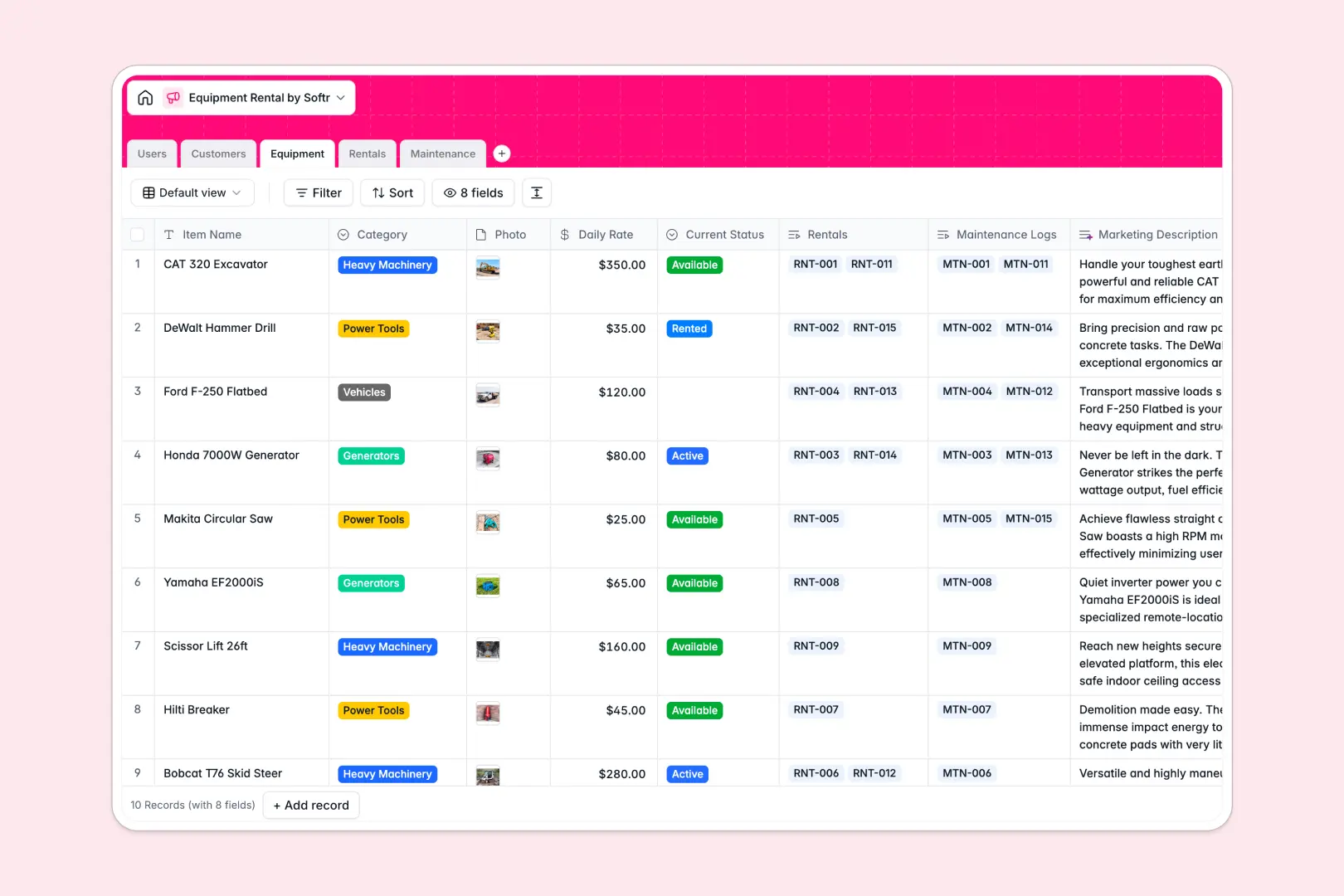
Your Equipment Rental database at a glance
This template gives your team a clear, central system to manage gear availability, booking contracts, and ongoing maintenance. Instead of juggling loose records, you can keep inventory statuses accurate and reservations organized in real time.
Five relational tables connect your operations seamlessly. Equipment links directly to Rentals, while Customers and internal Users track accountability across every contract and repair ticket in Maintenance.
Built-in AI fields automatically research customer profiles, draft equipment marketing descriptions, and categorize repair urgency from issue descriptions without manual input.
Why shared spreadsheets break when booking gear
Google Sheets makes it easy to share a list of inventory, but it was never designed to run rental operations. As bookings increase, freeform cells lead to invalid dates, double-booked equipment, and formulas that snap whenever someone sorts a column.
What a structured database changes
In a real database, every column enforces data integrity. Dates stay dates, rates stay formatted currencies, and item statuses update predictably.
Relational records link a rental contract directly to an inventory item and a customer profile, eliminating copy-pasting across tabs. This is exactly what Softr Databases are designed for.
While you can connect an existing Google Sheet to Softr as a data source, a dedicated database keeps your operational records clean and structured.
What you can do with this template
With native relational linking, you can instantly see which equipment is rented, overdue, or reserved without cross-referencing separate sheets.
Integrated Database AI agents analyze maintenance issue descriptions to assign urgency levels and summarize client backgrounds straight into your records.
Your entire team gets a unified, reliable inventory system that is ready to use immediately.
-
Users
Manage staff members, internal roles, and linked operations workflows
-
Customers
Track client contacts and generate AI web-based company overviews
-
Equipment
Catalog rental inventory with rates, status, and AI descriptions
-
Rentals
Monitor rental contracts, schedules, linked equipment, and total costs
-
Maintenance
Track repair tickets and assess urgency levels using automated AI
Who is this Equipment Rental database for
This template is built for teams that rent out tools, machinery, or gear and need dependable tracking.
- Heavy equipment suppliers: Track high-value machinery locations, daily rental rates, and routine servicing.
- Audio-visual rental houses: Coordinate equipment packages, booking schedules, and gear inspections effortlessly.
- Event & party rental companies: Manage fast-paced customer reservations, return dates, and stock availability.
- Tool hire shops: Keep technicians aligned on maintenance logs and track item readiness accurately.
How to take it further
1. Customize the database
Adjust the schema to fit your exact inventory categories, add custom deposit fields, or modify rental status options in seconds directly in Softr.
2. Import your existing data
Bring in your current equipment catalogs and customer lists via CSV import or use the API for automated synchronization.
3. Build a full app around it
When you need dedicated portals for technicians or front-desk staff, you can build an app on top of this database with Softr's AI Co-Builder.
Configure granular users and permissions so customers only view their own contracts while agents manage reservations, turning your structured data into a secure operational tool.
-
1
-
2
-
3
-
4
Frequently asked questions
-
What is an equipment rental database?
-
Why use a no-code database to build an equipment rental tool?
-
How can AI help managing data for equipment rental?
-
Can I build an app with this equipment rental database?
-
Is this Equipment Rental template free?
-
How is this database different from an equipment rental Google Sheet?
Start building today. It's free!
Build and launch your first app in under 30 minutes.