


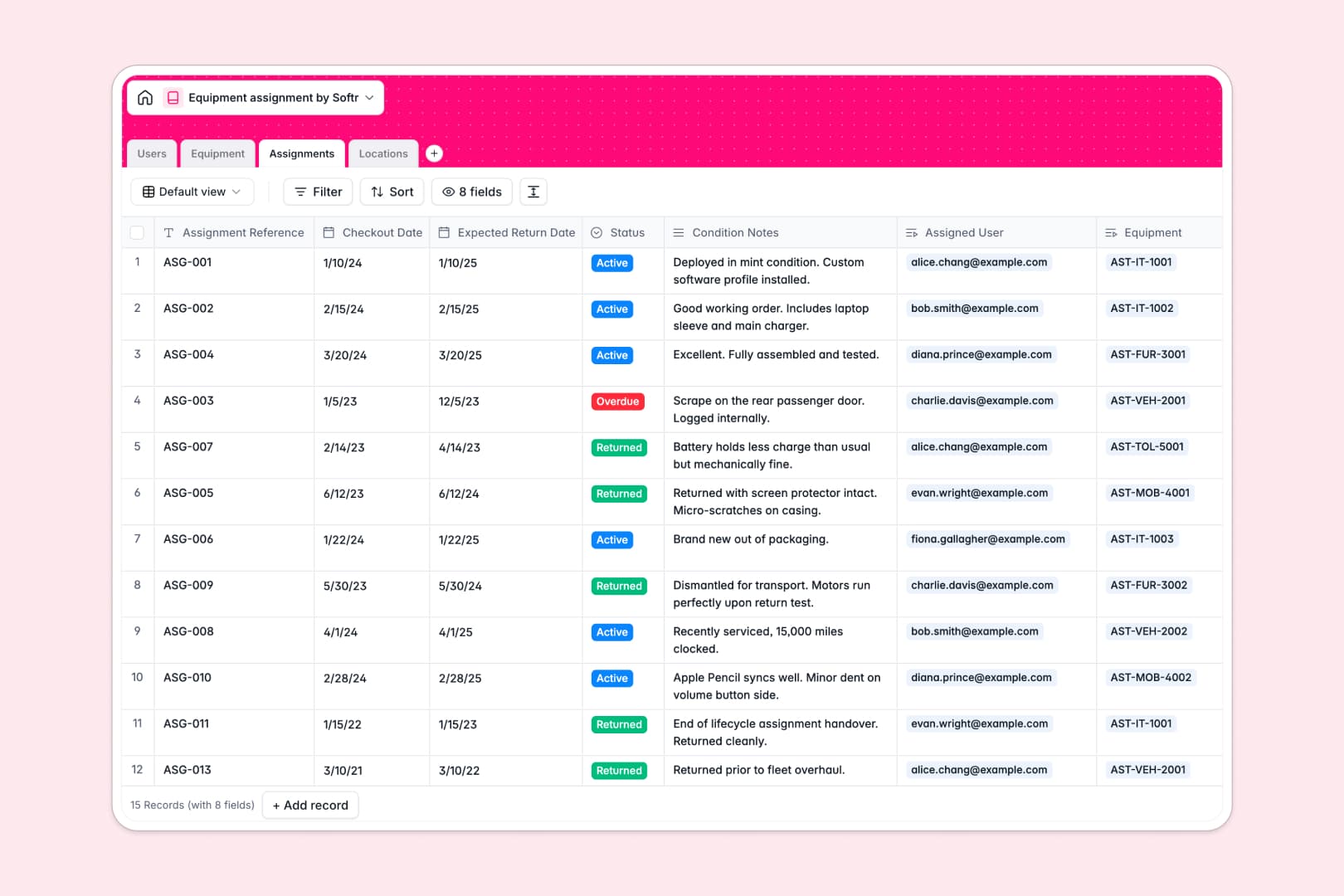
Your Equipment Assignment database at a glance
This template provides a single, organized place to track physical assets, staff assignments, and storage locations across your company. It prevents lost hardware and keeps your inventory counts accurate.
Four connected tables link your gear directly to staff members and storage sites. When an item is checked out, the system ties the assignment log to the asset tag and the borrower automatically.
Built-in AI fields research technical specifications on the live web for each asset and automatically summarize checkout condition notes.
When a shared spreadsheet lets asset tracking slip
Google Sheets is great for quick lists, but tracking physical inventory across a growing team exposes its limits. A sorting error scrambles checkout dates, free-text fields allow invalid email entries, and anyone with access can accidentally overwrite asset records or delete formulas.
What a structured database changes
A structured database enforces strict data integrity. Dates stay dates, asset tags remain unique, and every borrower links directly to an active directory record.
Instead of fragile lookup formulas that break when rows shift, tables connect natively. An item links to a location and an assignment log without any copy-pasting.
This is exactly what Softr Databases are designed for, giving you a clean backend that keeps business data protected. You can also connect an existing Google Sheet as a data source if needed.
What you can do with this template
Monitor checkouts, track return dates, and see who holds every piece of equipment instantly. Rollup fields calculate active assignments per user and total items per location in real time.
With native Database AI agents, you can enter an asset name to auto-populate manufacturer specs via web search, or generate automated status summaries from condition notes.
-
Users
Manage staff directory with department roles and equipment checkout logs
-
Equipment
Track asset inventory and specs using AI-generated product descriptions
-
Assignments
Monitor checkouts, due dates, and status with AI assignment summaries
-
Locations
Manage physical storage sites, warehouse addresses, and item counts
Who is this Equipment Assignment database for
This template is designed for teams that need clear accountability for physical assets:
- IT Department: Track laptops, monitors, and peripherals assigned to remote or in-office employees.
- Operations Managers: Monitor warehouse tools, heavy equipment, and vehicle assignments across multiple facilities.
- Office Managers: Maintain an accurate inventory of shared company hardware, furniture, and audiovisual gear.
- HR Teams: Streamline equipment provisioning during employee onboarding and recover assets during offboarding.
How to take it further
Customize the database in seconds to match your exact workflow. Add new asset categories like mobile devices or lab equipment, adjust assignment status choices, or add custom fields for warranty expiration dates.
Import your existing hardware lists quickly. Upload a CSV of your current asset tags or connect via API to sync records from your procurement software without manual entry.
When your team is ready, build an app on top of this database. Use the AI Co-Builder to turn your database into a custom equipment portal in one prompt, then refine the layout visually. Set up granular users and permissions so employees can request gear while IT managers review checkouts and manage inventory.
-
1
-
2
-
3
-
4
Frequently asked questions
-
What is an equipment assignment database?
-
Why use a no-code database to build an equipment assignment tool?
-
How can AI help managing data for equipment assignments?
-
Can I build an app with this equipment assignment database?
-
Is this Equipment Assignment database free?
-
How is an equipment assignment database different from Google Sheets?
Start building today. It's free!
Build and launch your first app in under 30 minutes.