


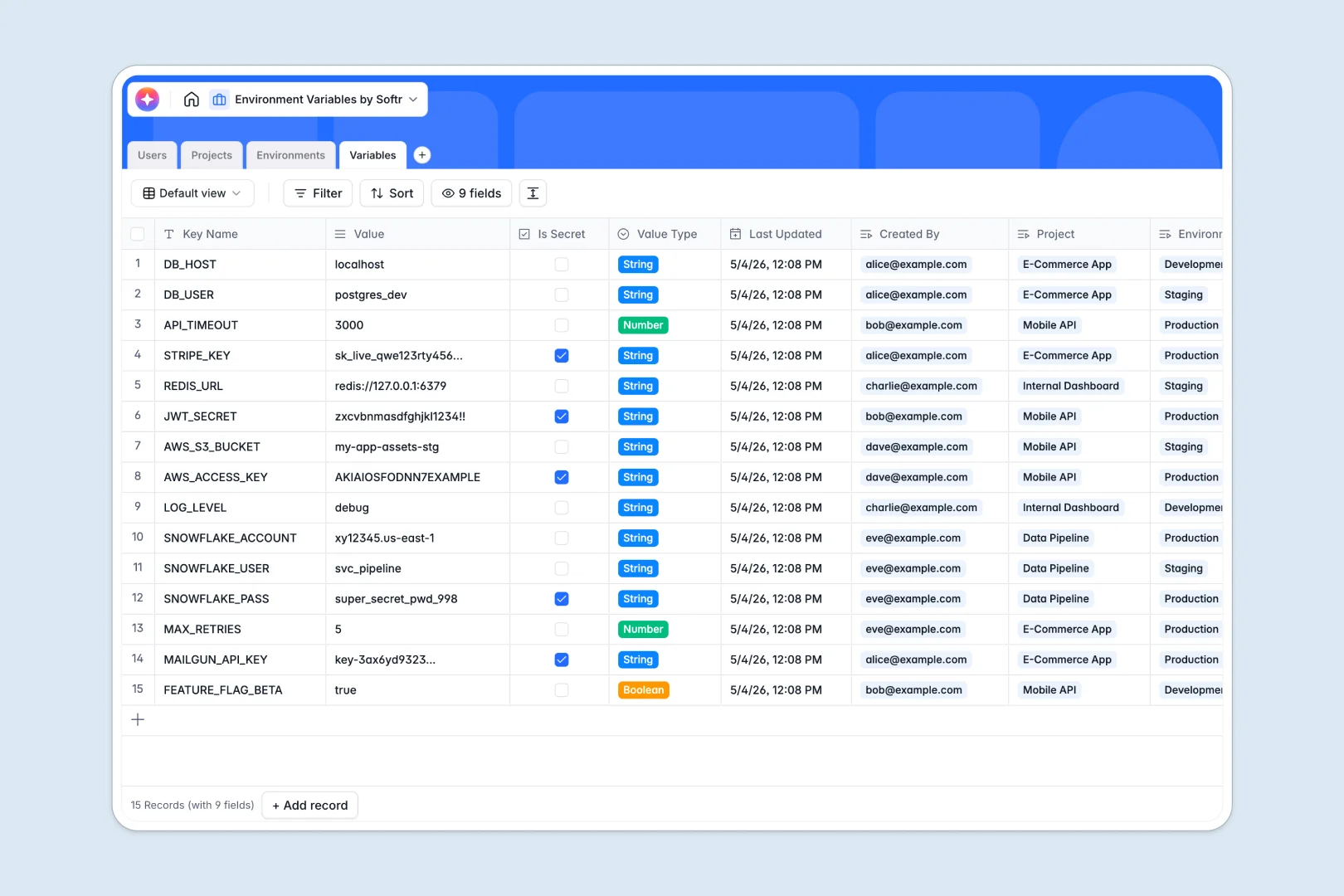
Your Environment Variables Database at a glance
This template centralizes your configuration keys so teams can deploy confidently without hunting for secrets. It securely organizes your variables across development, staging, and production in one structured source of truth.
It cleanly connects your Projects to specific Environments, guaranteeing developers pull the right setup every time. You can assign Users exact roles, meaning your team members only access the scopes they are supposed to.
Built-in AI makes maintenance effortless. The moment you add a new key, the database automatically drafts technical documentation explaining what it controls.
Why environment variables get messy in Google Sheets
Storing configurations and secrets in a shared spreadsheet quickly becomes a liability. Rows get accidentally deleted, text strings break, and managing secure access per project is virtually impossible.
What a structured database changes
Unlike a fragile spreadsheet, a real system enforces strict data types. Booleans stay booleans, JSON objects stay intact, and secret flags are natively tracked.
You can connect deployment environments directly to specific projects without relying on messy cross-sheet formulas. This is exactly what Softr Databases are designed for.
What you can do with this template
Track API keys, database URLs, and application toggles reliably across environments. Stop worrying about developers accidentally using test keys in production builds.
Stop writing manual documentation for every small configuration change. Using Database AI agents, this template automatically generates clear technical summaries for every variable the moment it drops into the system.
-
Users
Manage system users, contact information, and specific access roles for the database
-
Projects
Organize applications and services with repository links and AI-generated summaries
-
Environments
Define deployment contexts like staging or production with specific security levels
-
Variables
Store configuration keys and secrets with AI-powered automatic documentation
Who is this Environment Variables database for
This system is built for technical teams who need strict, scalable configuration management without the overhead of complex custom tools.
- DevOps Engineers: Centralize deployment configurations and prevent environment drift across services.
- Engineering Leads: Securely track variables and audit exactly who added what across all codebases.
- Platform Teams: Hand off clear, auto-documented keys to developers without maintaining outdated wikis.
- Project Managers: Instantly see how many resources and configurations are tied to specific applications.
How to take it further
Make this database your own in just a few clicks. You can easily add new environments like QA, adjust security level selections, and define customized team roles.
Stop starting completely from scratch on a new platform. Import your CSV lists of current configurations to rapidly populate your staging and production environments accurately.
When your team scales, turn this setup into a secure self-serve portal for developers. You can use the interface builder to create a web panel where engineers log in to fetch their project keys.
By configuring strict users and permissions on top of this database, you guarantee that junior developers only see staging variables while infrastructure leads securely control production secrets.
-
1
-
2
-
3
-
4
Frequently asked questions
-
What is an environment variables database?
-
Why use a no-code database to build an environment management tool?
-
How can AI help managing data for environment variables?
-
Can I build an app with this environment variables database?
-
Is this Environment Variables database free?
-
How is this database different from Google Sheets?
Start building today. It's free!
Build and launch your first app in under 30 minutes.