


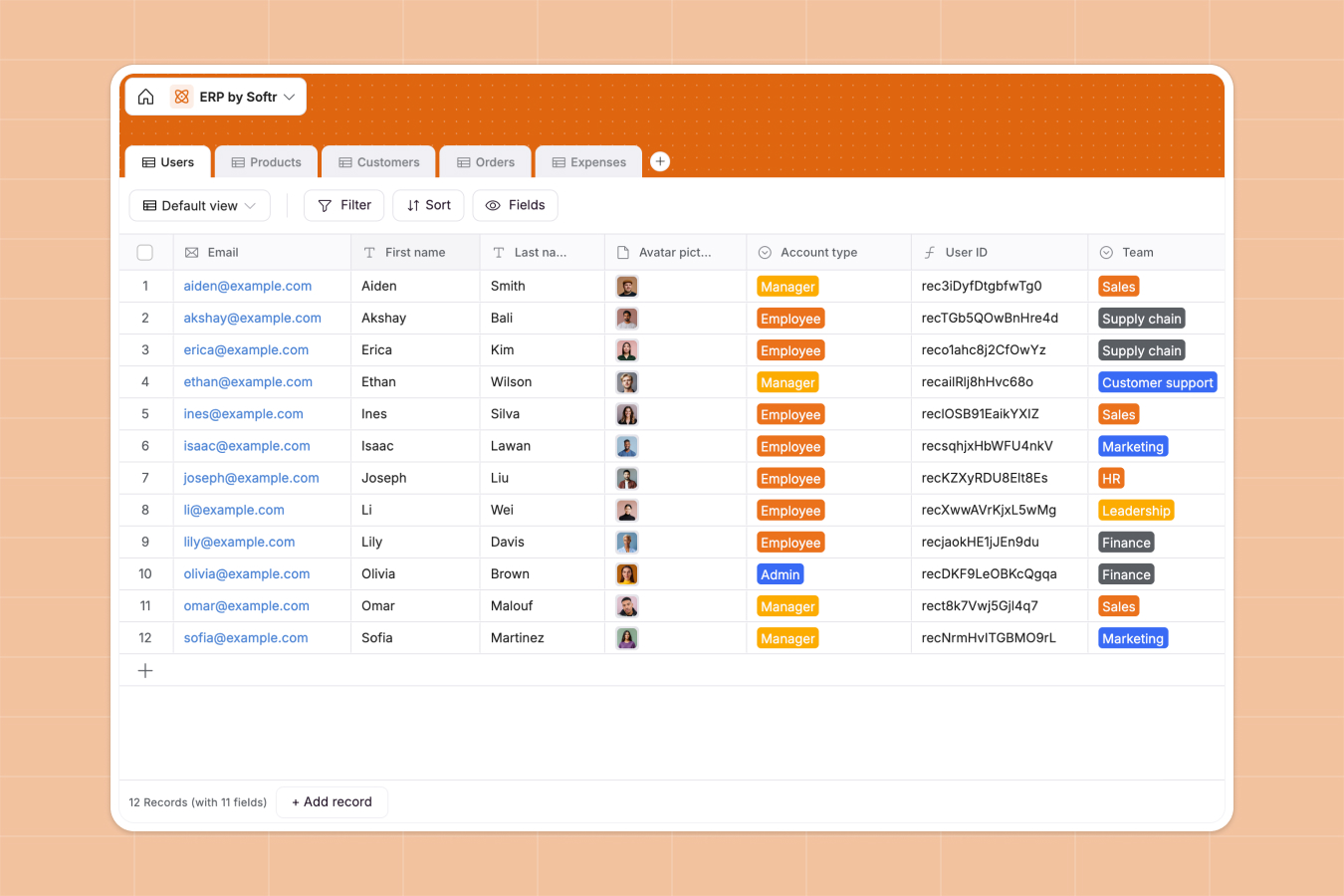
Your Enterprise Resource Planning database at a glance
This template gives your team a centralized operational hub to manage core business workflows without friction. Keep inventory levels, customer orders, team expenses, and staff profiles aligned in one structured environment.
Everything connects natively: orders link directly to specific customers and products, while employee records automatically tie back to submitted expense receipts. Stock values and customer revenue calculate dynamically as entries update.
When a shared workbook turns into an operational bottleneck
Google Sheets makes it simple to share rows with your team, but running enterprise operations on free-form grids quickly leads to broken lookup formulas, misplaced stock counts, and accidental edits across tabs.
What a structured database changes
In a dedicated system, every column enforces strict data integrity: order amounts stay currency, invoices remain attached files, and dates never accept arbitrary notes.
Relational tables connect your records directly, allowing you to link an order to a customer without fragile formulas that snap whenever a row gets reordered. This is exactly what Softr Databases are designed for.
While you can connect an existing Google Sheet to Softr as a data source, running your business on a purpose-built database ensures that sensitive financial figures and inventory tallies remain reliable.
What you can do with this template
Track order processing from placement to fulfillment while automatically rolling up total spend per customer account.
Monitor internal expenses by category and team, keeping receipts organized alongside linked employee records.
Use Database AI agents to automatically categorize incoming line items, summarize order details, or standardize vendor information as records enter the database.
-
Users
Track team members with roles, contact details, teams, and equipment
-
Products
Manage catalog items with stock quantities, unit pricing, and categories
-
Customers
Maintain client directory with contact information and total order history
-
Orders
Process client orders with payment statuses, line items, and invoices
-
Expenses
Record corporate expenses with categories, receipts, and user assignments
Who is this Enterprise Resource Planning database for
Designed for growing organizations that need unified operational tracking across departments:
- Operations Managers: Centralize order processing stages and product inventory numbers in real time.
- Finance Teams: Track departmental expenses, monitor invoice receipts, and calculate total customer revenue.
- Sales Leads: Access complete client purchase histories and maintain accurate contact details.
- Team Leads: Manage staff records, internal asset assignments, and departmental budgets.
How to take it further
Customize your database structure in seconds by updating product categories, adding custom expense codes, or tailoring order statuses to match your exact fulfillment workflow.
Import your historical orders, customer lists, and product catalog instantly via CSV upload, or use the API to sync existing business records automatically.
When you are ready to give your team a dedicated interface, use the AI app generator to turn this database into a complete portal. With granular users and permissions, employees only see their own expense submissions while leadership views company-wide revenue totals.
-
1
-
2
-
3
-
4
Frequently asked questions
-
What is an enterprise resource planning database?
-
Why use a no-code database to build an enterprise resource planning tool?
-
How can AI help managing data for enterprise resource planning?
-
Can I build an app with this enterprise resource planning database?
-
Is this Enterprise Resource Planning template free?
-
How is an ERP database different from Google Sheets?
Start building today. It's free!
Build and launch your first app in under 30 minutes.