


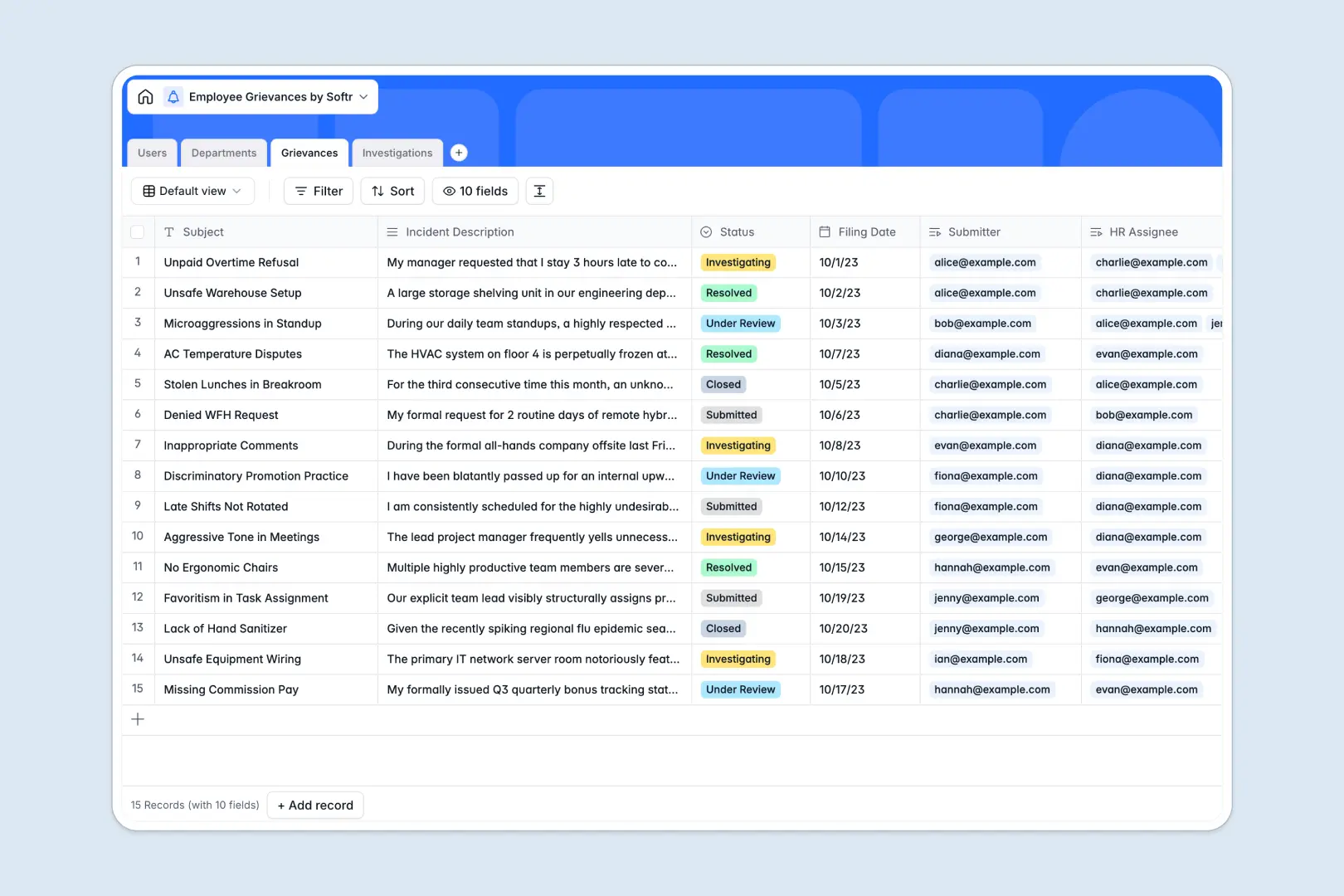
Your Employee Grievances database at a glance
This template centralizes incident reports, case assignments, and resolution notes so HR teams can manage workplace issues with total confidentiality.
It connects four dedicated tables: Users, Departments, Grievances, and Investigations. Each grievance links directly to the filing employee, the HR investigator, and the specific department, ensuring complete context without scattered notes.
Built-in AI fields automatically categorize incident descriptions into standard types and generate concise executive summaries for faster HR triage.
When a shared grid risks confidential HR reports
Google Sheets makes sharing simple, but human resources data requires strict confidentiality that an open spreadsheet cannot offer. When every collaborator with access can view the entire sheet, sensitive incident details and submitter identities are exposed to the wrong eyes.
What a structured database changes
In a structured database, data is strictly typed and securely organized. Dates, status tags, and confidential long-text incident notes remain cleanly separated rather than turning into messy, unstructured text.
Crucially, relational tables link an investigation to a grievance and its assigned HR manager without copy-pasting names or risking broken lookup formulas. This is exactly what Softr Databases are designed for.
While Softr can connect an existing Google Sheet as a data source, a dedicated database ensures the privacy, record integrity, and structure that HR cases demand.
What you can do with this template
Track cases through clear stages from "Submitted" to "Resolved" while maintaining detailed meeting notes and findings in linked investigation records.
Use Database AI agents directly inside your tables to analyze incident reports and propose logical next steps based on internal policy guidelines.
-
Users
Maintain employee records, assigned grievances, and investigation responsibilities
-
Departments
Track organizational units and aggregate grievance metrics across teams
-
Grievances
Log employee complaints with AI-powered categorization and executive summaries
-
Investigations
Document HR inquiries, findings, and generate AI-recommended next actions
Who is this Employee Grievances database for
This system is built for teams that need a secure, organized method to manage sensitive employee feedback:
- HR Leaders: Maintain confidential incident records and track investigator workloads across company departments.
- People Operations Managers: Categorize incoming complaints quickly and spot recurring issues within specific teams.
- Compliance Officers: Document thorough investigation findings and meeting notes to ensure fair resolutions.
How to take it further
You can easily tailor this database to match your organization's exact policies. Add custom categories like wage disputes or policy violations, adjust severity levels, or add fields for witness statements directly within the visual interface.
If you already track complaints, import your historical records instantly using CSV upload or sync data automatically via API without losing previous investigation context.
When you are ready to give your team a dedicated intake portal, you can build an app on top of this database. Use Softr's AI Co-Builder to turn a single prompt into an employee reporting portal and an HR case-management dashboard. By configuring granular users and permissions, employees can only view the cases they submitted, while HR managers see the full case directory.
-
1
-
2
-
3
-
4
Frequently asked questions
-
What is an Employee Grievances database?
-
Why use a no-code database to build an employee grievance management tool?
-
How can AI help managing data for employee grievances?
-
Can I build an app with this Employee Grievances database?
-
Is this Employee Grievances database free?
-
How is this database better than using Google Sheets for grievances?
Start building today. It's free!
Build and launch your first app in under 30 minutes.