


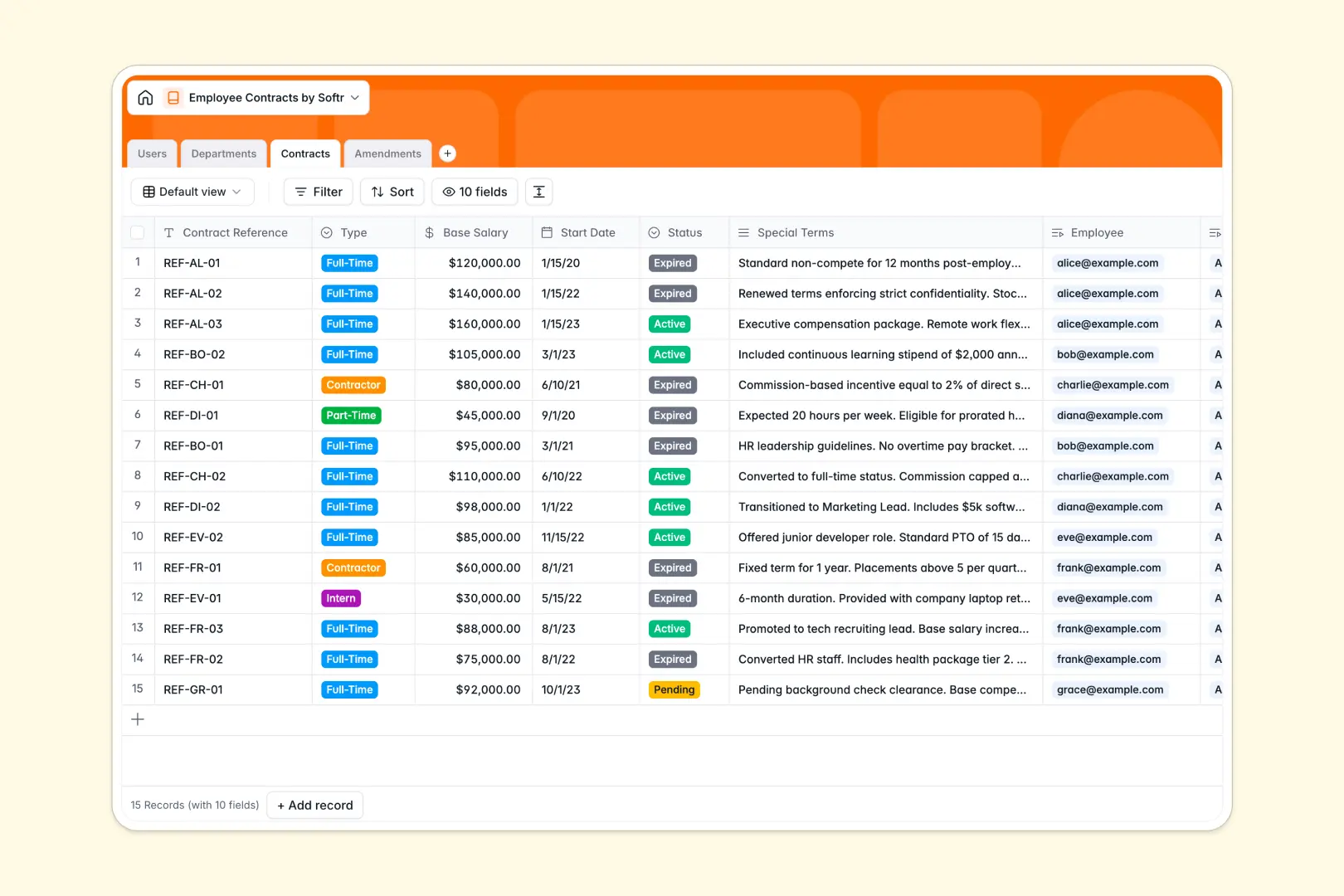
Your Employee Contracts database at a glance
This template centralizes your team agreements, compensation details, and contract histories in one structured system. It eliminates scattered files and gives HR teams a reliable record of every agreement.
Four dedicated tables organize Users, Departments, Contracts, and Amendments. Native links connect contracts directly to employees and their corresponding signed amendment documents, keeping full audit trails intact.
Integrated AI fields extract bulleted contract summaries from special terms and automatically classify amendments by category as soon as records are created.
When a shared spreadsheet puts confidential compensation in the wrong hands
Google Sheets makes sharing effortless, but employee contracts involve sensitive salary figures, personal details, and legal amendments that not everyone should view. Because spreadsheets lack row-level access rules, restricting visibility usually means splitting data across multiple disconnected files.
What a structured database changes
In a structured setup, typed columns ensure salaries stay numeric, start dates remain valid timestamps, and signed PDF attachments attach directly to the right amendment record.
Instead of writing fragile lookup formulas across tabs, tables link naturally so an employee record connects to its department, active contract, and entire revision history.
This is exactly what Softr Databases are designed for: keeping sensitive records organized in a reliable system rather than an open grid. While you can connect an existing Google Sheet to Softr, a dedicated database keeps your confidential HR operations far more secure.
What you can do with this template
HR managers can monitor agreement statuses across Full-Time, Part-Time, and Contractor roles without messy filters or accidental cell overwrites.
Native Database AI agents automatically parse complex legal clauses into concise summaries and categorize amendment types like salary increases or role changes.
Department headcount rollups update automatically as new team members join, giving leadership an accurate operational overview at all times.
-
Users
Manage employee directory, system roles, departments, and linked contracts
-
Departments
Organize teams, assign managers, and generate role overviews with AI
-
Contracts
Track employment agreements, compensation, and summarize terms using AI
-
Amendments
Log contract modifications and categorize agreement changes using AI
Who is this Employee Contracts database for
This database helps operations and people teams maintain organized, confidential employment records.
- HR Directors: Maintain compliance and centralize contract statuses across all global departments.
- People Operations: Track signed contract amendments, role updates, and compensation revisions seamlessly.
- Department Managers: View direct team assignments and department headcount without seeing restricted compensation numbers.
- Finance Teams: Audit salary changes and active agreement terms from one structured source.
How to take it further
Customize this database to match your organization's legal and hiring processes. You can add select options for regional contract types, create custom date fields for probation reviews, or adjust department taxonomies with a few clicks.
Import your current agreement records using a quick CSV upload or sync data automatically using the API. Your existing contract lists become fully organized and linked in minutes.
When your team needs self-service access, use the AI app generator to turn this database into an internal HR portal. With custom users and permissions, employees can securely view their own contracts while managers manage their own departments, keeping confidential compensation safe behind role-based access.
-
1
-
2
-
3
-
4
Frequently asked questions
-
What is an Employee Contracts database?
-
Why use a no-code database to build an employee contracts system?
-
How can AI help managing data for employee contracts?
-
Can I build an app with this Employee Contracts database?
-
Is this Employee Contracts database template free?
-
How is this database different from tracking employee contracts in Google Sheets?
Start building today. It's free!
Build and launch your first app in under 30 minutes.