


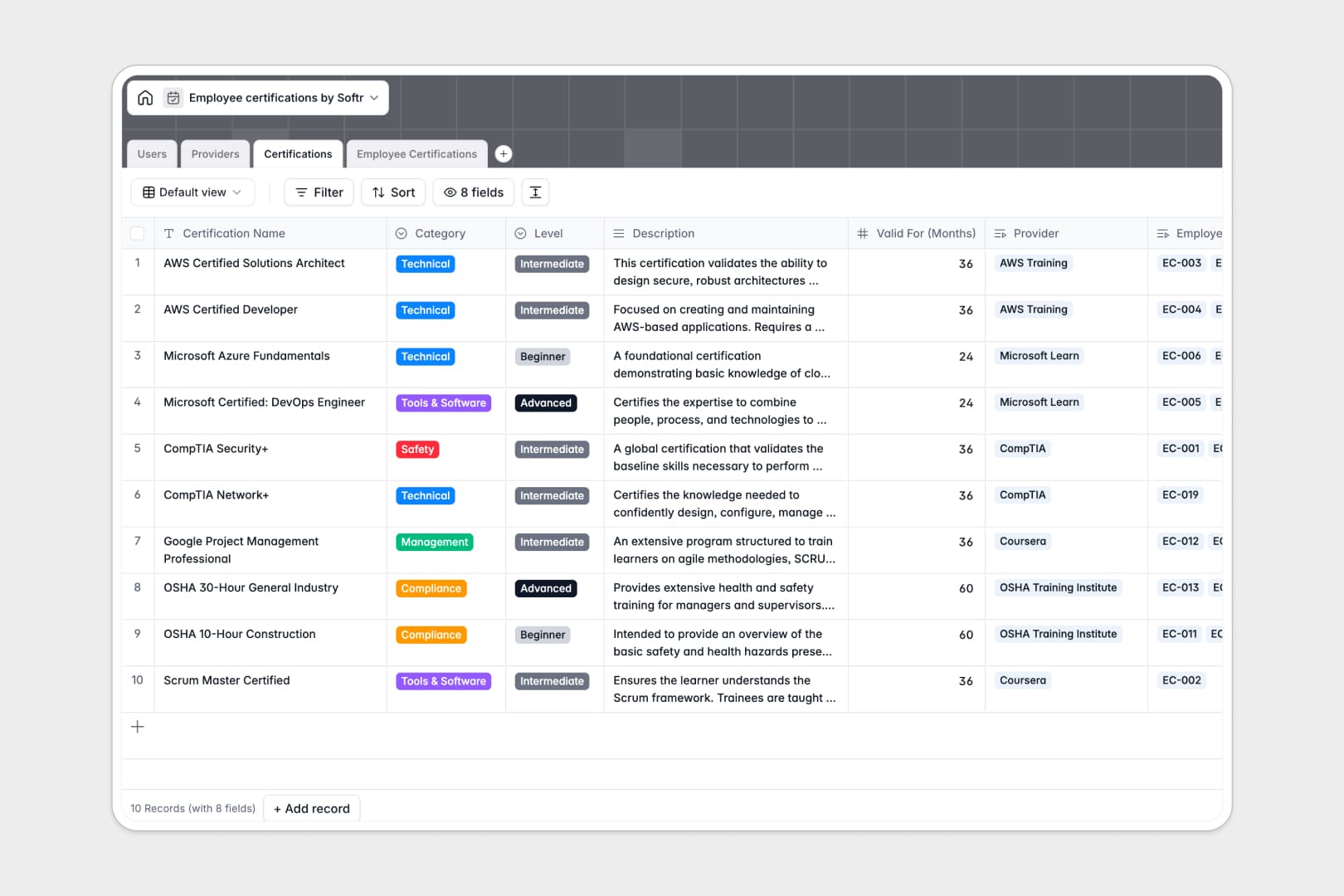
Your Employee Certifications database at a glance
This template centralizes compliance tracking, training catalogs, and renewal deadlines in one structured system. It eliminates missing documentation and ensures managers always know who holds valid credentials.
Four dedicated tables organize Users, Providers, Certifications, and Employee Certifications. Native relationships link each staff member directly to their active records and certificate attachments without fragile lookups.
Built-in AI fields summarize lengthy course descriptions and automatically research provider websites to generate concise institution overviews.
When a shared sheet becomes an accidental compliance risk
Google Sheets makes sharing easy, but tracking mandatory credentials across departments quickly breaks down when everyone has access to every row, date formats drift, and expiration alerts require manual formulas.
What a structured database changes
In a true database, every column enforces strict data types so expiration dates remain proper dates and file attachments stay attached directly to the employee record. Relational links ensure that updating a certification's renewal period instantly updates every linked record.
This is exactly what Softr Databases are designed for: giving your operational data real relational structure instead of flat rows. (You can also connect an existing Google Sheet as an external data source if needed).
What you can do with this template
Track credential statuses from "In Progress" to "Active" or "Expired" while rolling up the total active count per employee automatically.
With native Database AI agents, you can research vendor websites directly from the Providers table and create instant bullet-point summaries for course catalogs.
-
Users
Manage employee profiles, department assignments, and active credentials
-
Providers
Store certification vendors with AI-generated profiles from web searches
-
Certifications
Catalog training courses with validity terms and concise AI summaries
-
Employee Certifications
Track employee credential status, issue dates, and certificate files
Who is this Employee Certifications database for
This database helps operations and people teams maintain regulatory compliance and employee development.
- HR Managers: Monitor team compliance deadlines and store certificate attachments in a single secure system.
- Operations Leads: Ensure technicians and team leads maintain active safety and technical credentials without delays.
- Department Heads: Track professional development budgets and course completions across individual team members.
How to take it further
1. Customize the database
Adjust the certification categories, add new departments to the Users table, or set custom renewal timeframes to match your industry standards.
2. Import your existing data
Quickly migrate your historical spreadsheets using CSV import to map existing staff records and active certificates into relational tables.
3. Build a full app around it
When you are ready, transform this data into a secure self-service portal where employees submit certificates and managers approve renewals. Use the AI app generator to turn this schema into a tailored application in minutes. With granular users and permissions, ensure staff only view their own records while managers oversee their entire department.
-
1
-
2
-
3
-
4
Frequently asked questions
-
What is an employee certifications database?
-
Why use a no-code database to track employee certifications?
-
How can AI help manage employee certification data?
-
Can I build an app with this employee certifications database?
-
How is this database different from tracking certifications in Google Sheets?
-
Is this Employee Certifications template free?
Start building today. It's free!
Build and launch your first app in under 30 minutes.