


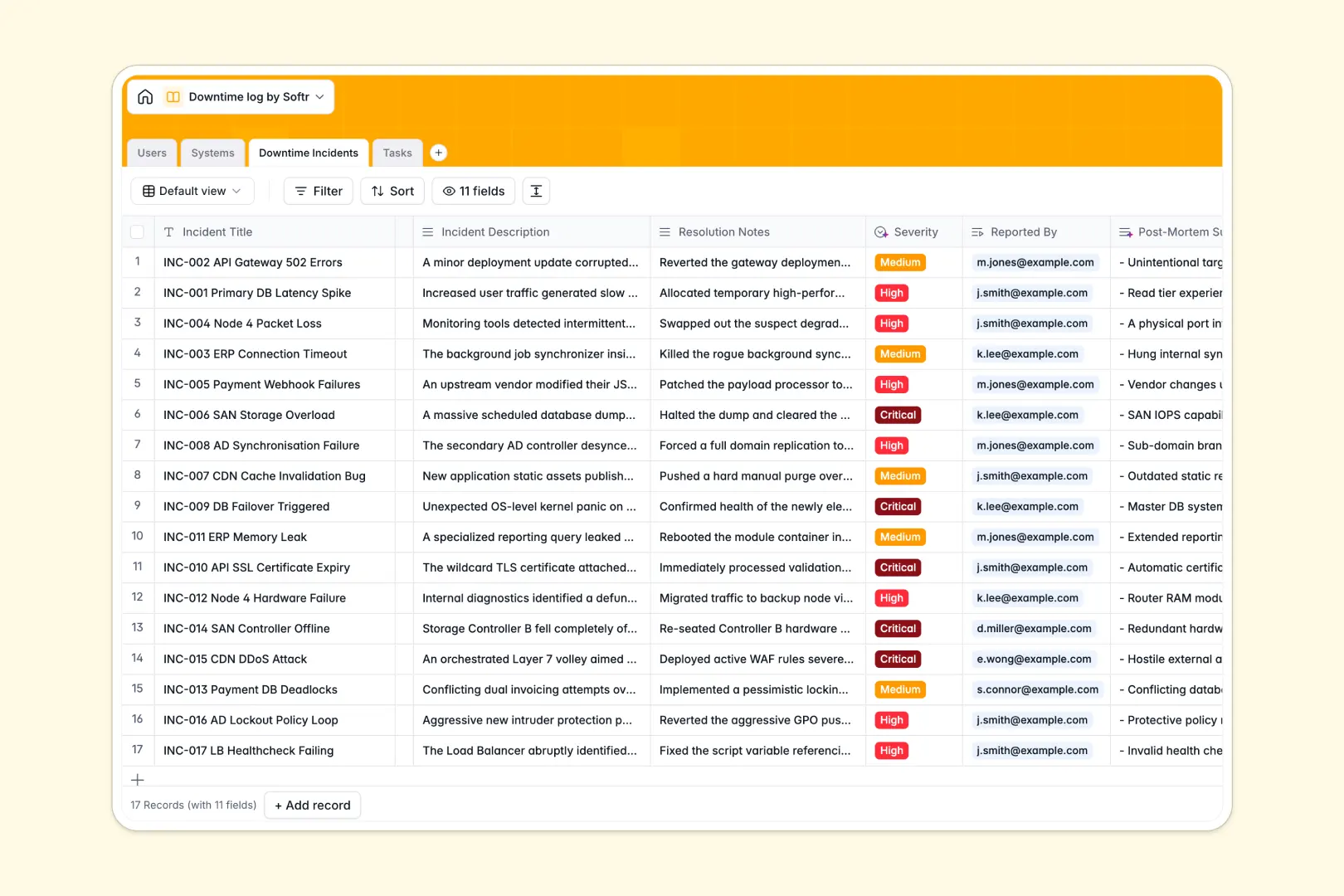
Your Downtime Log database at a glance
This template centralizes IT outage tracking, recovery tasks, and root-cause post-mortems across all company infrastructure. Keep engineers and operators aligned with transparent incident statuses, assigned owners, and historical reliability metrics.
Four dedicated tables structure your operational response: Systems tracks monitored IT assets, Downtime Incidents logs outages with exact timestamps, Tasks assigns remediation steps, and Users manages responders. Relations ensure every task and incident ties directly to the right asset and engineer.
Native AI features automatically assess incident severity from descriptions, draft 3-bullet post-mortem summaries, and generate actionable task steps for rapid resolution.
When a shared outage sheet turns into an operational bottleneck
Google Sheets makes sharing quick, but treating a spreadsheet as an incident backend leads to missing timestamps, accidental formula overwrites, and zero automated triage during critical downtime events.
What a structured database changes
In a dedicated database, data integrity is guaranteed: start and end times stay valid timestamps, system statuses remain standardized, and incident links never break when someone sorts a table.
Every monitored system links directly to historical outages and active recovery tasks without fragile sheet lookups. This is exactly what Softr Databases are designed for, giving technical teams a stable foundation that does not collapse under high-stress incidents. You can also connect an existing Google Sheet to Softr if you want to keep legacy records where they are.
What you can do with this template
Track active outages across cloud services, servers, and applications with real-time status updates and automatic outage rollups per system.
Built-in Database AI agents analyze incident descriptions to assign severity tiers and write structured post-mortem summaries instantly upon resolution.
-
Users
Manage staff members, roles, contact details, and assigned system ownership
-
Systems
Track monitored IT assets and generate system profiles using AI descriptions
-
Downtime Incidents
Log outages with AI-powered severity analysis and post-mortem summaries
-
Tasks
Coordinate incident recovery actions with AI-generated step-by-step tasks
Who is this Downtime Log database for
Built for technical teams and operations leaders who need structured incident tracking without spreadsheet clutter:
- DevOps & SRE Teams: Log service disruptions, monitor system reliability, and assign remediation tasks immediately.
- IT System Administrators: Track hardware and cloud asset health while keeping an auditable log of outages.
- Engineering Leads: Standardize post-mortem documentation and track recurring failure points across infrastructure.
- Operations Managers: Monitor vendor SLAs and communicate outage impacts clearly to non-technical stakeholders.
How to take it further
Customize this database by adding custom asset categories, adjusting severity dropdowns, or linking incident logs to specific client accounts or internal service-level agreements. Everything can be modified visually in seconds within your workspace.
Import your historical outage logs using a quick CSV upload or sync data programmatically via API to keep your uptime analytics current.
When ready, build an app on top of this database so on-call engineers can file incidents from a mobile-friendly interface while executives view high-level uptime dashboards. Using custom users and permissions, you can ensure operators only edit tasks assigned to them while keeping post-mortem summaries visible across the entire engineering department.
-
1
-
2
-
3
-
4
Frequently asked questions
-
What is a downtime log database?
-
Why use a no-code database to build a downtime log?
-
How can AI help managing data for downtime tracking?
-
Can I build an app with this Downtime Log database?
-
Is this Downtime Log template free?
-
How is this database different from a downtime log in Google Sheets?
Start building today. It's free!
Build and launch your first app in under 30 minutes.