


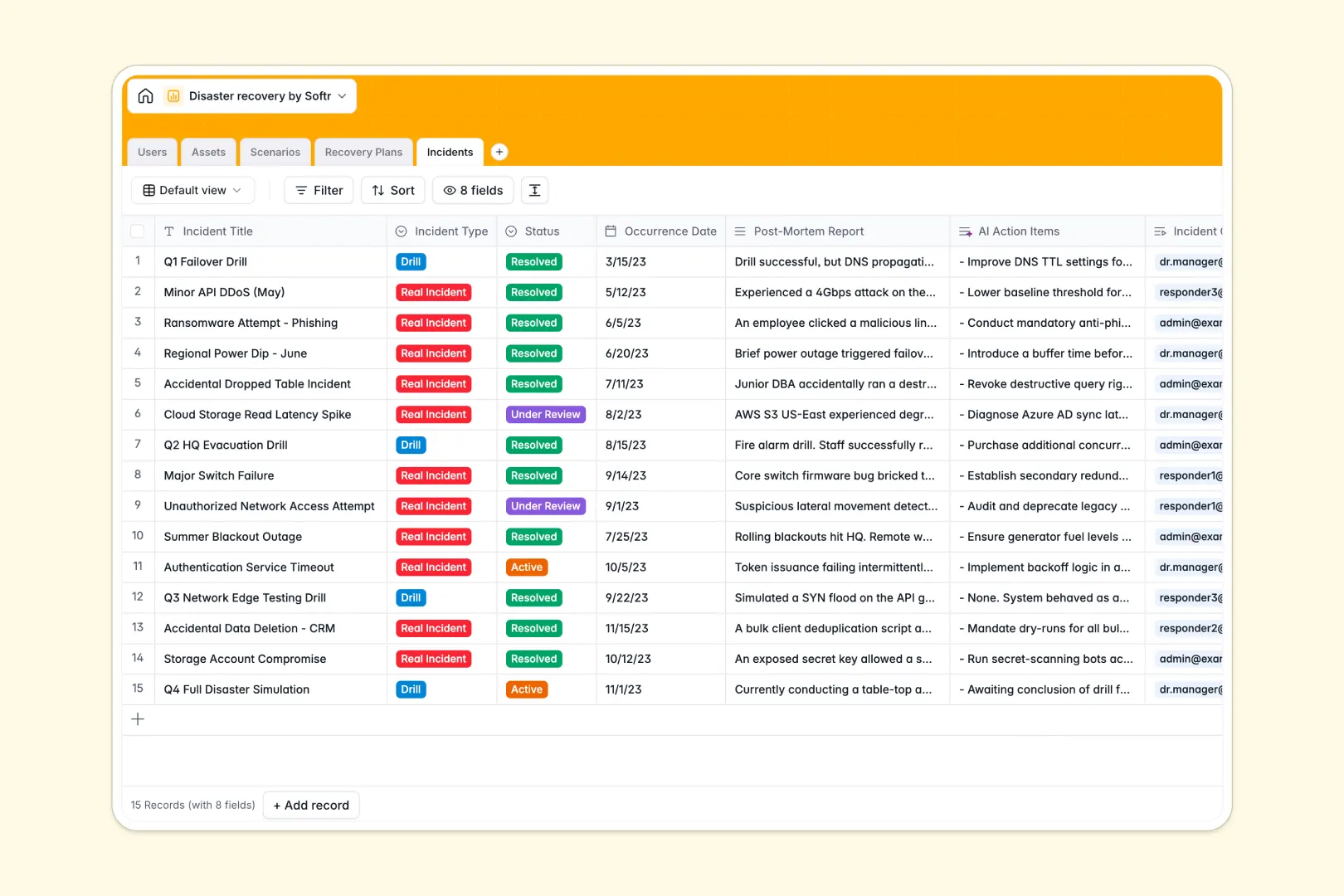
Your Disaster Recovery database at a glance
This database gives teams a structured, production-ready framework to manage business continuity and emergency readiness. It connects critical assets, potential threat scenarios, actionable recovery procedures, and post-incident logs into a single reliable operational hub.
Five dedicated tables link your disaster recovery team to specific infrastructure assets, threat profiles, and emergency playbooks. When an outage or drill occurs, incident commanders can trigger predefined response plans without cross-checking disconnected files.
Built-in AI fields summarize scenario risks, generate three-bullet action checklists from detailed procedures, and instantly extract improvement tasks from post-mortem reports.
When a critical outage hits, shared spreadsheet rows cannot coordinate a response
Google Sheets makes collaboration simple during standard operations, but disaster recovery requires operational isolation, relational data integrity, and automated intelligence. In a crisis, accidentally deleted lookup formulas, inconsistent text entries, or unauthorized edits in a shared sheet can delay critical failover steps.
What a structured database changes
In a relational database, infrastructure assets directly link to threat scenarios and designated recovery procedures without fragile formula lookups. Field types enforce exact values so dates remain timestamps, criticality ratings stay standardized, and ownership stays clear.
Because permissions and tables are structured, team responders only access the protocols relevant to their operational role during an active drill or disaster. This is exactly what Softr Databases are designed for.
While you can connect an existing Google Sheet as an external data source in Softr, using a dedicated native database provides the strict structure and self-maintaining logic needed for mission-critical continuity.
What you can do with this template
Map all mission-critical infrastructure to specific incident commanders and recovery protocols instantly. Standardize how your organization logs drill results and real incidents with preconfigured statuses and incident types.
Native Database AI agents analyze post-mortem logs to generate immediate corrective tasks and summarize technical recovery playbooks into concise action steps for emergency responders.
-
Users
Manage recovery team members with assigned roles and asset ownership
-
Assets
Track critical infrastructure, hardware, and facilities by criticality
-
Scenarios
Assess operational threat profiles with web-informed AI risk summaries
-
Recovery Plans
Document emergency procedures enhanced with AI-generated quick summaries
-
Incidents
Log real events and drills while extracting AI action items from reports
Who is this Disaster Recovery database for
- IT and DevOps Leads: Map infrastructure assets and automate drill reviews across technical systems.
- Risk and Compliance Officers: Maintain audit-ready recovery plans and track business continuity protocols.
- Security Operations Teams: Log live incidents, assign incident commanders, and coordinate fast triage workflows.
- Operations Managers: Centralize asset ownership and standard operating procedures for critical facilities.
How to take it further
1. Customize the database
Tailor the template to your organization by adding custom asset categories, modifying criticality levels, or introducing specific scenario tags like regional power loss or supply chain disruption. Add custom fields to capture Recovery Time Objectives (RTO) or Recovery Point Objectives (RPO) in seconds.
2. Import your existing data
Upload current hardware inventories, software lists, and employee directories via CSV in seconds. You can also connect your external monitoring systems through the REST API to create incident records automatically when alerts trigger.
3. Build a full app around it
Turn this database into an interactive internal portal with granular users and permissions so responders see only their assigned recovery playbooks on mobile or desktop. When you want to build an app, use Softr's AI Co-Builder to generate clean dashboards, incident intake forms, and automated alert notifications from a single prompt.
-
1
-
2
-
3
-
4
Frequently asked questions
-
What is a disaster recovery database?
-
Why use a no-code database to build a disaster recovery tool?
-
How can AI help managing data for disaster recovery?
-
Can I build an app with this Disaster Recovery database?
-
Is this Disaster Recovery template free?
-
How does this database compare to disaster recovery in Google Sheets?
Start building today. It's free!
Build and launch your first app in under 30 minutes.