


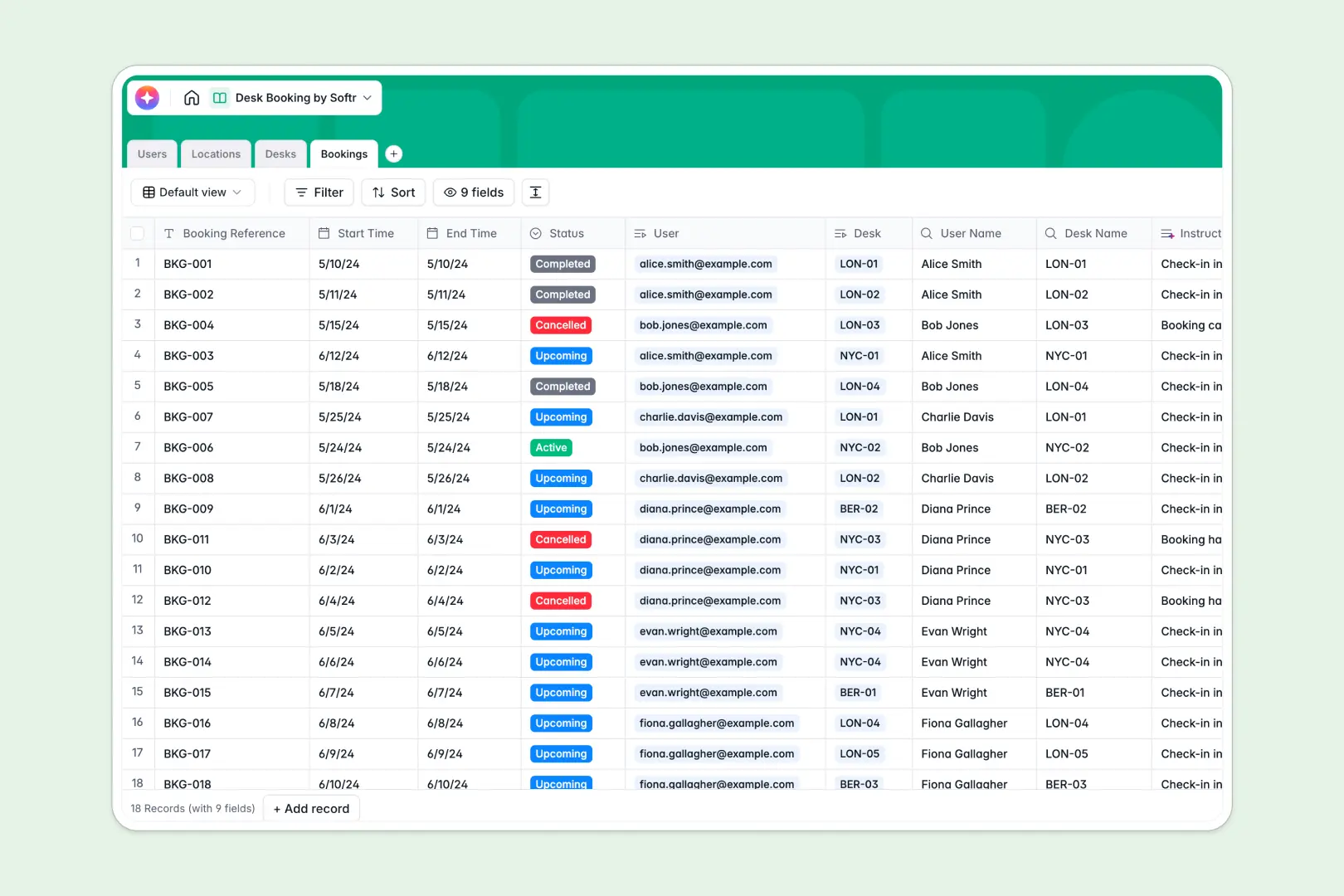
Your Desk Booking database at a glance
This template replaces messy shared spreadsheets with a structured system for reserving office workstations. It gives your team real-time visibility into available desks, upcoming reservations, and location capacity.
It organizes data across four connected tables: Users, Locations, Desks, and Bookings. When an employee reserves a standard desk, the system automatically checks availability and links the booking to the exact location.
Integrated AI handles the manual busywork automatically. It generates personalized check-in instructions for every new booking and writes helpful neighborhood guides for your office locations.
Why desk booking gets messy in Google Sheets
Managing office reservations in Google Sheets quickly becomes chaotic. Accidental overrides create double-booked desks, and tracking who sits where on which day requires complex, fragile formulas.
What a structured database changes
A structured system keeps everything clean because every column enforces specific data types. Users cannot accidentally overwrite past bookings or enter invalid dates.
You can easily link a specific workstation to an employee without relying on VLOOKUPs. This native connection is exactly what a Softr database is designed to handle.
As your team grows, you can track amenities like dual monitors or standing desks across multiple office locations safely. The layout stays structured and reliable instead of expanding into endless, broken spreadsheet tabs.
What you can do with this template
You can track workstation availability in real time, so employees always know exactly where they'll be sitting before they commute.
Built-in AI agents actively support the process by automatically researching the web to pull local cafe recommendations near each office. They also format custom welcome messages when a booking is confirmed.
You can start using this template immediately. Simply adapt the desk attributes and get straight to managing your physical workspace effectively.
-
Users
Manage employee profiles, contact details, and their linked desk bookings
-
Locations
Manage office sites with AI-powered neighborhood guides and amenity insights
-
Desks
Catalog workspaces with AI-generated descriptions based on features and status
-
Bookings
Schedule reservations with AI-generated check-in instructions for every user
Who is this Desk Booking database for
This system helps operations and administrative teams maintain an organized and efficient flexible workplace.
- Office Managers: Track overall desk utilization and manage workstation maintenance seamlessly.
- HR Professionals: Ensure new hires and traveling team members have guaranteed workspaces upon arrival.
- Operations Leads: Monitor cross-location capacity and scale office footprints smartly based on actual booking data.
How to take it further
Start by customizing the database to match your specific office setup. You can adjust the dropdown categories for desk types or add custom amenity checklists for each individual location.
Easily import your current employee directory via CSV or sync it through an API. This bulk upload allows your team to start booking workstations on day one.
When your team is ready, you can build a full application on top of this structure. This lets employees browse real-time availability and select their seats through an intuitive internal portal.
Since it connects natively, the interface will automatically reflect the rules you set here. A well-structured foundation means you can easily enforce role-based access, letting standard employees edit only their own trips while admins oversee total usage.
-
1
-
2
-
3
-
4
Frequently asked questions
-
What is a desk booking database?
-
Why use a no-code database to build a desk booking system?
-
How can AI help managing data for desk booking?
-
Can I build an app with this desk booking database?
-
Is this Desk Booking database free?
-
How is a desk booking database different from Google Sheets?
Start building today. It's free!
Build and launch your first app in under 30 minutes.