


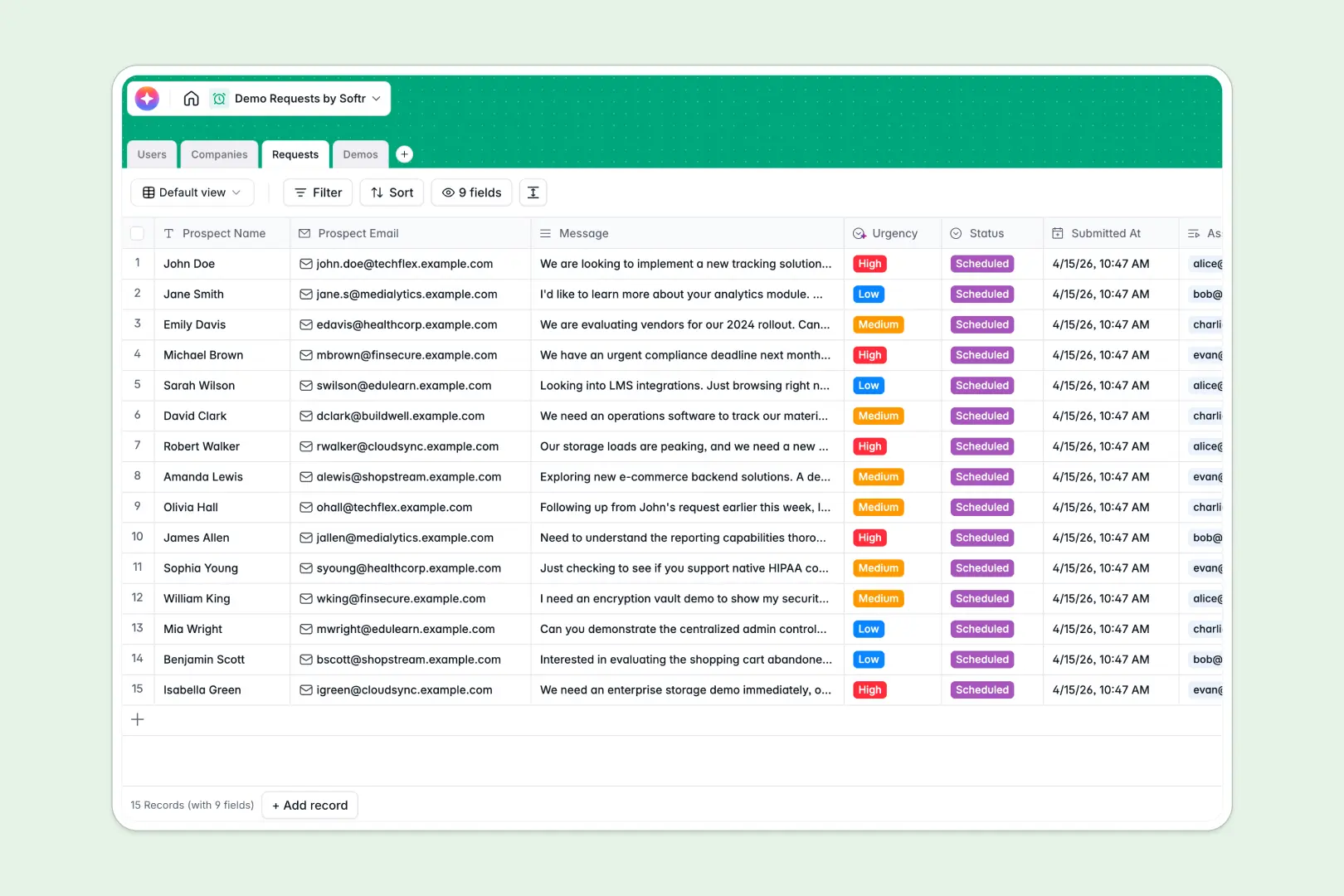
Your Demo Requests database at a glance
Manage inbound prospect inquiries efficiently with a strictly structured system built for modern sales teams. It automatically qualifies priorities so reps focus on high-intent leads first.
The exact architecture naturally links prospect companies to their specific requests and assigned sales reps directly to scheduled demos. Everything precisely connects seamlessly without ever risking broken formulas.
Built-in AI carefully evaluates inbound messages to efficiently score urgency and searches the web to instantly write company summaries.
Why demo requests get messy in Google Sheets
Tracking inbound leads in conventional spreadsheets quickly breaks down as deal volume grows and multiple team members desperately try to filter the same rows at once.
What a structured database changes
In a strictly native database system, your specific prospect data securely remains correctly formatted. Dropdowns for lead statuses effortlessly stay consistent, and prospect companies safely link to multiple inquiries without duplicating messy records.
Instead of wasting time fixing broken VLOOKUPs mapping team rosters to lead lists, map fundamental relationships smoothly. This is exactly what Softr Databases are specifically designed for.
What you can do with this template
You can instantly and reliably route new inbound submissions perfectly to the right rep and track meeting outcomes precisely in one centralized view. Everything dynamically updates quickly in genuine real time without requiring manual syncs.
-
Users
Manage internal team members, assigned demo requests and host schedules
-
Companies
Store prospect accounts with AI-generated research and website descriptions
-
Requests
Process inbound leads using AI to analyze message urgency and suitability
-
Demos
Schedule events and generate AI follow-up summaries and next step plans
Who is this Demo Requests database for
This robust template securely provides immediate operational structure for sales and revenue teams managing incoming inbound interest.
- Sales Managers: Effectively gain total visibility into request volume, rep assignments, and scheduled meeting outcomes.
- Account Executives: Securely track upcoming calls, crucial prospect context, and automated follow-up milestones.
- Revenue Operations: Automatically standardize incoming lead data securely without continually dealing with messy spreadsheet imports.
How to take it further
Easily tailor the exact lead statuses and set urgency rules clearly to perfectly match your specific sales cycle. You can natively update dropdown fields tightly in mere seconds to reflect your unique qualification steps.
Appropriately rely on integrations to import your historical prospect pipelines utilizing CSV files. This gets your entire team operating immediately from a highly reliable true single source of truth.
You can then seamlessly transform this specific structure into an immersive internal app utilizing an intuitive interface builder. Give your reps a clean dashboard where they see purely their personally assigned leads.
By securely utilizing custom Softr Users and Permissions, you can ensure that executives securely and properly edit their own pipeline. Operating from a well-structured database smoothly makes creating this app completely effortless.
-
1
-
2
-
3
-
4
Frequently asked questions
-
What is a demo requests database?
-
Can I connect this template to my existing CRM?
-
How do I assign leads to specific sales reps?
-
Are email notifications supported in this template?
-
Is this suitable for large revenue operations teams?
Start building today. It's free!
Build and launch your first app in under 30 minutes.