


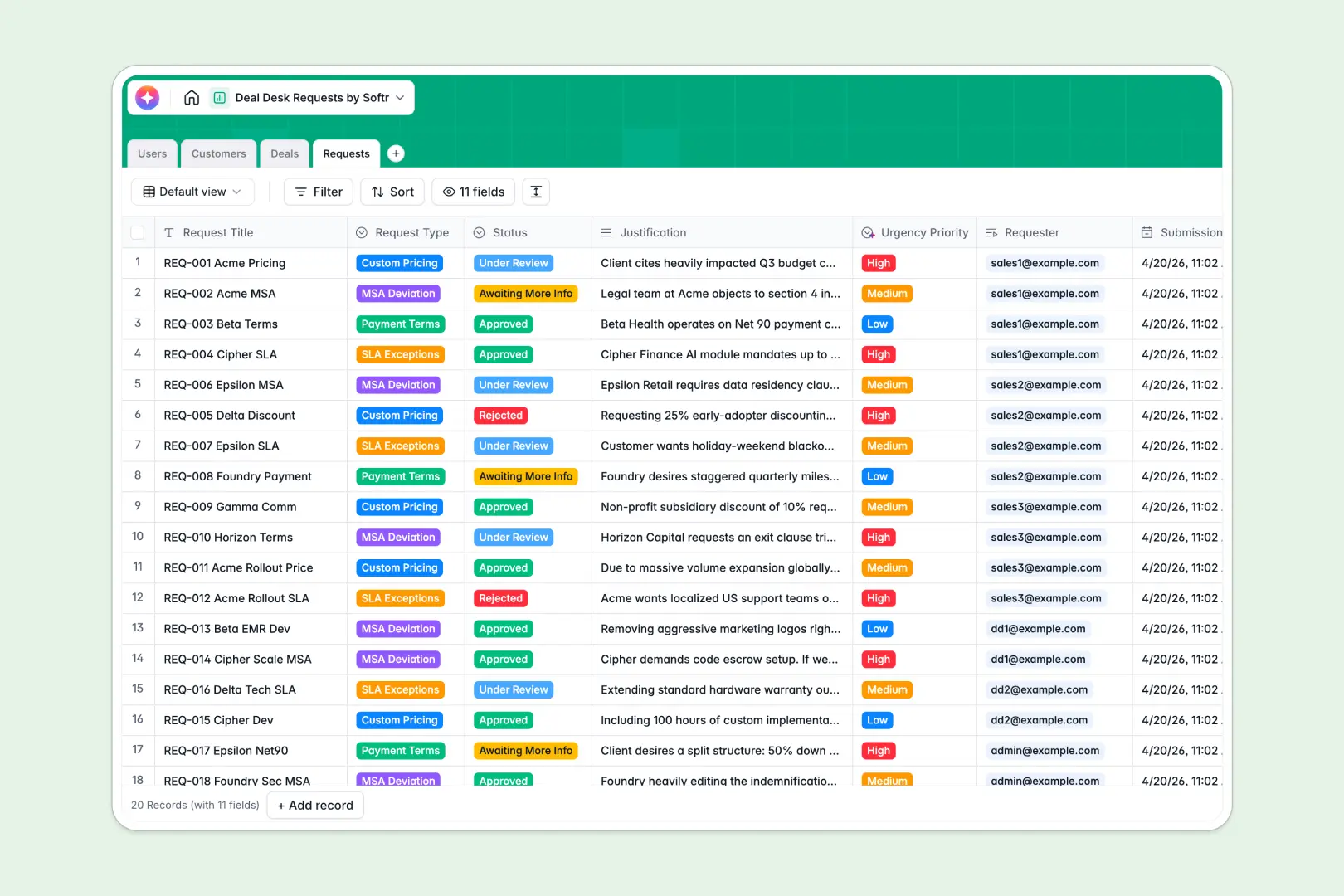
Your Deal Desk Requests database at a glance
This template replaces scattered messages and manual trackers with a centralized system for non-standard pricing and term approvals. It keeps sales reps and approvers aligned so complex deals can close faster.
It connects tables for Users, Customers, Deals, and Requests natively without fragile formulas. When a rep submits a request, it automatically links to the exact deal and customer profile, completely eliminating redundant data entry.
Built-in AI automatically tracks the urgency of each request and summarizes lengthy sales justifications into crisp bullet points for reviewers. It can even generate an executive profile of the customer by searching their domain.
Why deal desk requests get messy in Google Sheets
Managing custom pricing and MSA deviations in spreadsheets quickly becomes a sales bottleneck. Rows get overwritten, request context gets lost in Slack, and sales cycles stall while reps relentlessly chase approvals.
What a structured database changes
Spreadsheets rely on fragile VLOOKUPs to connect a specific SLA request to a client or pipeline deal. In a structured database, every record is naturally linked so approvers instantly see the exact deal amount, stage, and owner in one view.
This is exactly what Softr Databases are designed for. They enforce structure so your data stays perfectly clean as your sales organization scales, utilizing dedicated column types for approval statuses, specific dates, and related records.
What you can do with this template
You can track every custom payment term or SLA exception in one centralized view. Reviewers can easily prioritize incoming requests based on the immediate pipeline value tied to each deal.
Thanks to Database AI agents, this system works for you in the background. As soon as a customer is added, the database instantly researches the target company's domain and pulls an executive snapshot directly into the record.
-
Users
Manage sales staff and deal desk members with roles and access levels
-
Customers
Store client profiles with AI-generated research and industry snapshots
-
Deals
Track pipeline opportunities with deal stages, owners, and expected values
-
Requests
Process pricing requests using AI to rank urgency and summarize details
Who is this Deal Desk Requests database for
This system is built for revenue and operations teams looking to speed up their contracting cycle.
- Deal Desk Teams: Centralize incoming approvals and maintain a clear, reliable audit trail for custom terms.
- Sales Representatives: Submit MSA deviations easily and monitor approval statuses without chasing managers for updates.
- Sales Operations: Ensure clean pipeline data by directly linking approved exceptions to historical customer records.
How to take it further
Customize the database quickly to fit your exact sales process. Adjust the request type select fields to match your company's specific SLA guidelines or payment term policies.
Bring your current pipeline into the system instantly to start seeing value out of the gate. Use a quick CSV import to perfectly upload your existing deals, customers, and active pricing requests.
When your team is ready, you can easily build an app on top of this foundation. Create a dedicated internal portal where sales reps can log in, view only their owned deals, and securely submit new requests.
By leveraging native users and permissions, you can ensure reps only see their own accounts while managers get full access to the broader approval queue. Starting with a well-structured database makes building customized internal tools completely effortless.
-
1
-
2
-
3
-
4
Frequently asked questions
-
What is a deal desk requests database?
-
Why use a no-code database to build a deal desk tool?
-
How can AI help managing data for deal desk requests?
-
Can I build an app with this deal desk database?
-
Is this Deal Desk Requests template free?
-
How is a deal desk database different from Google Sheets?
Start building today. It's free!
Build and launch your first app in under 30 minutes.