


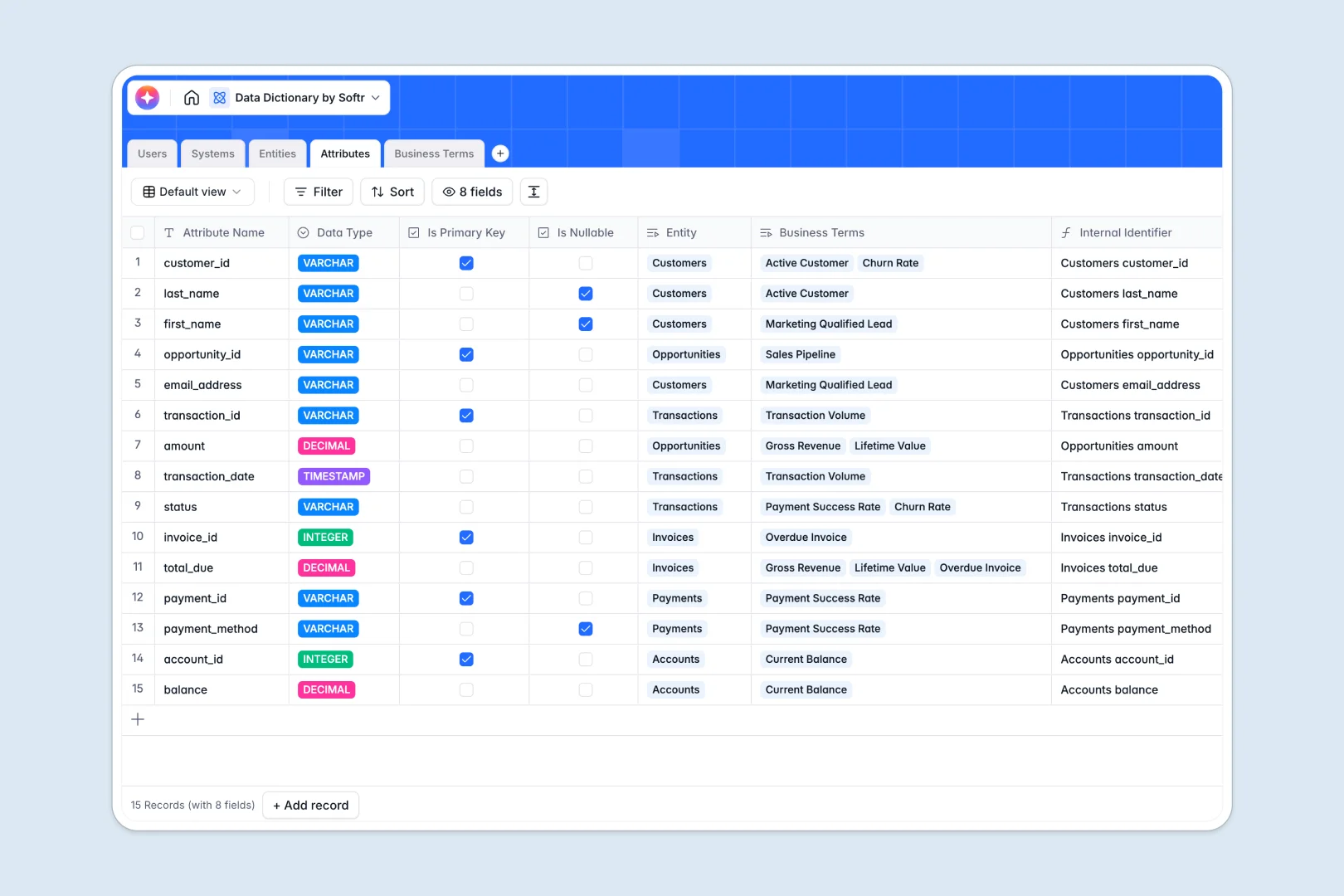
Your Data Dictionary Database at a glance
Map your organization's entire data structure from high-level systems down to specific business terms without getting lost in endless rows.
This template connects multiple tables natively to mirror your real-world architecture. Source systems link directly to specific data entities, which then break down into precise technical attributes and mapped business concepts.
Let built-in AI agents instantly summarize technical datasets, draft usage guidelines for attributes, and search the web for industry-standard business definitions.
Why data dictionaries get messy in Google Sheets
Tracking complex data lineage across spreadsheets often results in broken VLOOKUPs and endless scrolling. It simply wasn't designed to handle deep relational mapping between distinct data systems and ongoing business documentation.
What a structured database changes
A true database enforces strict boundaries where columns maintain specific formats and records relate natively. You can effortlessly link a business term directly to its technical attribute without relying on fragile, manual copy-pasting.
This exact organization is what Softr Databases handle effortlessly. Every entity, attribute, and user role drops cleanly into a governed framework that functions smoothly as your reporting footprint grows.
What you can do with this template
Map your entire architecture intuitively by connecting origin databases to their underlying entities and technical columns. You can immediately assign dedicated Data Stewards or Admins to ensure clear ownership over specific tables and definitions.
You also gain native access to Database AI agents that eliminate manual documentation work. The template automatically generates dataset summaries and pulls verified industry definitions from the web directly into your business dictionary.
-
Users
Manage data stewards and admins with system ownership and access roles
-
Systems
Catalog source platforms and databases with owner links and entity counts
-
Entities
Map datasets with an AI-powered field to summarize content automatically
-
Attributes
Define data fields using AI to draft technical documentation and usage rules
-
Business Terms
Maintain a glossary using AI to find industry benchmarks and summarize terms
Who is this Data Dictionary database for
This template provides a single, scalable source of truth for your organizational data landscape.
- Data Stewards: Maintain accurate business definitions and link them to the right technical tables cleanly.
- Data Engineers: Document complex source systems, track nullable attributes, and confidently define primary keys.
- Business Analysts: Easily look up standard industry definitions and understand the lineage behind their reporting.
How to take it further
Customize your dictionary format instantly to fit your ecosystem. Add new software platforms to system dropdowns, adjust data update frequencies, or tweak the automated AI prompts to match your internal documentation tone.
Connect to immediate value by bringing your current documentation over. Upload your existing Google Sheets natively via CSV or connect via API to sync your schemas without manual entry.
When your team is ready, you can safely transform this foundation into a custom internal tool using the interface builder. Rely on granular users and permissions to ensure executives can easily search for terms while strictly limiting edit access to authorized Data Stewards.
-
1
-
2
-
3
-
4
Frequently asked questions
-
What is a data dictionary database?
-
Why use a no-code database to build a data dictionary?
-
How can AI help managing data for dictionaries?
-
Can I build an app with this data dictionary database?
-
Is this Data Dictionary template free?
-
Why is a database better than Google Sheets for a data dictionary?
Start building today. It's free!
Build and launch your first app in under 30 minutes.