


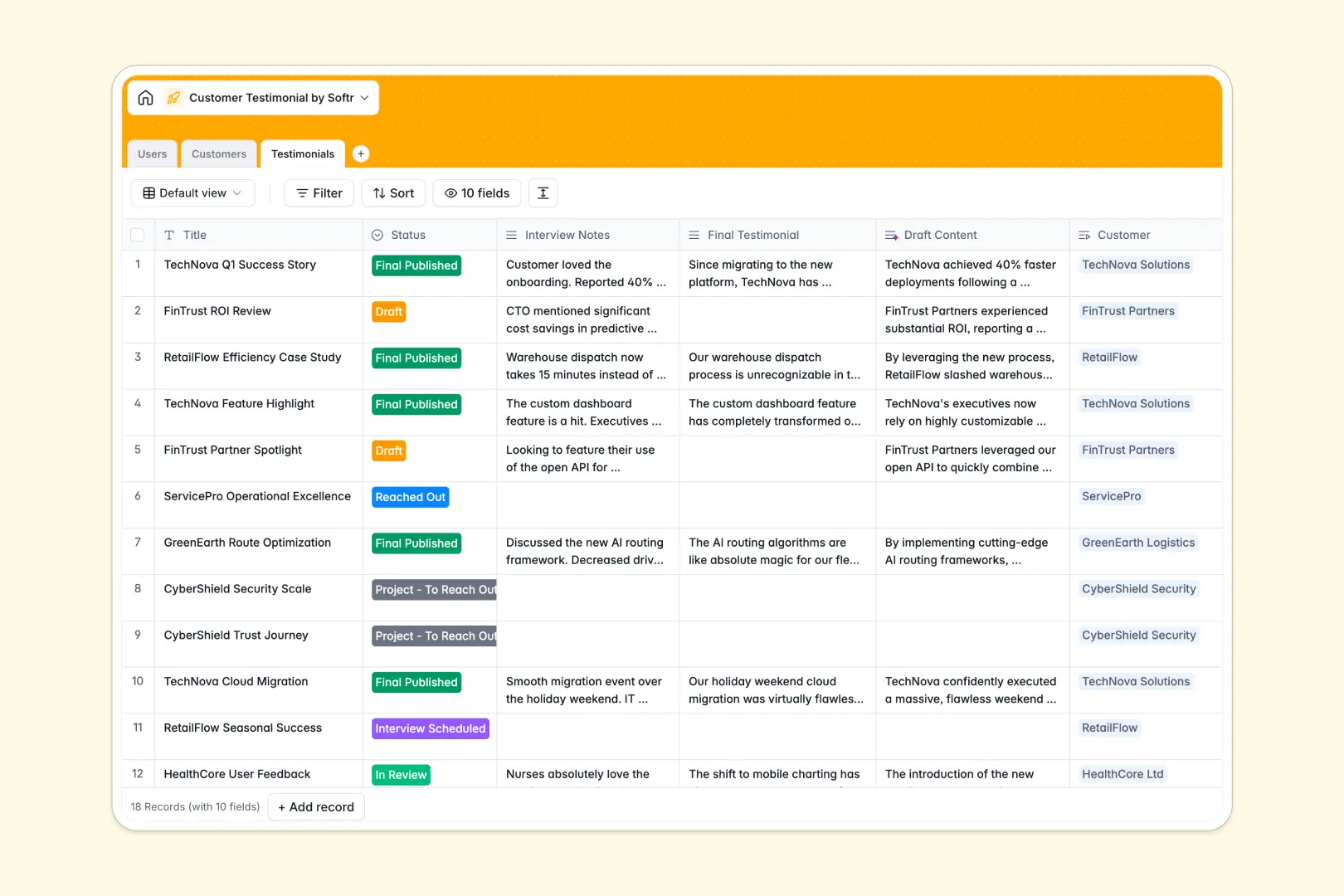
Your Customer Testimonial Database at a glance
This template centralizes your entire testimonial pipeline, from initial outreach to final publication. It replaces scattered files and messy spreadsheets with a clean, actionable system.
Track companies, marketing team members, and asset statuses across natively connected tables. You can easily link a specific customer to their interview notes and the exact team member managing the account.
Built-in AI automatically drafts polished testimonials from your raw interview notes and extracts catchy ROI quotes. It even searches the live web to instantly pull company descriptions and classify industries based on URLs.
Why tracking customer testimonials in Google Sheets breaks down
Keeping track of customer success stories in Google sheets quickly becomes a mess of broken links, mixed data types, and massive blocks of text that are impossible to navigate.
What a structured database changes
A structured system ensures your data stays organized and fully scalable as your marketing efforts grow. Attachments like headshots and final PDF assets live exactly where they belong in designated fields, not lost in endless shared drives.
You can flawlessly link a testimonial directly to its respective client without relying on fragile formulas that break when a row gets deleted. This is exactly what Softr Databases are designed for.
What you can do with this template
Manage your complete pipeline with a visual status tracker, instantly knowing which clients need follow-ups, interviews, or final reviews.
Let native AI automatically research company backgrounds and write initial draft content directly inside your fields. Start organizing your customer success stories immediately without wrestling with formatting or complicated scripts.
-
Users
Manage internal team members with roles, contact info and managed records
-
Customers
Store client profiles with AI-generated industry classification and summaries
-
Testimonials
Track testimonial progress with AI-powered drafting and quote extraction
Who is this Customer Testimonial database for
This template is built for teams looking to systematically capture and leverage customer success stories.
- Product Marketing Managers: Oversee the content pipeline from initial interview scheduling to final publication.
- Sales Teams: Quickly reference approved quotes and industry-specific case studies to close deals faster.
- Customer Success Leads: Monitor account interactions and smoothly transition happy clients into marketing advocates.
How to take it further
You can easily customize this database to fit your exact workflow in minutes. Add new status stages to your pipeline seamlessly, or adjust the specific drop-down values for industry types.
Bring your existing success stories into the system instantly to gain immediate value. You can simply upload historical testimonials via CSV or connect an API to sync new entries from external forms.
When your team is ready, you can transform this foundation into a full-fledged marketing portal using the interface builder. Create a custom view where sales reps can seamlessly browse approved quotes without accidentally altering raw interview notes.
Thanks to robust users and permissions, you securely control who can edit drafts versus who can simply view final assets. A well-structured database makes launching these custom marketing applications truly effortless.
-
1
-
2
-
3
-
4
Frequently asked questions
-
What is a customer testimonial database?
-
Why use a no-code database to build a customer testimonial system?
-
How can AI help managing data for customer testimonials?
-
Can I build an app with customer testimonial database?
-
Is this Customer Testimonial Database free?
-
How is a customer testimonial database different from Google Sheets?
Start building today. It's free!
Build and launch your first app in under 30 minutes.