


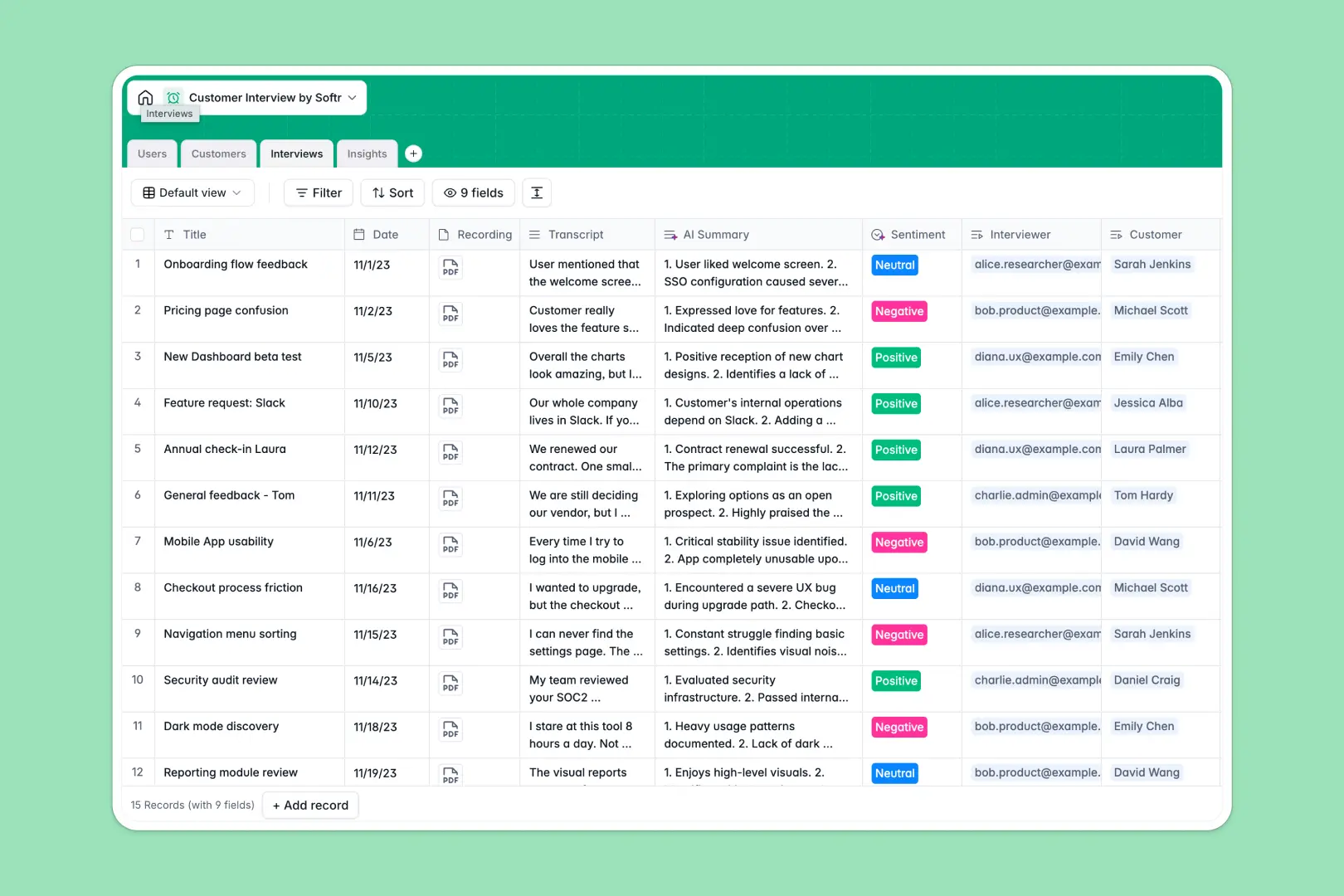
Your Customer Interview Database at a glance
This template gives research and product teams a centralized system to log discovery calls, store transcripts, and extract actionable feedback. It eliminates the mess of scattered notes and disconnected spreadsheets.
The database connects your Customers, Interviews, and Insights tables natively. Every interview links back to the customer profile and automatically bubbles up categorized insights like feature requests or pain points.
Built-in AI features automatically summarize long transcripts into neat bullet points, analyze conversation sentiment, and search the web to enrich customer profiles.
Why tracking customer interviews in Google Sheets breaks down
Pasting long transcripts and connecting them to product insights quickly turns Google Sheets into an unreadable mess of scrolling rows.
What a structured database changes
Unlike spreadsheets, a structured system keeps large text blocks neatly contained while maintaining clear relationships between data. You can link a deep-dive interview directly to multiple granular insights without endless copy-pasting.
Everything stays strictly categorized, and files like call recordings are effortlessly attached. This is exactly what Softr Databases are designed for.
What you can do with this template
You can immediately start logging calls, attaching video recordings, and tracking the status of abstracted themes. It provides a clean, scalable home for every piece of user feedback.
Thanks to native Database AI agents, this template also works on autopilot. It reads your raw transcripts to generate reliable summaries and determines whether customer sentiment was positive or negative.
-
Users
Manage internal team members conducting research calls and their roles
-
Customers
Maintain a list of interviewees with company info enriched by AI search
-
Interviews
Store call transcripts with AI-powered summaries and sentiment analysis
-
Insights
Categorize themes and pain points derived from customer feedback sessions
Who is this Customer Interview database for
This system is built for teams that rely on structured user research to drive decisions.
- Product Managers: Turn scattered discovery call notes into categorized feature requests and usable pain points.
- UX Researchers: Maintain a clean directory of interviewees tied directly to raw transcripts and call recordings.
- Founders: Quickly gauge customer sentiment and review interview summaries without reading full logs.
- Customer Success: Track ongoing feedback patterns and praise to better understand client health.
How to take it further
You can easily adapt this database to fit your exact research process. Add new fields to capture specific user metrics, or adjust the Insight categories to match your roadmap.
Bring in your past research immediately. Upload historical raw transcripts, customer details, and insights via CSV so nothing gets left behind.
When your team needs a better way to interact with this data, you can build a custom portal on top of it. Using the interface builder, you can create specific dashboards to share insights visually.
By leveraging built-in users and permissions, you control exactly what each department can see or edit. Starting with a structured database makes building these robust internal tools incredibly simple.
-
1
-
2
-
3
-
4
Frequently asked questions
-
What is a customer interview database?
-
Why use a no-code database to track user research?
-
How can AI help managing data for customer interviews?
-
Can I build an app with this customer interview database?
-
Is this Customer Interview database free?
-
Why is this database better than Google Sheets for qualitative research?
Start building today. It's free!
Build and launch your first app in under 30 minutes.