


Overview of the Client Portal Template
Our Softr Client Portal template provides a streamlined way to manage your stakeholders. This intuitive template lets you spin up a professional app in hours.
Key Features
- Secure user authentication
- Dynamic list blocks
- File uploads and downloads
Comparison
Softr vs Traditional Portals
Unlike rigid, expensive legacy systems, building your custom solution with Softr gives you complete flexibility. Traditional tools often require developer resources, but Softr lets you build on top of your existing database visually.
-
Users
Manage customer success team members, roles, and assigned accounts
-
Accounts
Track client companies with AI-powered overviews and overall health status
-
Contacts
Store client stakeholders and key champions linked to specific accounts
-
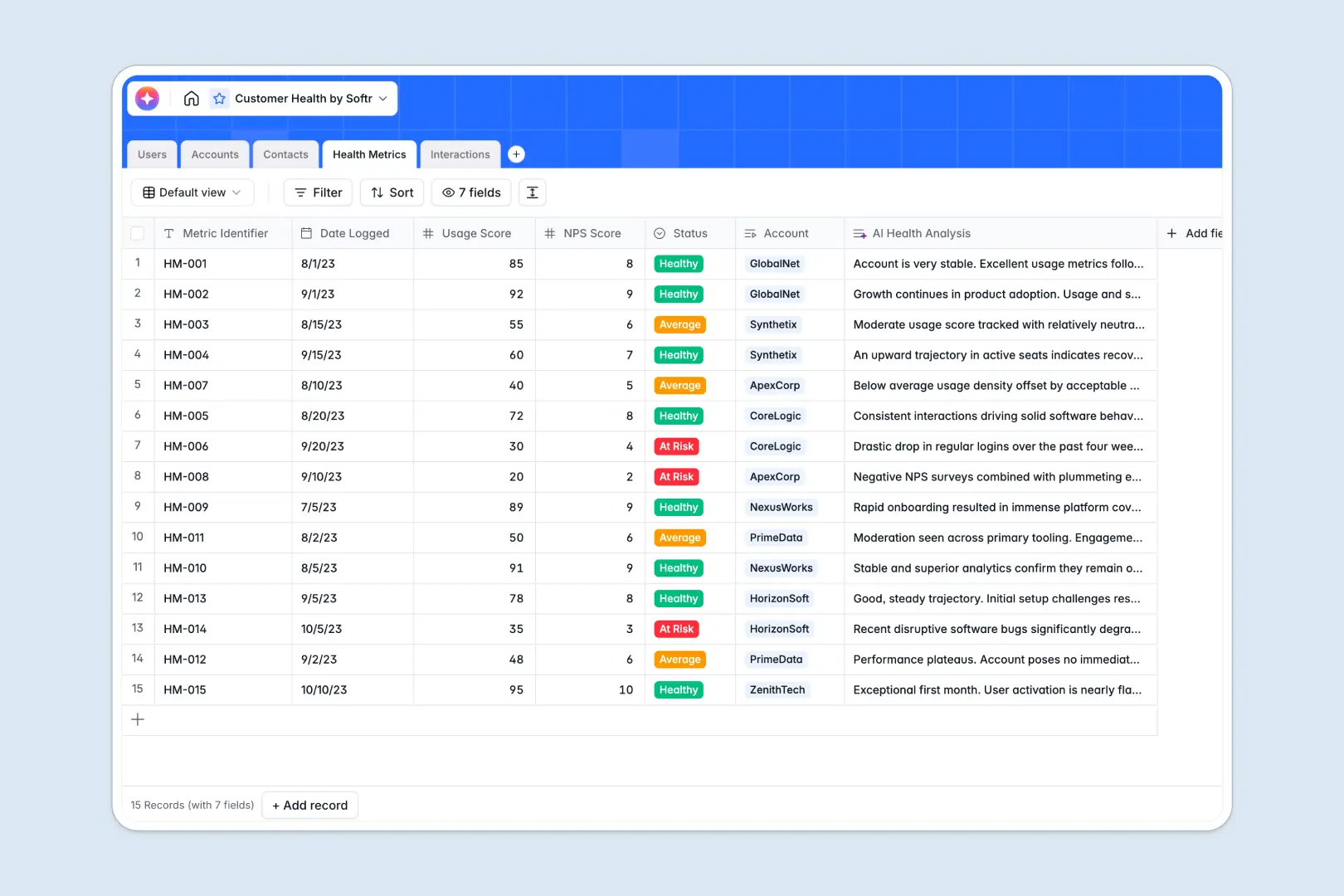
Health Metrics
Monitor account health using scores and AI risk level assessments
-
Interactions
Log client touch-points and extract action items using AI insights
Who is this for?
This robust template is perfectly suited for various industries and professionals looking to improve communication:
- Agencies: Share deliverables, project timelines, and invoices seamlessly with multiple stakeholders.
- Freelancers: Keep client feedback and asset delivery organized in one secure, dynamic workspace.
- Educators: Distribute course files, grades, and schedules to students securely via dedicated login.
How to take it further
You can easily expand your portal's capabilities by combining it with our Softr Internal Tools. Automate your day-to-day workflows by connecting third-party apps, adding complex conditional logic, or building custom administrative dashboards that scale seamlessly with your growing business demands.
-
1
-
2
-
3
-
4
Frequently asked questions
-
What is a client portal and how does it help my business?
-
Do I need any programming experience to use this template?
-
Can I easily connect my existing database to the user portal?
-
Is it possible to set different access control levels for various users?
-
How can I customize the visual design to match my personal brand?
Start building today. It's free!
Build and launch your first app in under 30 minutes.