


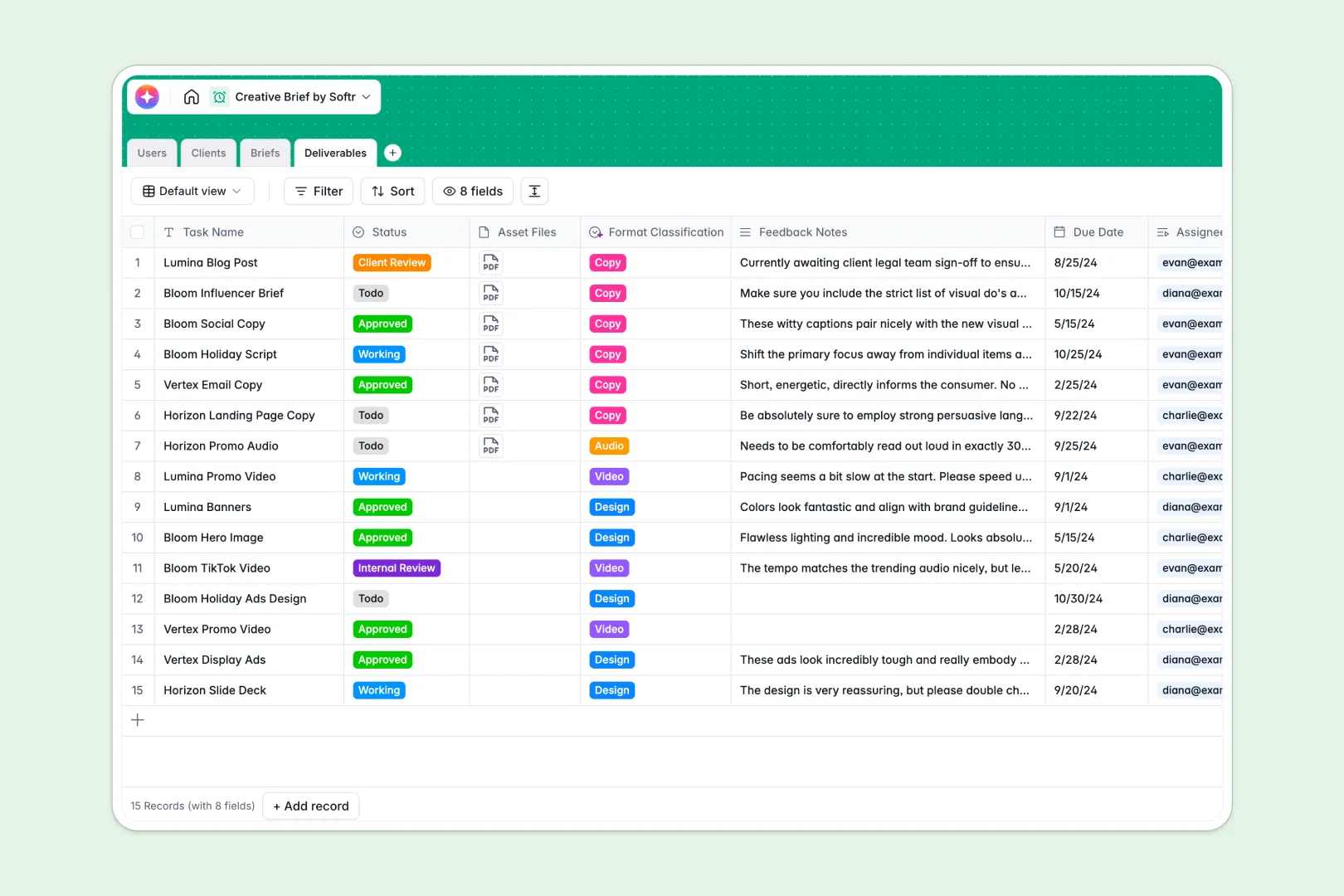
Your Creative Brief database at a glance
Organize production schedules, centralize campaign objectives, and keep creative deliverables moving forward without miscommunication.
This template links Clients, Briefs, Deliverables, and Users so every asset relates directly to its parent campaign and assigned creator.
Built-in AI agents automatically generate client background research from website URLs, summarize campaign objectives, and classify creative deliverable formats instantly.
Why a Google Sheet falls apart as a creative project backend
Google Sheets makes sharing easy, but it was never intended to act as a structured backend for creative production.
When multiple team members and external clients collaborate in a sheet, permissions are all-or-nothing, meaning clients can see internal feedback notes or accidentally overwrite project formulas. Column formats break easily, leaving launch dates formatted as plain text and deliverables disconnected from their briefs.
What a structured database changes
A structured database enforces clean data types so launch dates remain accurate calendar values and asset attachments stay attached to specific deliverables. Tables link natively, connecting each deliverable directly to a campaign brief without fragile lookup formulas.
This is exactly what Softr Databases are designed for, giving creative teams clean relational records that scale.
While Softr can also connect an existing Google Sheet as a data source, running your creative workflows in a dedicated database prevents accidental edits and broken references.
What you can do with this template
Connect creative deliverables directly to clients and project managers so everyone stays aligned on deadlines, review stages, and feedback.
Automate routine research and categorization using native Database AI agents that summarize campaign objectives and classify task formats on record creation.
Manage internal design reviews and client sign-offs from one structured, reliable source of truth.
-
Users
Manage staff, creators, and client profiles with assignments and roles
-
Clients
Store client company details and generate brand backgrounds with AI
-
Briefs
Coordinate campaigns, objectives, and auto-summarize briefs using AI
-
Deliverables
Track creative asset tasks and auto-classify media formats with AI
Who is this Creative Brief database for
This database helps creative and marketing teams organize briefs, assets, and stakeholder approvals efficiently.
- Creative Agencies: Keep account managers, designers, and clients aligned on campaign scopes and deadlines.
- In-House Marketing Teams: Manage incoming creative requests and track deliverable statuses across internal departments.
- Design Leads: Assign creative tasks to specialists and streamline asset review cycles without misplaced files.
- Freelance Collectives: Centralize client project requirements and manage multi-format deliverables cleanly.
How to take it further
Customize fields to match your exact agency workflows, such as adding specific deliverable formats, budget tracking fields, or custom approval stages in the select dropdowns.
Import your existing campaign history and client directories via CSV or API sync to get your creative pipeline running immediately.
When your team is ready, you can build an app on top of this database. Describe what you need in plain language, and Softr generates client portals and internal review dashboards with granular users and permissions so clients only see their own briefs while creatives manage assigned tasks.
-
1
-
2
-
3
-
4
Frequently asked questions
-
What is a creative brief database?
-
Why use a no-code database to build a creative brief tool?
-
How can AI help managing data for creative briefs?
-
Can I build an app with this Creative Brief database?
-
Is this Creative Brief database free?
-
How is this database different from a creative brief in Google Sheets?
Start building today. It's free!
Build and launch your first app in under 30 minutes.