


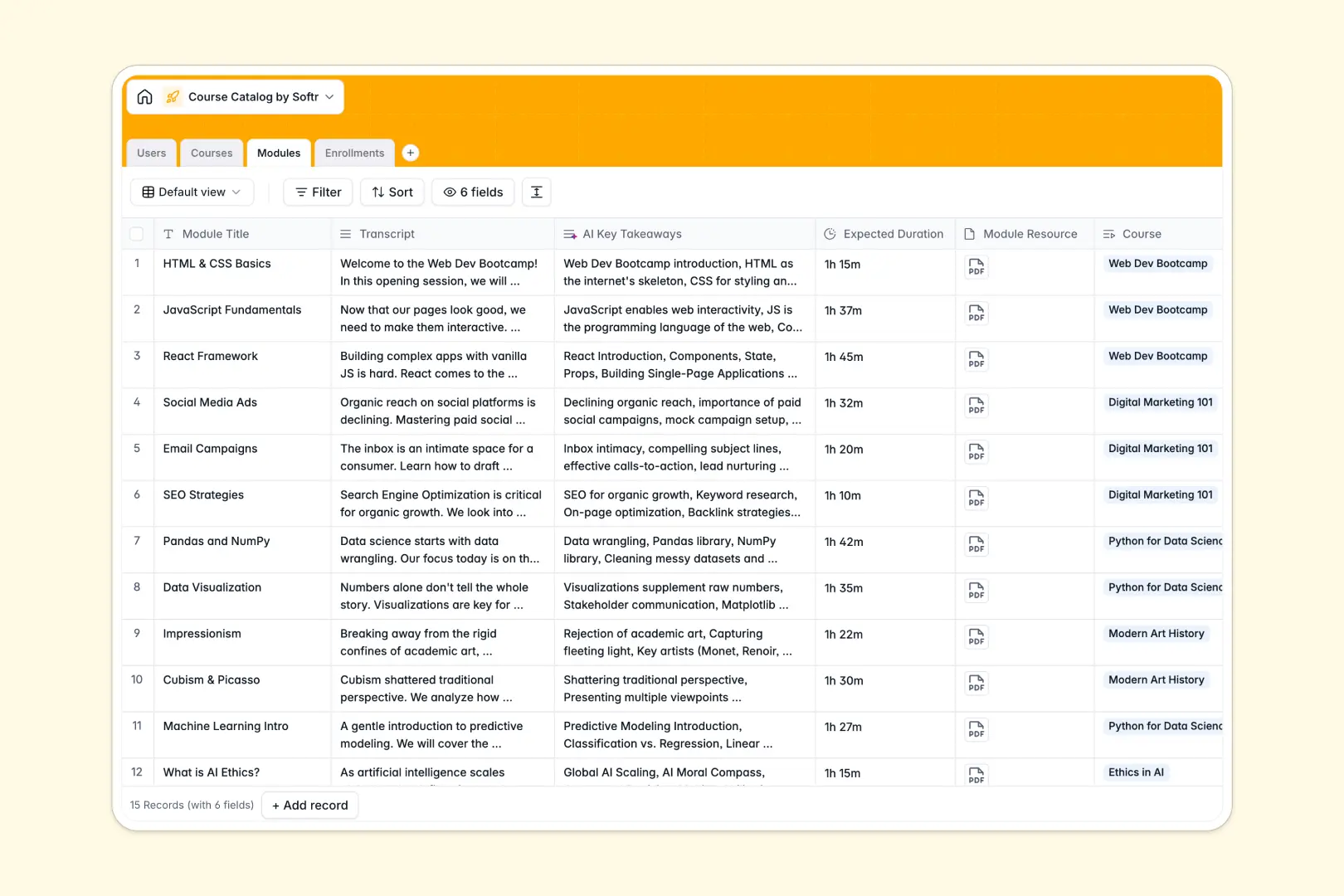
Your Course Catalog database at a glance
This template provides a structured directory to organize educational programs, curriculum modules, and student registrations. It keeps instructors, students, and course assets aligned across your entire organization without manual maintenance.
Everything is connected across dedicated tables for Courses, Modules, Enrollments, and Users. Linking an instructor to a curriculum or enrolling a student automatically updates related totals and progress views across the system.
Built-in AI fields read course descriptions to produce concise summary points and analyze module transcripts to extract key takeaways automatically.
When a shared spreadsheet tries to run an entire curriculum
Google Sheets makes sharing easy, but curriculum rosters and student records quickly outgrow a collaborative grid. When anyone can edit any cell, broken cross-tab formulas, accidental deletions, and mixed data types make it impossible to trust enrollment counts or protect student privacy.
What a structured database changes
In a structured database, every column enforces data integrity: dates remain valid timestamps, files stay attached directly to lessons, and status options remain consistent. Tables link directly, so adding a student to an enrollment immediately reflects on the course roster without fragile lookup formulas.
This is exactly what Softr Databases are designed for: giving teams reliable, relational data management without technical overhead. While you can connect an existing Google Sheet to Softr as a data source, a dedicated database ensures your curriculum backend remains stable as your catalog expands.
What you can do with this template
Assign instructors to specific classes, structure multi-unit modules with downloadable materials, and track student enrollment statuses from pending to completed. Calculated rollups provide instant counts of total active students per course without writing single formulas.
With native Database AI agents, your catalog cleans and enriches itself. Whenever you paste lesson transcripts or course outlines, AI fields generate study takeaways and short course summaries on demand.
-
Users
Manage student, instructor, and admin profiles with assigned courses
-
Courses
Catalog educational programs with category tags and AI course summaries
-
Modules
Organize learning units and transcripts with AI-generated key takeaways
-
Enrollments
Track student participation status and timeline across enrolled courses
Who is this Course Catalog database for
This template helps education providers, corporate training teams, and academies manage learning programs efficiently.
- Corporate L&D teams: Track employee training modules, certifications, and internal course completions.
- Online academies: Organize lesson plans, downloadable resources, and active student cohorts.
- University departments: Maintain faculty assignments, curriculum descriptions, and term registrations.
- Bootcamp operators: Coordinate multi-week syllabi, mentor assignments, and student graduation statuses.
How to take it further
Customize the database in seconds by adding custom tags, grading rubrics, or departmental categories. You can adjust select fields or add custom timestamps to match your exact academic calendar.
Bring in existing curriculum data instantly using CSV import or connect external registration forms via API to sync new student signups automatically.
When you are ready, turn your database into a dynamic student portal or instructor dashboard. Using Softr's AI app generator, describe the learning portal you need in plain language to instantly build a complete web application on top of this database. Configure granular users and permissions so students only see their enrolled courses while instructors manage their assigned lessons securely.
-
1
-
2
-
3
-
4
Frequently asked questions
-
What is a course catalog database?
-
Why use a no-code database to build a course catalog system?
-
How can AI help managing data for a course catalog?
-
Can I build an app with this course catalog database?
-
Is this Course Catalog template free?
-
How is this course catalog database different from Google Sheets?
Start building today. It's free!
Build and launch your first app in under 30 minutes.