


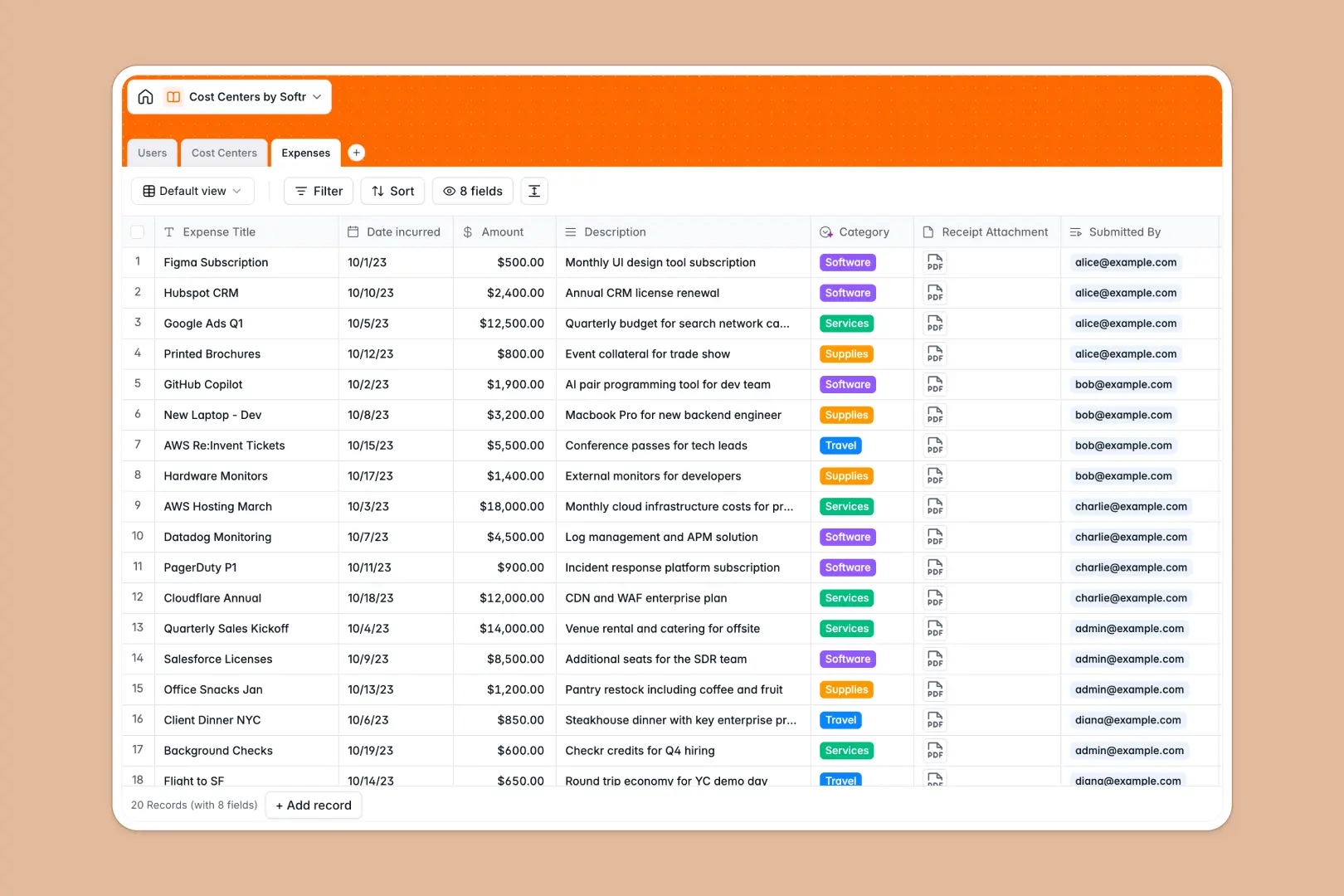
Your Cost Centers database at a glance
This template gives you an organized system to monitor department budgets, allocate funds, and log team expenditures accurately.
It connects three dedicated tables: Cost Centers, Expenses, and Users. Linking an expense to a specific department automatically recalculates total spend and remaining budget without complex formulas.
Native AI fields analyze expense descriptions to categorize them automatically and generate executive summaries for each department.
When a shared budget sheet hides broken formulas and exposes private spend
Google Sheets makes it easy to share numbers across a company, but it quickly breaks down when multiple teams log spending in the same workbook. Anyone can accidentally overwrite a SUM formula, sort a sheet incorrectly, or view sensitive departmental line items they should not see.
What a structured database changes
In a structured database, financial data is protected by strict field types and relational logic. Dates stay formatted, currencies calculate accurately, and rollups calculate totals reliably without brittle cross-sheet formulas.
Instead of copy-pasting department codes into individual expense rows, you simply link an expense to a cost center record. This is exactly what Softr Databases are designed for, giving your financial tracking structural integrity while remaining simple to maintain.
While Softr can connect to an existing Google Sheet as an external data source, moving to a dedicated database eliminates calculation errors entirely.
What you can do with this template
Log expenses with receipt attachments and instantly see your remaining departmental balance update in real time.
Built-in Database AI agents automatically classify each outlay into categories like Software, Travel, or Supplies based on submitted descriptions.
You can start tracking immediately, invite managers with controlled access, and adapt budget limits as your organization expands.
-
Users
Manage employee profiles, role permissions, and expense assignments
-
Cost Centers
Track department budgets, balances, and generate AI overview summaries
-
Expenses
Log expenditures, manage receipts, and auto-categorize with AI
Who is this Cost Centers database for
This database provides instant visibility and spend management for growing organizations.
- Finance Directors: Monitor organizational spend against operating budgets in real time.
- Department Managers: Track approved team expenditures and keep remaining balances visible.
- Operations Leads: Streamline expense logging and remove manual categorization bottlenecks.
- Team Leads: Submit expense receipts directly against specific departmental codes without spreadsheet confusion.
How to take it further
1. Customize the database
Adapt the structure to match your organization's financial workflow in seconds. You can add custom expense categories, include project codes, or adjust currency formatting directly inside the database.
2. Import your existing data
Bring your current financial data over instantly using standard CSV imports or direct API connections. Your historical department codes and past expenses will link seamlessly to their respective managers.
3. Build a full app around it
When you are ready to give your team a dedicated interface, you can build an app directly on top of this database. Softr's AI Co-Builder can generate an entire expense portal with custom workflows and department dashboards from a single prompt.
Configure granular users and permissions so department managers only see their own budget allocations while finance admins retain company-wide visibility. Combining database logic with a secure user interface ensures financial compliance without developer overhead.
-
1
-
2
-
3
-
4
Frequently asked questions
-
What is a Cost Centers database?
-
Why use a no-code database to build a cost centers management system?
-
How can AI help managing data for cost centers?
-
Can I build an app with this Cost Centers database?
-
How is a Cost Centers database different from Google Sheets?
-
Is this Cost Centers database template free?
Start building today. It's free!
Build and launch your first app in under 30 minutes.