


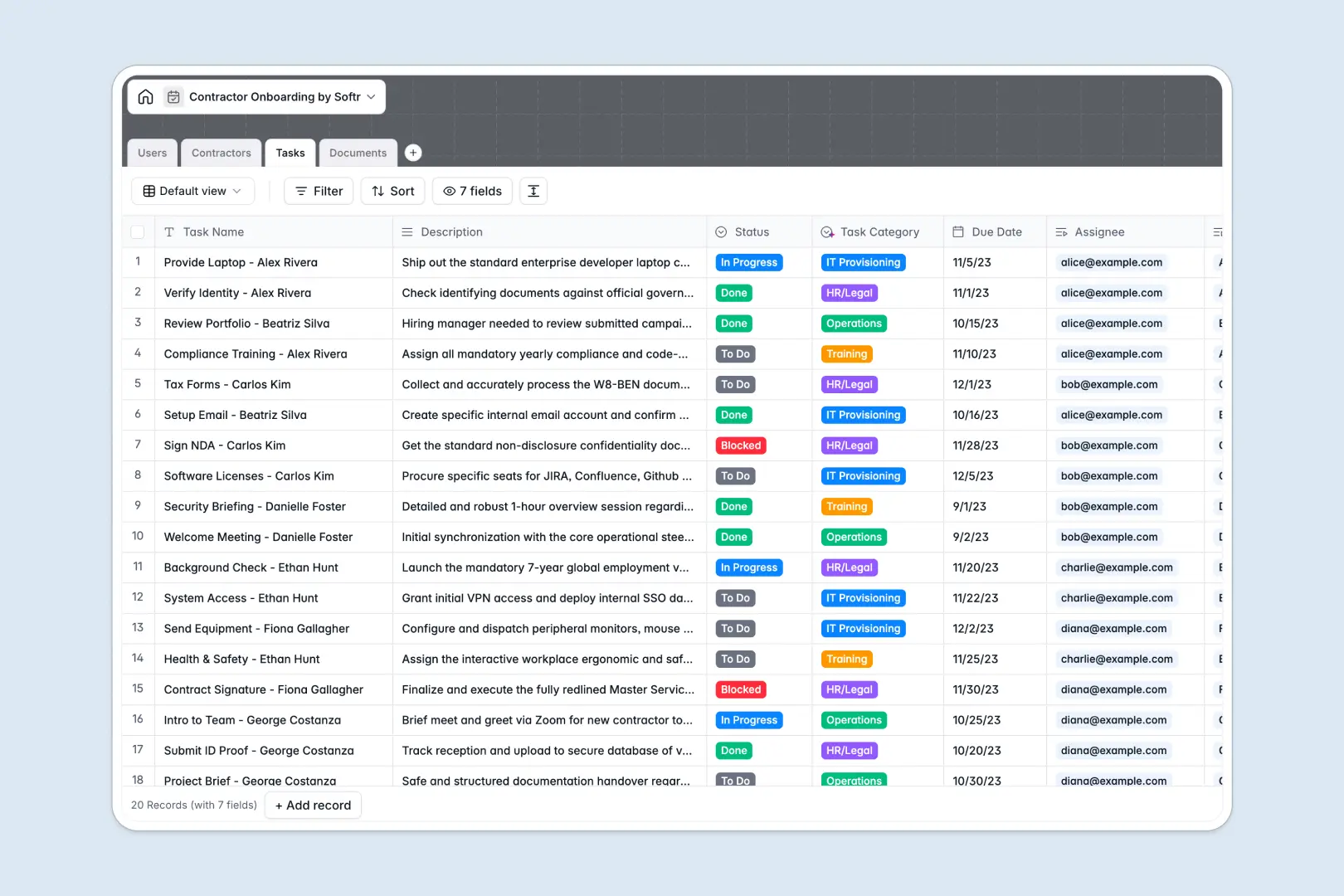
Your Contractor Onboarding database at a glance
This template centralizes contractor profiles, compliance paperwork, and onboarding checklists so nothing falls through the cracks. It ensures hiring managers, supervisors, and HR teams maintain total visibility over external hires from day one.
Built across four dedicated tables, the database links Contractors directly to their assigned Tasks, verified Documents, and internal Users. Status rollups keep progress visible without manual checks or fragile cross-sheet lookups.
Built-in AI fields automatically classify tax and legal files, categorize action items, and summarize contractor portfolios using live web research.
Why a spreadsheet fails when contractor compliance is on the line
Google Sheets is great for quick collaboration, but managing contractor onboarding inside shared tabs quickly becomes a compliance risk. Sensitive tax forms, identity proofs, and task assignments end up visible to everyone with link access, while accidental row edits break formulas.
What a structured database changes
In a structured setup, every field enforces clean data. Files attach directly to records, dates stay valid, and relational links connect contractors to supervisors without manual copying.
This is exactly what Softr Databases are designed for, keeping your hiring workflows structured and reliable. While you can connect an existing Google Sheet to Softr, a dedicated database keeps sensitive operational data secure and scalable.
What you can do with this template
Track onboarding progress across distinct stages, from initial document collection to completed training. Store contracts, NDAs, and IDs with clear verification statuses so compliance checks stay audit-ready.
With native Database AI agents, the database auto-categorizes incoming documents and categorizes tasks into HR, IT, or training buckets instantly.
-
Users
Manage internal onboarding staff, supervisors, and task assignments
-
Contractors
Track contractor onboarding with status and AI professional summaries
-
Tasks
Organize onboarding steps and automate categorization with AI models
-
Documents
Store files, verify compliance, and classify document types with AI
Who is this Contractor Onboarding database for
This template gives operations, hiring, and legal teams a reliable hub for managing external talent.
- People Operations: Track onboarding milestones and ensure zero missing paperwork for new hires.
- Hiring Managers: Monitor task completion and onboarding status across assigned contractors.
- Legal & Compliance: Verify contracts, NDAs, and tax documents in one centralized location.
- Agency Leads: Manage multiple freelancers simultaneously without losing track of deliverables.
How to take it further
Customize the database by modifying select fields, adding custom onboarding categories, or updating task definitions to fit your company workflow. The native interface makes editing schema fields fast and intuitive.
Import your existing contractor records and task lists in seconds using standard CSV files or automated API connections.
When you are ready, use the AI app generator to turn this database into a dedicated contractor portal. Define granular users and permissions so contractors see only their assigned onboarding checklists, while internal managers review verification files securely.
-
1
-
2
-
3
-
4
Frequently asked questions
-
What is a contractor onboarding database?
-
Why use a no-code database to build a contractor onboarding system?
-
How can AI help managing data for contractor onboarding?
-
Can I build an app with Contractor Onboarding database?
-
Is this Contractor Onboarding database free?
-
How is this database different from contractor onboarding Google Sheets?
Start building today. It's free!
Build and launch your first app in under 30 minutes.