


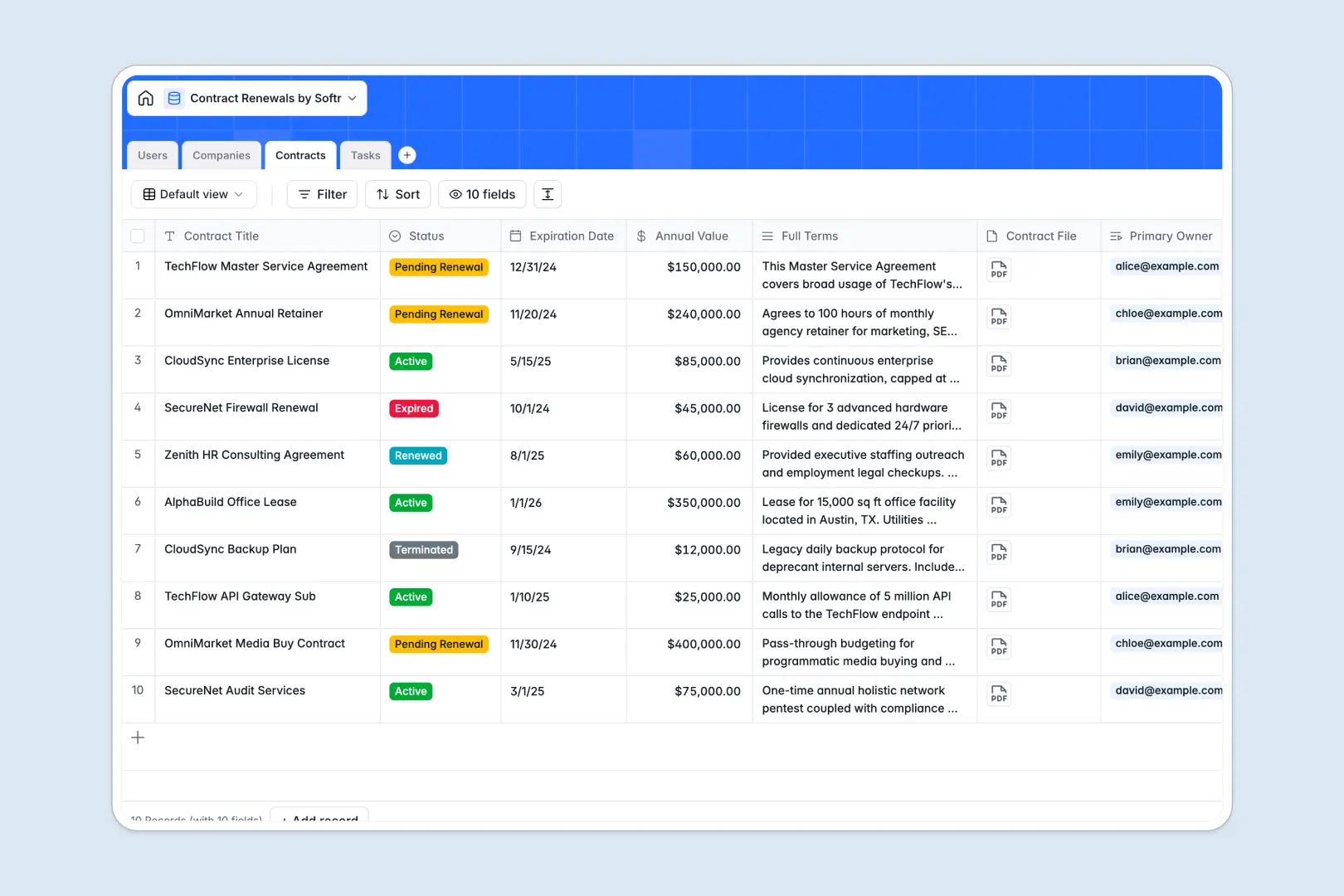
Your Contract Renewals database at a glance
This template gives your team a structured, reliable way to track agreements, monitor upcoming deadlines, and consolidate vendors in a single workspace. By moving critical notice periods out of hidden files, you ensure your organization never misses an important auto-renewal or renegotiation window.
It works natively with connected tables for Users, Companies, Contracts, and Tasks. When you add an agreement, you can securely link it to a specific client profile and explicitly assign renewal action items to the right team member.
Powerful AI features eliminate manual data entry in your workflows. As you upload new agreements, the database automatically summarizes dense contract terms into distinct bullet points and enriches vendor profiles by analyzing their corporate websites.
Why contract renewals get messy in Google Sheets
Tracking vital expiration dates in spreadsheets quickly turns into pure chaos as your vendor list grows. When a single mistake can lead to costly unwanted auto-renewals, relying on disconnected rows and hidden cells leaves your business highly vulnerable.
What a structured database changes
In a spreadsheet, you cannot safely store large contract PDFs alongside relationship data, and date fields easily break into random text. In a relational system, every contract securely holds its files while natively linking back to a client profile—completely eliminating the need for fragile VLOOKUPs.
This is exactly what Softr Databases are designed for. They securely enforce data structure so expirations stay as calendar dates, files stay attached, and your data remains clean no matter how many vendors you manage.
What you can do with this template
This template gives you an immediate foundation to monitor active agreements, assign pre-renewal tasks, and log annualized contract values clearly. You can instantly filter by expiring status to see exactly what requires attention this quarter.
It also brings deep automation via Database AI agents. Based on the task status and description, the database natively suggests immediate next steps and process improvements, helping your team act decisively without needing external research tools.
-
Users
Manage internal team members, roles, and assigned contract workloads
-
Companies
Store client profiles with web-sourced AI descriptions and contract status
-
Contracts
Centralize active agreements with AI-generated summaries of complex terms
-
Tasks
Track renewal actions with AI-suggested next steps to prevent delays
Who is this Contract Renewals database for
This template provides crucial infrastructure for any team trying to contain vendor sprawl and missed deadlines:
- Procurement Leaders: Securely manage supplier agreements and easily track auto-renewal notice periods to avoid unwanted spend.
- Legal Operations: Maintain a central source of truth for signed PDFs while relying on AI to surface clear summaries of dense terms.
- Sales Managers: Monitor client contracts, track annualized value, and effortlessly assign renewal tasks to your account managers.
- Finance Teams: Gain clear visibility into active commitments and quickly audit upcoming payment obligations.
How to take it further
Customize the database
You can mold this template exactly to your internal process, making modifications in seconds. Effortlessly rename the contract status options or add new columns to track early termination clauses and specific compliance requirements.
Import your existing data
Stop manually copying over old vendor lists. Bulk upload your historical spreadsheet records using a simple CSV import, or use API connections to automatically push new records when contracts are signed in your e-signature tool.
Build a full app around it
When your organization scales, your stakeholders will need safe, controlled access to this data. You can easily turn this core structural foundation into a fully operational contract portal.
By leveraging users and permissions, you can ensure account managers only interact with and view their specifically assigned contracts. Designing these front-end interfaces is simple with an elegant interface builder—letting you launch internal tools on top of your database without writing any code.
-
1
-
2
-
3
-
4
Frequently asked questions
-
What is a contract renewals database?
-
Why use a no-code database to build a contract management system?
-
How can AI help managing data for contract renewals?
-
Can I build an app with this contract renewals database?
-
Is this Contract Renewals template free?
-
How is a contract database different from Google Sheets?
Start building today. It's free!
Build and launch your first app in under 30 minutes.