


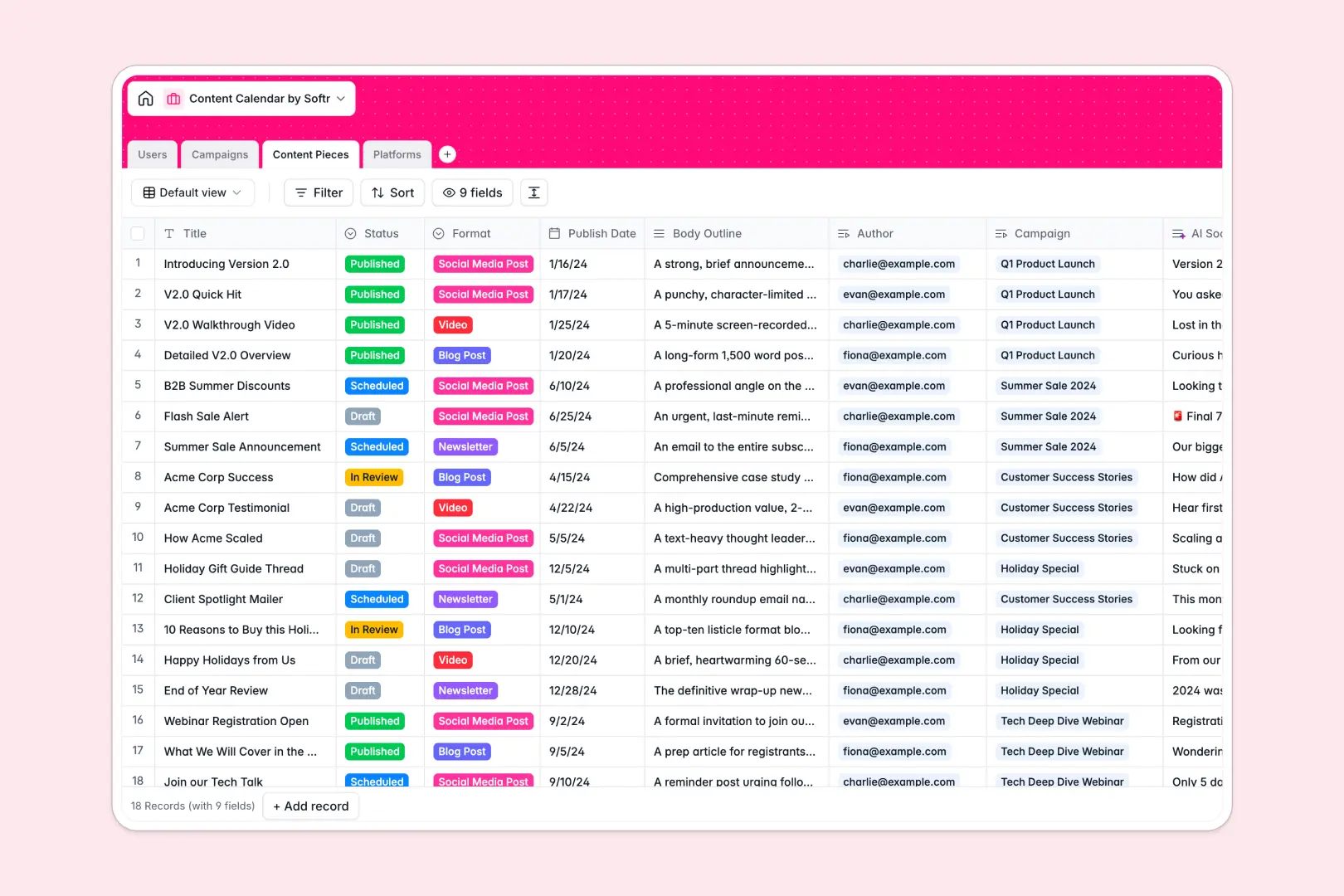
Your Content Calendar database at a glance
This template gives your editorial team a central system to plan, draft, and schedule marketing assets across channels. You can monitor production timelines, maintain editorial standards, and align cross-functional contributors in one shared space.
Four dedicated tables structure your entire workflow: Users, Campaigns, Content Pieces, and Platforms. Real relational links connect each draft to its assigned author, parent campaign, and target channel so your team never has to re-enter metadata or chase status updates.
Built-in AI fields draft tailored social snippets from body outlines, brainstorm campaign ideas, and research platform profiles automatically on record updates.
Why editorial schedules break when a sheet becomes your publishing backend
Google Sheets makes it simple to share a grid, but sharing an entire document means every writer, external contractor, and stakeholder sees every draft and campaign budget simultaneously. As your editorial volume scales, accidental edits overwrite formulas, dates get entered in conflicting formats, and row-level permissions are impossible to enforce without splitting files.
What a structured database changes
In a dedicated database, every column enforces strict data types so publish dates stay timestamps, authors link to user records, and statuses follow consistent stages.
Instead of writing complex cell formulas that break when someone sorts a column, related tables link together natively. This is exactly what Softr Databases are designed for, giving you a reliable backend that never corrupts linked records when your editorial volume grows.
While Softr can connect an existing Google Sheet as an external data source, moving to a native database gives your team structured reliability without cell errors.
What you can do with this template
Start coordinating drafts immediately with pre-built relationships between marketing campaigns, individual formats, and distribution platforms.
Activate native Database AI agents to generate creative angle ideas from campaign briefs or turn article outlines into punchy social copy automatically.
Track overall production volume instantly through automated rollups that count scheduled content per channel and active assets per campaign.
-
Users
Manage content team members, editorial roles, and author assignments
-
Campaigns
Plan high-level marketing initiatives with AI-generated concept ideas
-
Content Pieces
Track drafts, schedules, and formats with AI-generated social snippets
-
Platforms
Organize publishing channels with AI-powered web overview generation
Who is this Content Calendar database for
This template is built for teams producing multi-format editorial content across several distribution channels:
- Content Marketing Leads: Plan strategic multi-channel campaigns and track deadlines across all contributors in one place.
- Editorial Teams: Manage the review pipeline from draft to publication without broken formulas or missed handoffs.
- Social Media Managers: Turn long-form body outlines into platform-ready promotional snippets automatically.
- Freelance Coordinators: Assign articles and social copy to external writers while keeping campaign metrics clean.
How to take it further
Customize your schema to fit your brand's unique workflow. Add custom select options for emerging channels, attach brand asset guidelines to campaigns, or create new fields to monitor content performance metrics over time.
Bring in your historical publication backlog easily. Use the built-in CSV import tool to upload past articles and author rosters in seconds, or connect automated ingestion via API.
When you are ready for a client or creator interface, build an app on top of this database in seconds. Softr generates complete front-end dashboards, submission portals, and editorial review screens tailored to your tables.
Configure custom permissions so contributors submit only their assigned drafts while editors manage schedule approvals and campaign rollups across the entire organization.
-
1
-
2
-
3
-
4
Frequently asked questions
-
What is a Content Calendar database?
-
Why use a no-code database to build a content calendar?
-
How can AI help managing data for content calendars?
-
Can I build an app with Content Calendar database?
-
Is this Content Calendar database template free?
-
How does this template differ from a standard Google Sheet?
Start building today. It's free!
Build and launch your first app in under 30 minutes.