


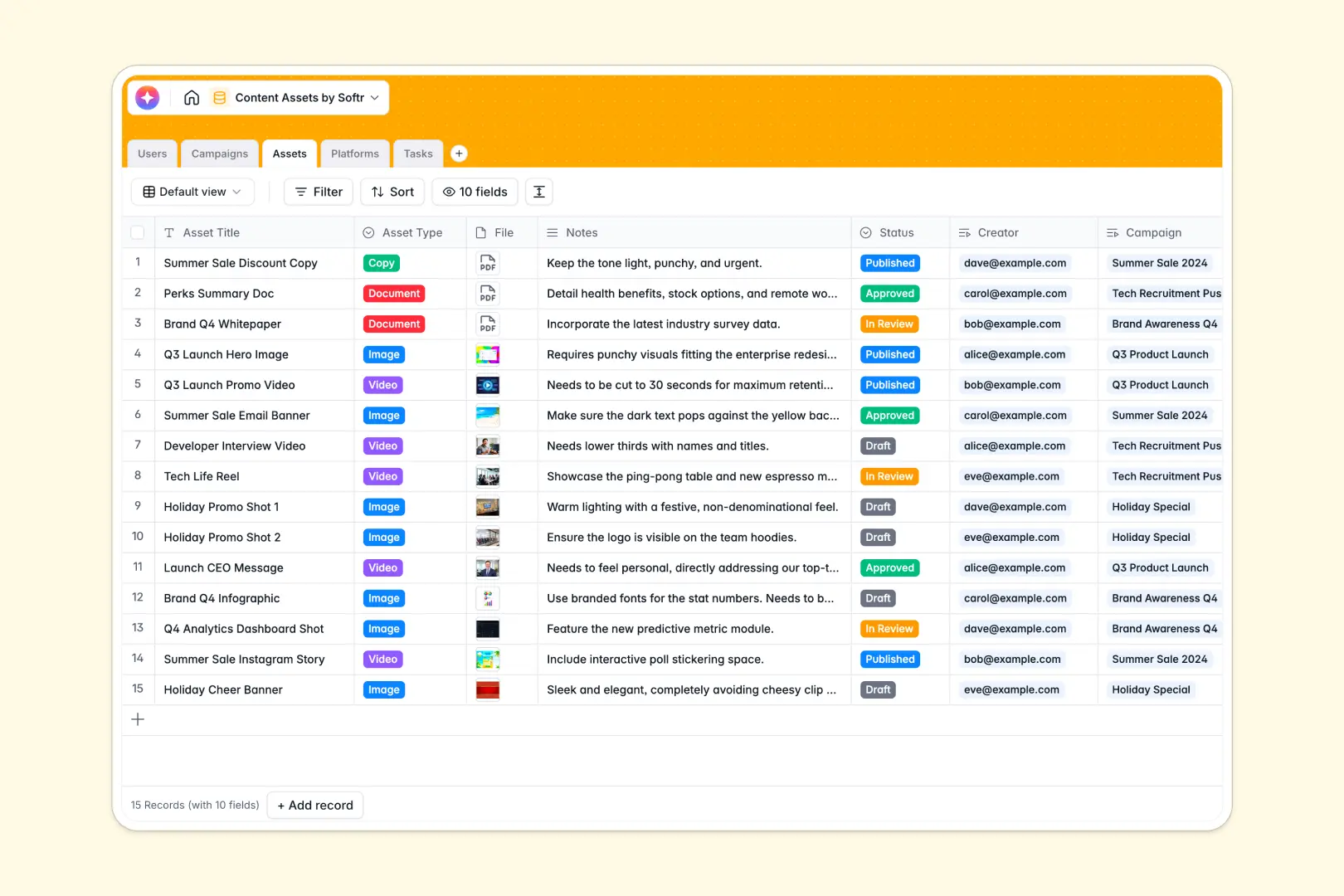
Your Content Assets database at a glance
This ready-to-use template helps you manage marketing campaigns, track individual asset production, and keep your production team aligned.
It works by linking related tables natively. Your larger Campaigns connect directly to the specific Assets (like videos or copy) being produced, which then attach securely to assigned team Tasks and target Platforms.
This database also includes built-in AI functionality. It automatically extracts top project goals straight from your campaign briefs, and drafts initial copy based on your asset notes.
Why managing content assets gets messy in Google Sheets
When tracking campaigns in Google Sheets, you quickly hit a wall of mixed data types, scattered file links, and fragile VLOOKUPs. Rows get deleted, and keeping track of which team member is assigned to which image becomes nearly impossible at scale.
What a structured database changes
Instead of endless scrolling and broken formulas, structured relational tables let you link a specific video asset to its parent campaign in one click. Every column strictly enforces its data type—meaning your file attachments, status dropdowns, and target platforms always stay clean.
This is exactly the foundation that Softr Databases provide for growing teams. Following the principle of one table per object ensures you never have duplicate entries or mismatched data points.
What you can do with this template
You can securely upload files, group them by campaign, and monitor the real-time status of every deliverable in progress.
By leveraging native AI agents directly in your tables, you reduce manual data entry significantly. The system instantly generates brief summaries and asset descriptions the moment new records are added.
-
Users
Manage team profiles, roles, and ownership of content assets and tasks
-
Campaigns
Coordinate marketing goals and use AI to summarize briefs and objectives
-
Assets
Store creative files and leverage AI to auto-generate content descriptions
-
Platforms
Track distribution channels and social media outlets for visual content
-
Tasks
Organize production workflows with deadlines and specific staff assignments
Who is this Content Assets database for
This template is perfect for teams who need a central, reliable source of truth for their marketing operations.
- Content Marketing Teams: Track campaign deadlines, assign articles to creators, and monitor publications seamlessly.
- Social Media Managers: Keep your images and videos organized with clear review statuses before posting online.
- Creative Agencies: Easily assign production tasks to specific team members and maintain a clean repository of approved files.
How to take it further
You can start by customizing the database structure to fit your exact workflow. Easily rename the priority labels, adjust platform categories, or add a new column to track content metrics.
If you are currently moving away from messy spreadsheets, simply upload your historical content logs via CSV import. The data heavily maps directly to your new columns, giving you immediate value from day one.
When your team is ready, you can transform this raw backend into a fully functional creator portal. By adding a front-end interface, you let external freelancers upload files without seeing the rest of your internal pipeline.
With built-in features for users and permissions, you maintain total control over who can view, edit, or delete specific items. Starting with a well-structured backend ensures that designing these intuitive custom apps is incredibly fast.
-
1
-
2
-
3
-
4
Frequently asked questions
-
What is a content assets database?
-
Why use a no-code database to build a content management system?
-
How can AI help managing data for content assets?
-
Can I build an app with this content assets database?
-
Is this Content Assets template free?
-
Why is managing content assets in Google Sheets a bad idea?
Start building today. It's free!
Build and launch your first app in under 30 minutes.