


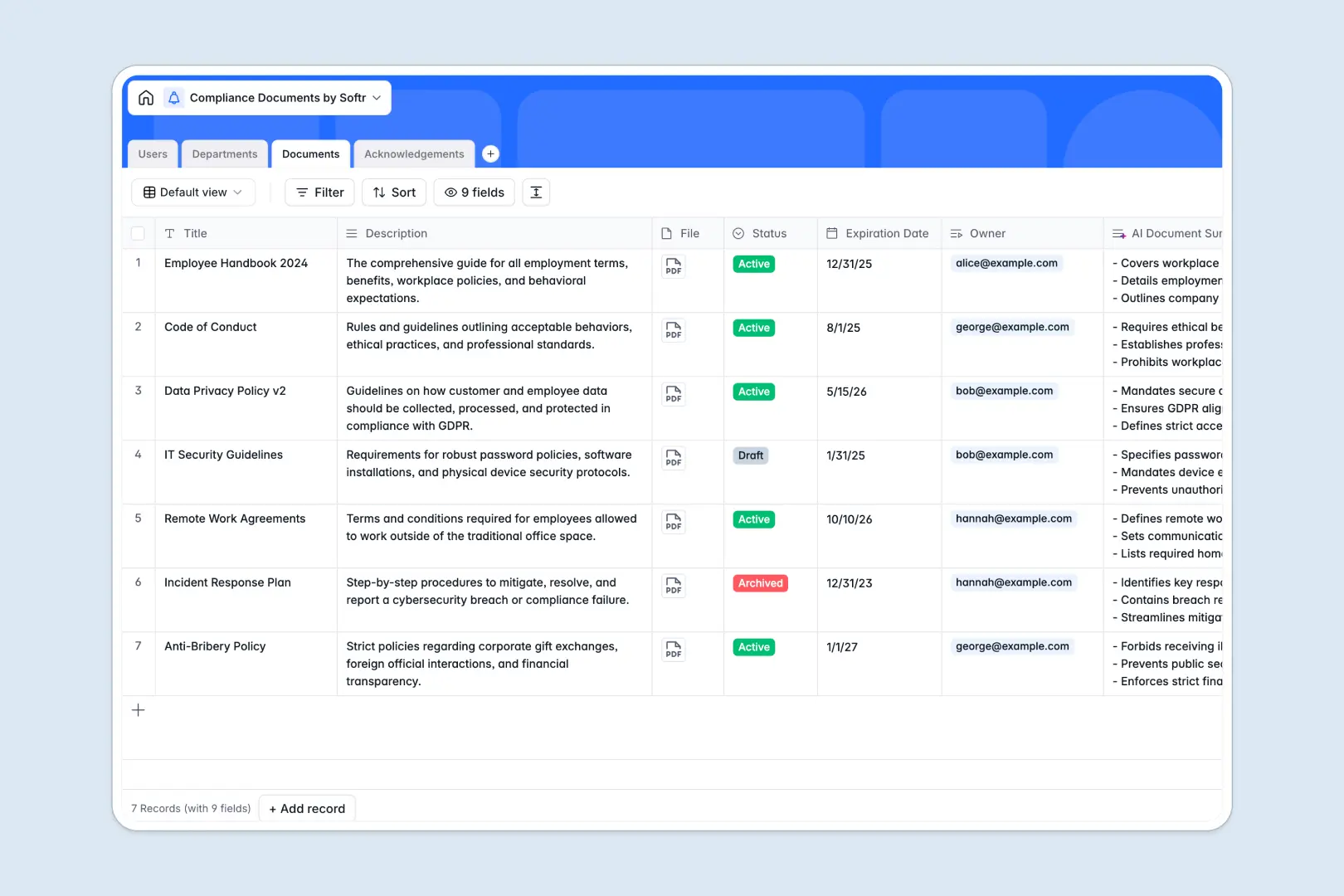
Your Compliance Documents database at a glance
This template provides a centralized, reliable system to manage company policies and track employee signatures in one place. It ensures you always know exactly who has read your critical guidelines.
It works by connecting distinct tables for Users, Departments, Documents, and Acknowledgements. When an employee signs a policy, that record is instantly linked back to both the user profile and the official document.
It also includes automated text summarization directly within your fields. As you upload new policies, the built-in AI automatically reads the document description and extracts three concise bullet points.
Why tracking compliance documents in Google Sheets breaks down
Managing legal policies and internal agreements in Google Sheets quickly becomes a liability. File attachments are clunky, rows get messy, and tracking who actually signed a document turns into a manual nightmare.
What a structured database changes
Instead of fragile formulas, a true database connects your data natively. Linking an employee's signature to a specific version of a document happens automatically without copying and pasting across rows.
Every column enforces a strict data type, so expiration dates stay formatted properly and files remain securely attached. This is perfectly handled by Softr Databases, keeping your compliance records pristine as your company scales.
What you can do with this template
You can assign specific documents to target departments and immediately see a rollup of pending versus signed agreements. This visibility eliminates guesswork during audits or performance reviews.
You can also launch Database AI agents to dramatically streamline how policies are consumed. The AI continuously summarizes lengthy compliance descriptions as data changes, saving your team hours of manual drafting.
-
Users
Manage employee profiles and compliance officers with roles and departments
-
Departments
Organize business units to facilitate bulk compliance document distribution
-
Documents
Centralize regulatory policies using AI to generate concise document summaries
-
Acknowledgements
Monitor and record user consent and signature status for specific documents
Who is this Compliance Documents database for
This template is built for teams that require strict, reliable oversight of their internal documents and agreements.
- Compliance Officers: Track expiration dates on active policies and ensure no document falls out of date.
- HR Managers: Monitor employee policy acknowledgements securely during onboarding and annual reviews.
- Operations Leads: Distribute standard operating procedures to specific departments instantly.
- Legal Teams: Maintain centralized, active repositories of all internal terms and corporate guidelines.
How to take it further
Start by customizing the database to fit your internal structure perfectly. You can easily rename department labels or adjust the document status options to map to your company's unique review process.
Next, quickly import your existing employee directory and ongoing policy logs via CSV. Getting your historical signature data into the system immediately surfaces gaps in your compliance coverage.
When your team is ready, you can transform this database into a full employee portal using Softr's interface builder.
By leveraging native users and permissions, you guarantee that staff only interact with documents strictly assigned to their department. Employees can log in remotely, view their AI-summarized policies, and securely sign off on pending requirements.
-
1
-
2
-
3
-
4
Frequently asked questions
-
What is a compliance documents database?
-
Why use a no-code database to build a compliance tracking system?
-
How can AI help managing data for compliance documents?
-
Can I build an app with this compliance documents database?
-
Is this compliance documents database free?
-
Why is a database better than Google Sheets for compliance tracking?
Start building today. It's free!
Build and launch your first app in under 30 minutes.