


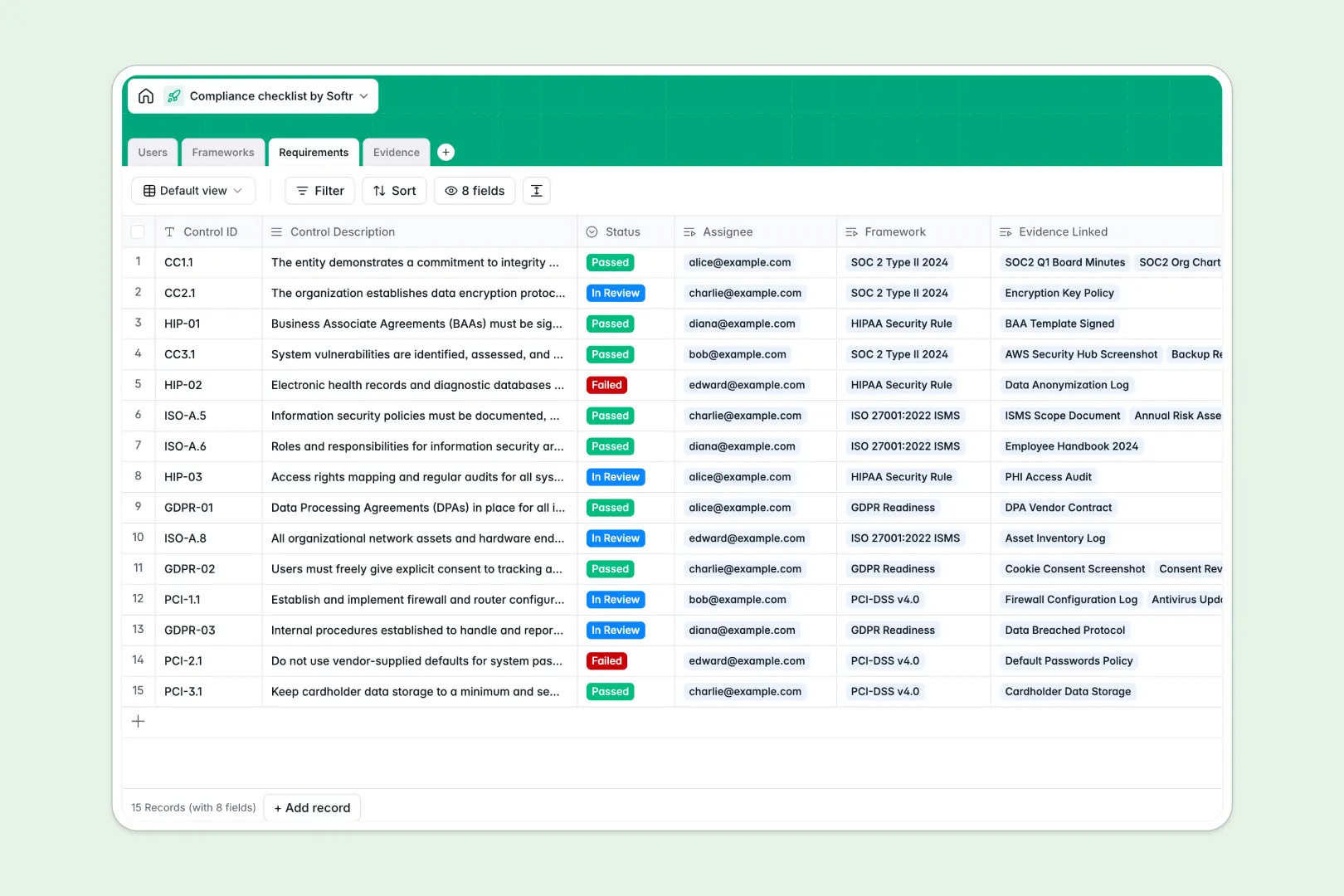
Your Compliance Checklist database at a glance
This template gives your team a clear, audit-ready space to track compliance standards like SOC 2 or GDPR without messy document sprawl. You can monitor every control from planning through completion while keeping assignees accountable.
Four dedicated tables: Frameworks, Requirements, Evidence, and Users, link together natively. Each requirement connects directly to its high-level framework, the assigned owner, and uploaded proof files.
Native AI fields automatically draft status overviews, summarize required next steps for incomplete controls, and categorize uploaded evidence files as soon as they arrive.
When a compliance checklist outgrows a shared grid
Google Sheets is great for quick lists, but it was never designed to be an audit backend. When external auditors, security leads, and engineers all share edit access to the same sheet, formulas break, uploaded drive links get misplaced, and sensitive control notes cannot be restricted per person.
What a structured database changes
A database enforces strict field types: files remain structured attachments, dates stay valid, and status selections remain consistent. You can connect audit evidence directly to specific control IDs without brittle lookups.
This is exactly what Softr Databases are designed for: giving you full relational integrity while keeping collaboration simple and safe. While Softr can connect an existing Google Sheet as a data source, a native database ensures strict reliability for high-stakes audits.
What you can do with this template
Log framework requirements, assign specific controls to team members, and track real-time progress rollups across every audit standard.
Built-in Database AI agents analyze control statuses, write actionable next steps for failed items, and categorize evidence files instantly.
-
Users
Manage compliance team members, auditors, roles, and assigned requirements
-
Frameworks
Track compliance standards with schedules and AI-generated progress overviews
-
Requirements
Audit checklist controls with proof links and AI-generated status synopses
-
Evidence
Store audit proof files with verification statuses and AI categorization
Who is this Compliance Checklist database for
Designed for teams that need strict audit readiness without administrative overhead:
- Compliance Officers: Centralize SOC 2, ISO 27001, and GDPR controls across the organization.
- Security Engineers: Upload access logs, policy documents, and configuration screenshots directly to open requirements.
- External Auditors: Review linked evidence packages and update approval statuses in real time.
- Operations Leads: Keep track of internal review deadlines and assign remediation tasks easily.
How to take it further
1. Customize the database
Adjust the choices in the Status fields, add custom regulatory standards to the Frameworks table, or introduce risk severity scores to match your exact internal audit process.
2. Import your existing data
Quickly migrate existing controls from a spreadsheet using CSV import, or connect third-party security monitors via API to log audit records continuously.
3. Build a full app around it
When you are ready, use the AI app generator to turn this database into an interactive internal compliance portal or a secure client-facing audit dashboard. Softr lets you configure granular users and permissions, ensuring auditors only see approved evidence while assignees view only their own assigned controls.
-
1
-
2
-
3
-
4
Frequently asked questions
-
What is a compliance checklist database?
-
Why use a no-code database to build a compliance checklist tool?
-
How can AI help managing data for compliance checklists?
-
Can I build an app with this compliance checklist database?
-
Is this Compliance Checklist database free?
-
How is a compliance database different from a compliance checklist in Google Sheets?
Start building today. It's free!
Build and launch your first app in under 30 minutes.