


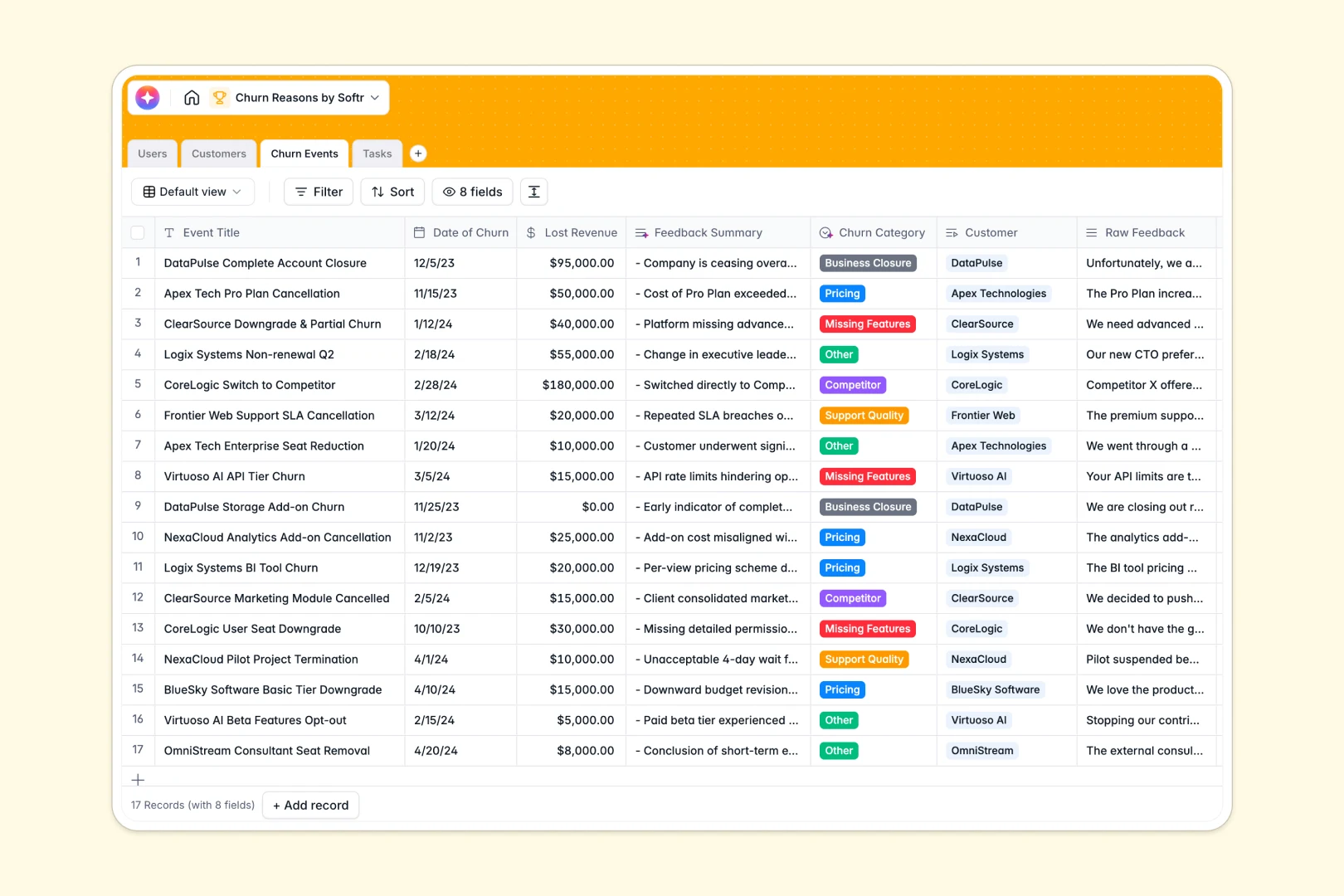
Your Churn Reasons database at a glance
The Churn Reasons template helps you log exact reasons why customers cancel and immediately assign action items. It prevents feedback from getting lost so your team can focus on improving the product.
The database uses dedicated tables for Customers, Churn Events, and Tasks that link directly to each other. When you log a cancellation, it instantly connects to the customer's profile and rolls up total lost revenue seamlessly.
Built-in AI automatically reads raw feedback to categorize the cancellation reason and summarizes it into clear bullet points. It also drafts your follow-up tasks on the fly without any manual prompt writing.
Why tracking churn reasons in Google Sheets breaks down
Logging raw customer feedback in spreadsheets quickly creates a chaotic mess of sprawling text columns and isolated data. As cancellations accumulate, manually categorizing reasons and tracking follow-up tasks across different tabs becomes impossible to maintain.
What a structured database changes
In a structured system, every piece of data has a specific format that stays consistent as you scale. Dates stay dates, and multiple task tickets can link directly to a single churn event without relying on fragile VLOOKUPs.
This structure lets you calculate lost revenue accurately and tie action items to the correct product managers. This is exactly what Softr Databases are designed for, keeping everything clean and connected.
What you can do with this template
You can instantly log churn events and systematically generate complete company profiles just from a website URL. The template categorizes feedback out of the box so you can spot trends immediately without manual sorting.
Using Database AI agents, you can auto-draft follow-up tickets based on the exact churn context. It turns dead ends into immediate action plans without writing a single script.
-
Users
Manage internal staff roles and track team members handling customer accounts
-
Customers
Monitor account health and use AI to enrich company profiles from web data
-
Churn Events
Log cancellations using AI to categorize reasons and summarize customer feedback
-
Tasks
Execute churn follow-ups with AI-generated drafts for emails and project tickets
Who is this Churn Reasons database for
This operational database is for teams looking to systematically reduce customer attrition and capture actionable product feedback.
- Customer Success Managers: Track at-risk accounts, log detailed exit interviews, and instantly summarize lengthy feedback.
- Product Managers: Discover missing features systematically and prioritize the roadmap based on categorized churn events.
- Founders & Execs: Get a clear view of company health and reliably monitor total lost revenue rollups in real time.
How to take it further
Customize your fields
You can easily adjust the structure to fit your exact business model. Modify the standard churn drop-downs (like "Pricing" or "Competitor") or add new columns to track specific onboarding metrics.
Import your existing data
Bring in your past cancellation logs effortlessly using a CSV import or connect via API. You can get instant value from day one by letting the AI auto-categorize your historical churn data.
Build a full app around it
When your team expands, transform this setup into a functional internal workspace using Softr’s interface builder. Combine your data with users and permissions to control exactly who sees what. For example, you can give Customer Success Managers access only to their assigned clients, while executives view all company health metrics securely.
-
1
-
2
-
3
-
4
Frequently asked questions
-
What is a churn reasons database?
-
Why use a no-code database to build a churn analysis tool?
-
How can AI help managing data for churn reasons?
-
Can I build an app with this churn reasons database?
-
Is this Churn Reasons template free?
-
How is a churn reasons database different from Google Sheets?
Start building today. It's free!
Build and launch your first app in under 30 minutes.