


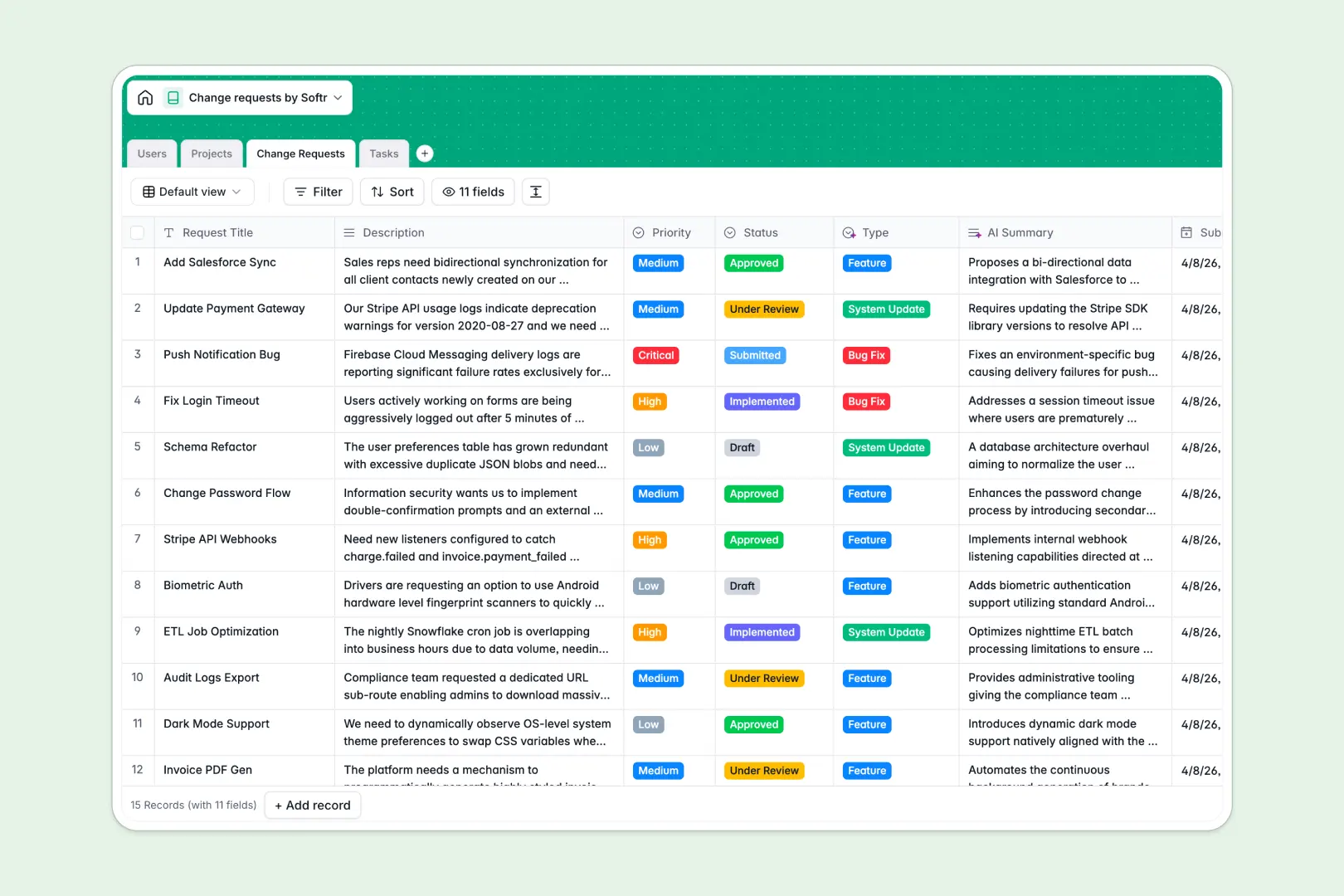
Your Change Requests database at a glance
This template centralizes scope adjustments, system modifications, and feature updates across your projects. It keeps requesters, reviewers, and assignees aligned on priorities and approval statuses in one unified workspace.
Four dedicated tables structure your workflow: Users, Projects, Change Requests, and Tasks. Requests connect directly to parent projects and individual owners, automatically rolling up counts and linking actionable execution tasks to their source request.
Built-in AI fields draft summaries, categorize request types automatically, and generate implementation plans directly inside records as new work arrives.
When a shared sheet becomes an unreliable change approval queue
Google Sheets makes sharing a list easy, but managing change request approvals in a flat grid quickly leads to broken formulas, missing context, and accidental edits across rows.
What a structured database changes
A structured database enforces strict data integrity: request statuses stay confined to valid stages, dates remain actual timestamps, and linked records connect tasks to their exact project without fragile formulas.
Instead of exposing entire tabs to every editor, each team member interacts with structured fields designed specifically for their role. This is exactly what Softr Databases are designed for.
While Softr can connect an existing Google Sheet as an external data source, moving to a dedicated database gives you reliable relational integrity that never breaks when rows are sorted or filtered.
What you can do with this template
You can log new requests, assign dedicated reviewers, and instantly track progress from submission through implementation across multiple systems.
Native Database AI agents automatically categorize incoming descriptions into types like Bug Fix or Feature, summarize long-form requests, and propose concrete step-by-step task execution plans.
-
Users
Manage user profiles, assign system roles, and track linked activity
-
Projects
Organize core systems and departments subject to request management
-
Change Requests
Log and review change tickets using AI summarization and auto-tagging
-
Tasks
Execute action items with dates, owners, and AI implementation plans
Who is this Change Requests database for
This template helps cross-functional teams manage scope revisions, technical adjustments, and formal approval pipelines.
- Engineering Leads: Track bug fixes and system updates while reviewing technical change implications clearly.
- Product Managers: Evaluate incoming feature requests, prioritize backlog adjustments, and link tasks to active projects.
- IT & Operations Teams: Maintain audit-ready change request logs with assigned owners and verified sign-offs.
- Project Managers: Prevent scope creep by connecting actionable implementation tasks directly to approved change requests.
How to take it further
Customize this database to fit your team's exact operational flow. Add custom approval stages to the Status field, include budget impact columns, or modify the priority tiers to match your internal SLAs.
Import your historical change logs easily using CSV import for fast bulk onboarding, or connect through the API for automated synchronization with your existing ticketing tools.
When you are ready, you can generate an app with AI on top of this database in seconds. Softr's AI Co-Builder builds a dedicated change request portal with granular users and permissions so requesters only edit their submissions while reviewers approve changes through dedicated interfaces.
-
1
-
2
-
3
-
4
Frequently asked questions
-
What is a Change Requests database?
-
Why use a no-code database to build a change request system?
-
How can AI help managing data for change requests?
-
Can I build an app with Change Requests database?
-
Is this Change Requests database free?
-
How is this database different from tracking change requests in Google Sheets?
Start building today. It's free!
Build and launch your first app in under 30 minutes.