


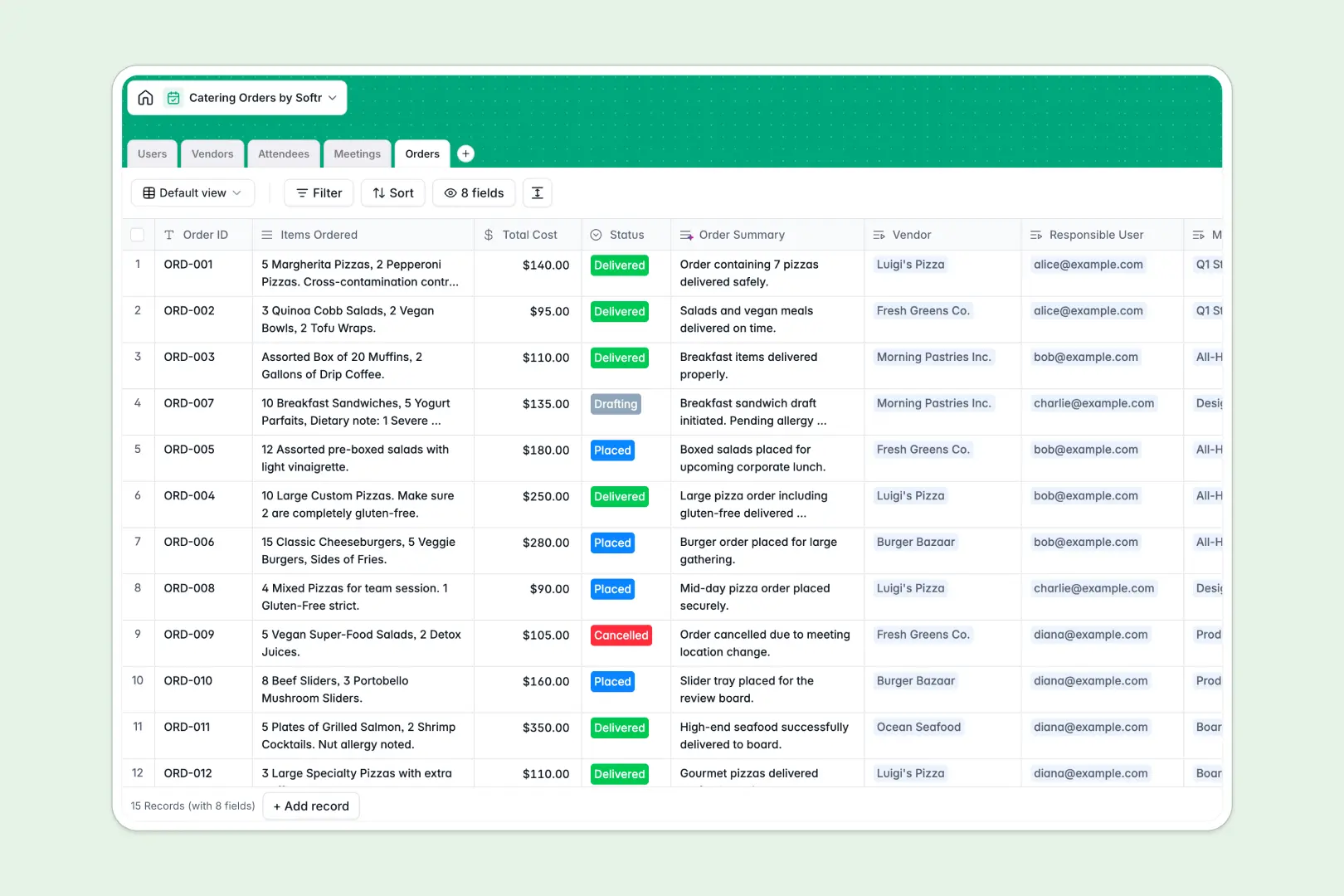
Your Catering Orders Database at a glance
Manage meetings, vendors, attendees, and food orders in a single connected workspace. This database provides instant clarity on budgets, dietary restrictions, and order statuses.
It works by natively linking specific Orders directly to Meetings and Vendors while automatically aggregating Attendee data. This ensures everyone gets the right meal without juggling scattered lists.
Built-in AI automatically researches vendor websites to write company descriptions, categorizes complex dietary restrictions, and generates concise order summaries.
Why catering orders get messy in Google Sheets
Managing catering in spreadsheets quickly turns into chaos when juggling dozens of vendors, shifting meeting times, and complex dietary allergies.
What a structured database changes
Instead of duplicating attendee details and vendor contacts across multiple tabs, every piece of data is natively connected. You can link a specific order directly to a restaurant and a meeting without relying on fragile formulas.
This setup ensures that dietary needs aren't lost in hidden rows, and order statuses stay accurate as they scale. This is exactly what Softr Databases are designed for.
What you can do with this template
Instantly classify attendee dietary restrictions and track exact order costs per meeting. You can also view a complete history of all orders associated with a specific vendor.
Using native AI capabilities, this template automatically writes out vendor descriptions from their URLs. This keeps your records enriched and standardized without manual data entry.
-
Users
Manage internal staff roles, contact details, and their linked catering tasks
-
Vendors
Store restaurant details and use AI to generate descriptions via web search
-
Attendees
Log meeting guests and use AI to classify dietary needs for safe catering
-
Meetings
Schedule corporate events and track headcount to coordinate food requirements
-
Orders
Track food costs and use AI to generate concise catering order summaries
Who is this Catering Orders database for
This template provides a reliable, immediately usable structure for teams managing recurring events and food coordination.
- Office Managers: Track daily office lunches, dietary restrictions, and vendor performance in one view.
- Event Coordinators: Link specific catering orders to large scale meetings without losing track of per-event budgets.
- Administrative Assistants: Easily manage lists of approved vendors and aggregate attendee food allergies automatically.
How to take it further
Customize the database
Easily add new vendor categories or update order statuses to match your internal procurement process. Modifying select field values and adding new tracking columns takes just a few clicks.
Import your existing data
Upload your current vendor list and historical meeting attendees directly via CSV. You can also connect via API to automatically sync your upcoming finalized meeting schedules.
Build a full app around it
Once your backend process is organized, you can build an employee-facing request portal. Using the interface builder, you can create specific views where staff can log their own catering preferences independently.
A well-structured backend makes turning this initial database into a full-scale operational application the natural next step.
-
1
-
2
-
3
-
4
Frequently asked questions
-
What is a catering orders database?
-
Why use a no-code database to build a catering management tool?
-
How can AI help managing data for catering orders?
-
Can I build an app with this catering database?
-
Is this Catering Orders Database free?
-
How is a catering orders database different from Google Sheets?
Start building today. It's free!
Build and launch your first app in under 30 minutes.