


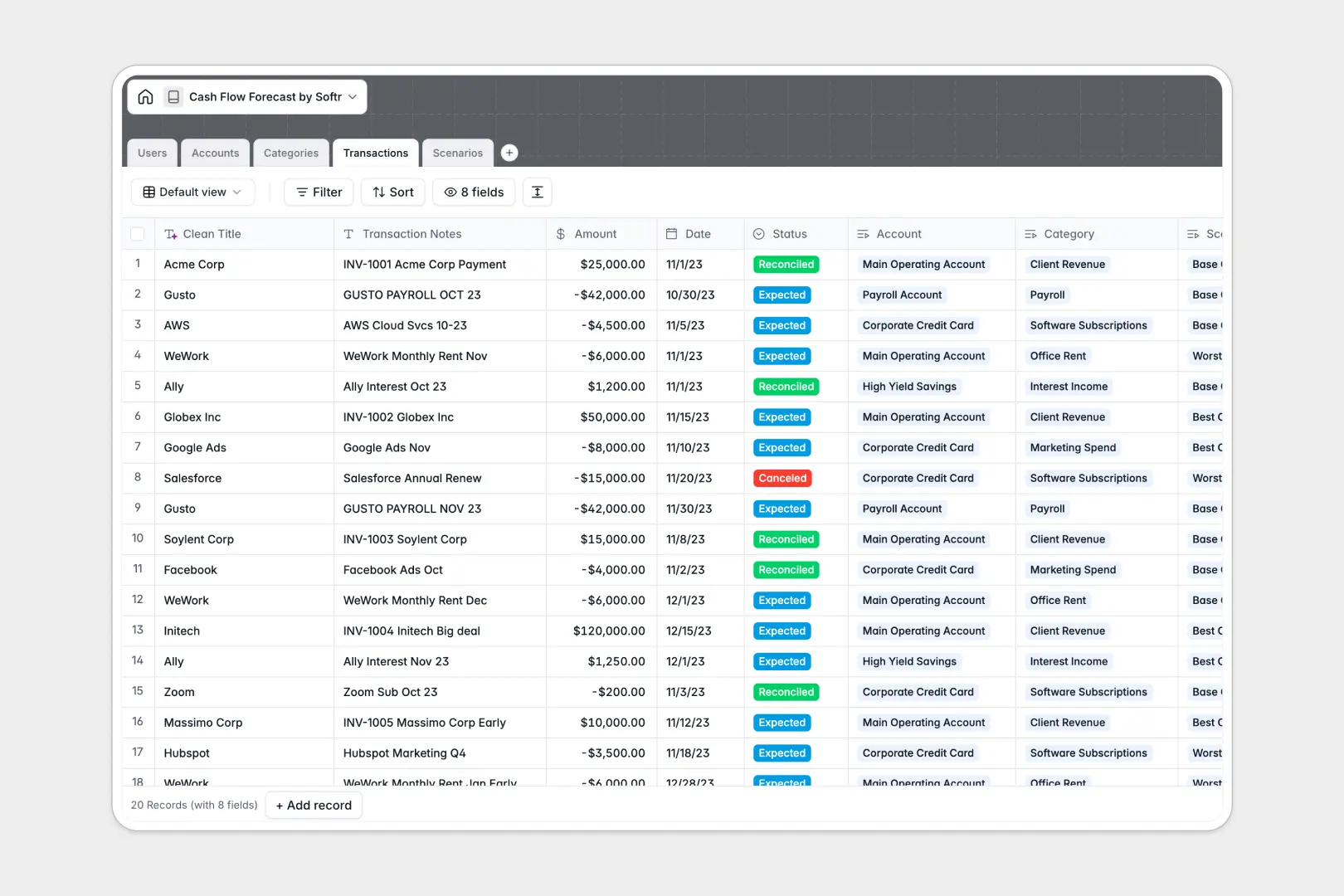
Your Cash Flow Forecast database at a glance
This Cash Flow Forecast template helps finance teams track actual balances, categorize cash movements, and model financial scenarios in real time.
Connected tables link your bank accounts, transaction records, inflow and outflow categories, and forward-looking scenarios so every balance update reflects immediately across the whole model.
Built-in AI fields automatically clean raw transaction descriptions and draft executive scenario briefs, removing manual cleanup work from your financial reporting.
When a shared spreadsheet turns into an unverified cash model
Google Sheets makes collaboration effortless, but financial forecasting demands data integrity that a spreadsheet grid cannot guarantee. A single accidental row edit or broken formula reference can quietly throw off an entire 13-week forecast without anyone noticing.
What a structured database changes
In a structured database, transaction dates remain real timestamps, currencies stay strictly numeric, and categories stay consistent. Instead of fragile multi-tab formulas, your transactions link directly to specific bank accounts and scenario models.
This creates a dependable source of financial truth where data cannot be overwritten by mistake. This is exactly what Softr Databases are designed for.
While you can connect an existing Google Sheet as a data source in Softr, using a native database ensures strict field validation and self-cleaning records from day one.
What you can do with this template
Model base, best-case, and worst-case scenarios side by side without duplicating tabs or rewriting balance calculations.
Native Database AI agents instantly extract clean vendor names from messy transaction notes and write executive summaries for each forecast run.
Track reconciled versus expected transactions across every institution with automatic rollup summaries you can trust.
-
Users
Manage financial team profiles, assigned roles, and scenario permissions
-
Accounts
Track bank balances, credit lines, and cash accounts with manager assignments
-
Categories
Classify cash flows and generate AI standard accounting definitions automatically
-
Transactions
Track cash movements and use AI to extract clean vendor and client titles
-
Scenarios
Model forecast cases and generate AI executive briefs on planned cash flow
Who is this Cash Flow Forecast database for
- Finance Teams: Model multiple runway scenarios and track account balances without formula errors.
- Founders and Executives: Monitor cash runway, net burn, and high-level scenario summaries in one view.
- Fractional CFOs: Manage client bank accounts, forecast liquidity, and standardize accounting categories easily.
- Operations Managers: Track expected vendor disbursements and recurring inflows against specific budget lines.
How to take it further
Customize the database
Adjust category direction options, add fields for payment methods or invoice attachments, and create custom scenario tags to match your company's fiscal schedule.
Import your existing data
Upload historical bank statements and transaction logs via CSV, or connect your accounting software using the native API for continuous balance synchronization.
Build a full app around it
When your team needs secure access, use Softr's AI app generator to generate an internal finance portal or executive dashboard in one prompt. Configure granular users and permissions so analysts can submit expected transactions while department heads only see approved scenario summaries.
-
1
-
2
-
3
-
4
Frequently asked questions
-
What is a Cash Flow Forecast database?
-
Why use a no-code database to build a cash flow forecast tool?
-
How can AI help managing data for cash flow forecasting?
-
Can I build an app with this Cash Flow Forecast database?
-
Is this Cash Flow Forecast database free?
-
How is a cash flow forecast database different from Google Sheets?
Start building today. It's free!
Build and launch your first app in under 30 minutes.