


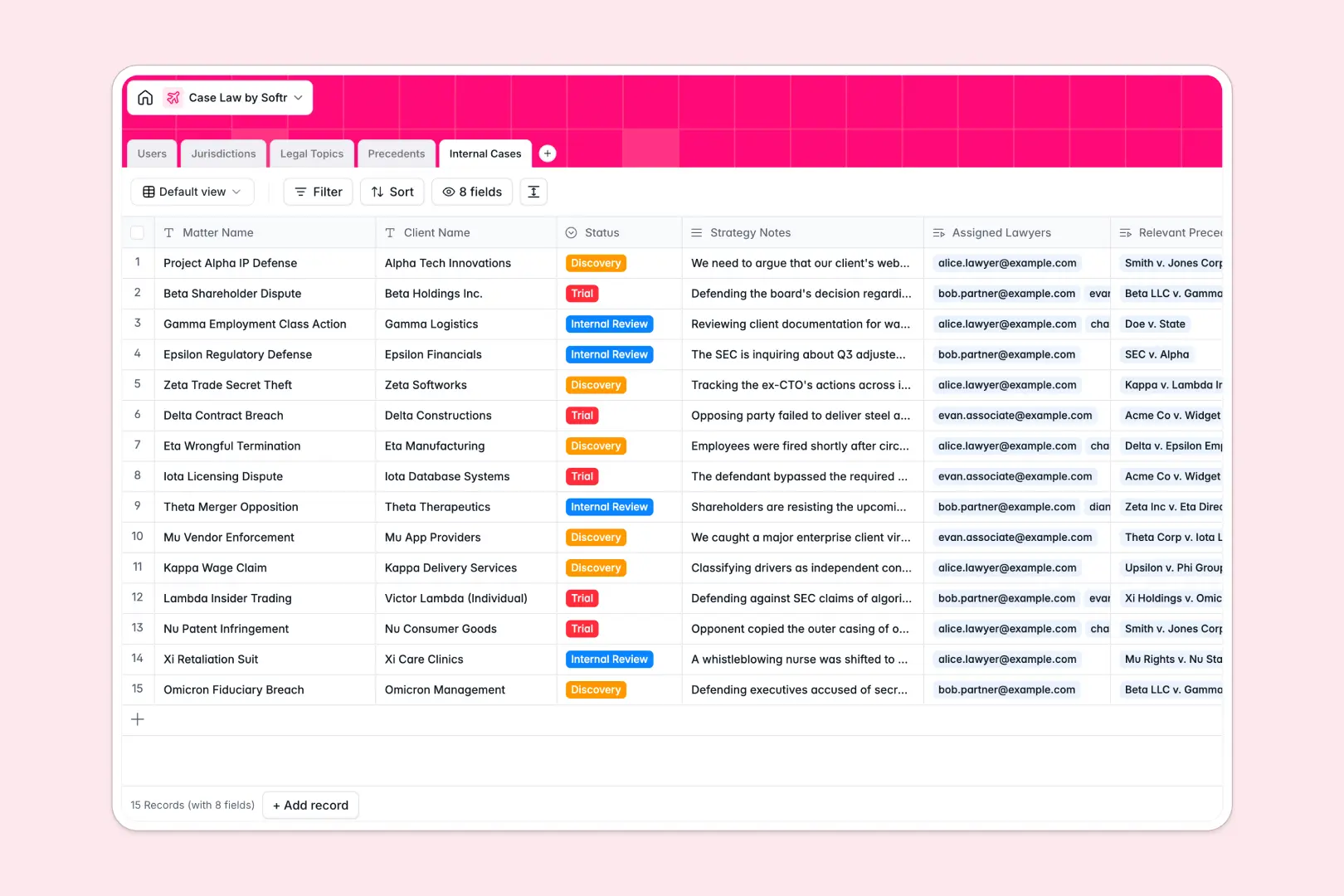
Your Case Law Database at a glance
This ready-to-use template helps legal teams centralize crucial case rulings and connect them directly to active client matters. All your citations, notes, and legal topics stay securely structured in one unified system.
It comes built with dedicated tables for Jurisdictions, Legal Topics, and Internal Cases. Instead of duplicating info, you simply link a relevant precedent directly to the lawyers and lawsuits that actually need it.
It also completely automates case analysis with built-in AI fields. The AI instantly generates detailed summaries from full case texts, extracts key legal takeaways, and writes executive briefs for internal matters automatically.
Why case law gets messy in Google Sheets
Tracking complex legal citations across spreadsheets quickly becomes a chaotic web of broken links and disconnected tabs. When lawyers need to reference a precedent against an active trial, Google Sheets forces them to dig through disjointed rows.
What a structured database changes
A proper system guarantees that dates, citations, and lengthy legal texts stay strictly formatted at all times. You can easily connect jurisdictions and legal topics to your rulings to keep everything categorized efficiently.
You can link multiple precedents to a single internal case without relying on fragile VLOOKUPs that break when a paralegal adds a new column. This is exactly what Softr Databases are designed for, giving you a scalable, reliable foundation.
What you can do with this template
You can instantly relate past rulings to active matters using native linked records. This ensures your strategy notes and relevant precedents are always highly visible in one clean view per client.
Using built-in Database AI agents, this template actively works for you as data arrives. It seamlessly summarizes lengthy legal texts and formulates bulleted takeaways the moment you paste in the case law.
-
Users
Manage law firm staff including lawyers and paralegals with assigned matters
-
Jurisdictions
Catalog court names and geographical regions setting legal precedents
-
Legal Topics
Organize legal areas and categories to link with established case rulings
-
Precedents
Store case law with AI-generated summaries and automated key takeaways
-
Internal Cases
Track active firm matters using AI to synthesize briefs and strategy notes
Who is this Case Law Database for
This template provides rapid value for legal professionals who need reliable access to organized research.
- Law Firms: Centralize regional precedents and gain clear visibility over which lawyers handle specific matters.
- Paralegals: Upload full case texts securely and let the system automatically extract essential takeaways.
- In-House Counsel: Connect internal strategy notes to jurisdictional rulings without fighting formatting errors.
How to take it further
You can fully customize this template to fit your exact practice areas right now. Easily add new fields for court abbreviations, adjust the status options for internal reviews, or quickly update jurisdiction filters.
Moving your existing legal research is incredibly simple and fast. Guarantee a smooth transition by importing your current case lists and citations via a bulk CSV upload to deliver immediate value.
When your firm is ready, you can transform this database into a secure portal using Softr's interface builder. You can connect it seamlessly to present data clearly to external clients or internal legal staff.
This structure enables you to apply strict permissions to specific litigators, restricting them to only see the active matters assigned to them. Starting with a properly linked database makes building compliant, secure legal apps remarkably easy.
-
1
-
2
-
3
-
4
Frequently asked questions
-
What is a case law database?
-
Why use a no-code database to build a case law tracking system?
-
How can AI help managing data for case law research?
-
Can I build an app with this case law database?
-
Is this Case Law Database free?
-
How is this case law template different from Google Sheets?
Start building today. It's free!
Build and launch your first app in under 30 minutes.