


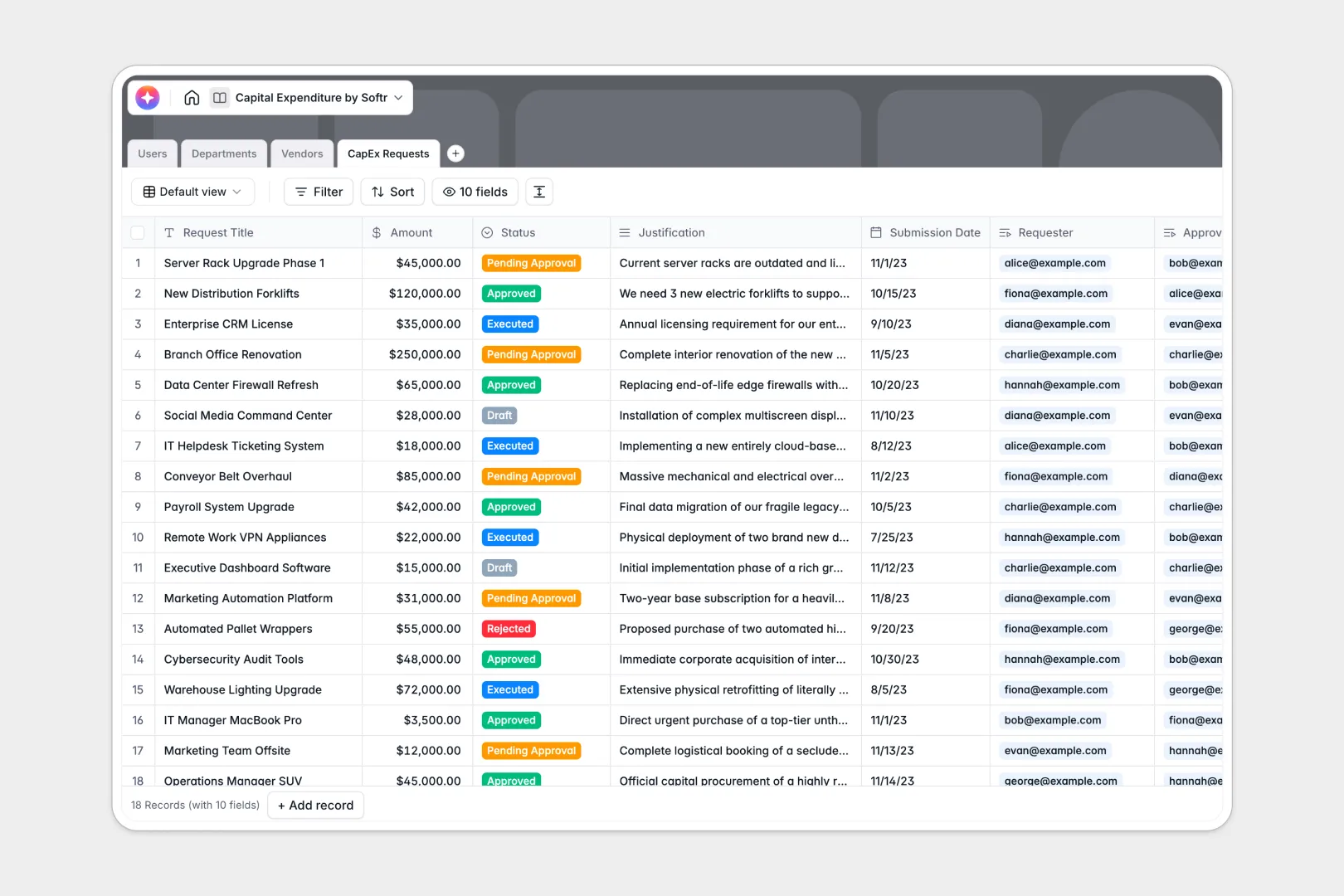
Your Capital Expenditure Database at a glance
Control spending and track investments cleanly with a dedicated CapEx tracker. Gain complete visibility over every proposal, budget limit, and approval state in one secure place.
This template connects your department budgets, team members, vendors, and pending requests natively. When spending is logged, it automatically updates the remaining budget for that department without breaking manual calculations.
It also features built-in AI fields that summarize lengthy business justifications and web-search vendor insights automatically.
Why capital expenditure in Google Sheets gets messy
Managing multi-million dollar investments on Google Sheets invites human error. Formulas break when rows are added, and there is no way to prevent a user from accidentally modifying approved budget equations.
What a structured database changes
A structured database enforces data integrity to keep your financial logs secure. Every column has a dedicated type—so currency fields stay numeric, and departments link directly to their specific team members.
Unlike sheets that require risky copy-pasting, tables link natively to each other. This is exactly what Softr Databases are designed for—keeping data safe as budgets scale.
What you can do with this template
You can set up clear approval workflows that route requests to correct roles like Managers or Finance Approvers. Monitor budget balance formulas in real time before signing off on any transaction.
By using built-in Database AI agents, you can automatically extract vendor summaries and distill long justifications into tiny bullet highlights.
-
Users
Manage system users with access roles, departments, and approval permissions
-
Departments
Define cost centers for budget allocation and real-time tracking of spend
-
Vendors
Store supplier profiles with AI-generated business summaries for due diligence
-
CapEx Requests
Track expenditure proposals with AI summaries for rapid executive review
Who is this Capital Expenditure database for
This template is designed to give teams complete financial oversight without complex software setups.
- Finance Managers: Track actual CapEx against allocated budgets automatically.
- Department Heads: Submit clearly documented, justified spending requests to stakeholders.
- Procurement Officers: Keep detailed profiles and histories for all active suppliers.
How to take it further
Customize the database: You can quickly add new fields suitable to your tax categories, modify status tags like 'Executed' or 'Draft', or change validation constraints. Our visual editor holds no steep learning curves.
Import your existing data: Bring in your legacy budget logs instantly via a standard CSV file upload. Or, hook it up to other operational files using API integrations to synchronize records seamlessly.
Build a full app around it: When your team needs proper governance, you can easily develop a client-facing portal. Use Softr to attach a customized interface builder to safety-check data access.
Set granular users and permissions rules so that requesters only view their own drafts, while financial officers access total company approvals. This ensures complete data security and a clean dashboard for all parties.
-
1
-
2
-
3
-
4
Frequently asked questions
-
What is a capital expenditure database?
-
Why use a no-code database to build a capital expenditure system?
-
How can AI help managing data for capital expenditures?
-
Can I build an app with capital expenditure database?
-
Is this Capital Expenditure Database free?
-
How is a capital expenditure database different from capital expenditure Google Sheets?
Start building today. It's free!
Build and launch your first app in under 30 minutes.