


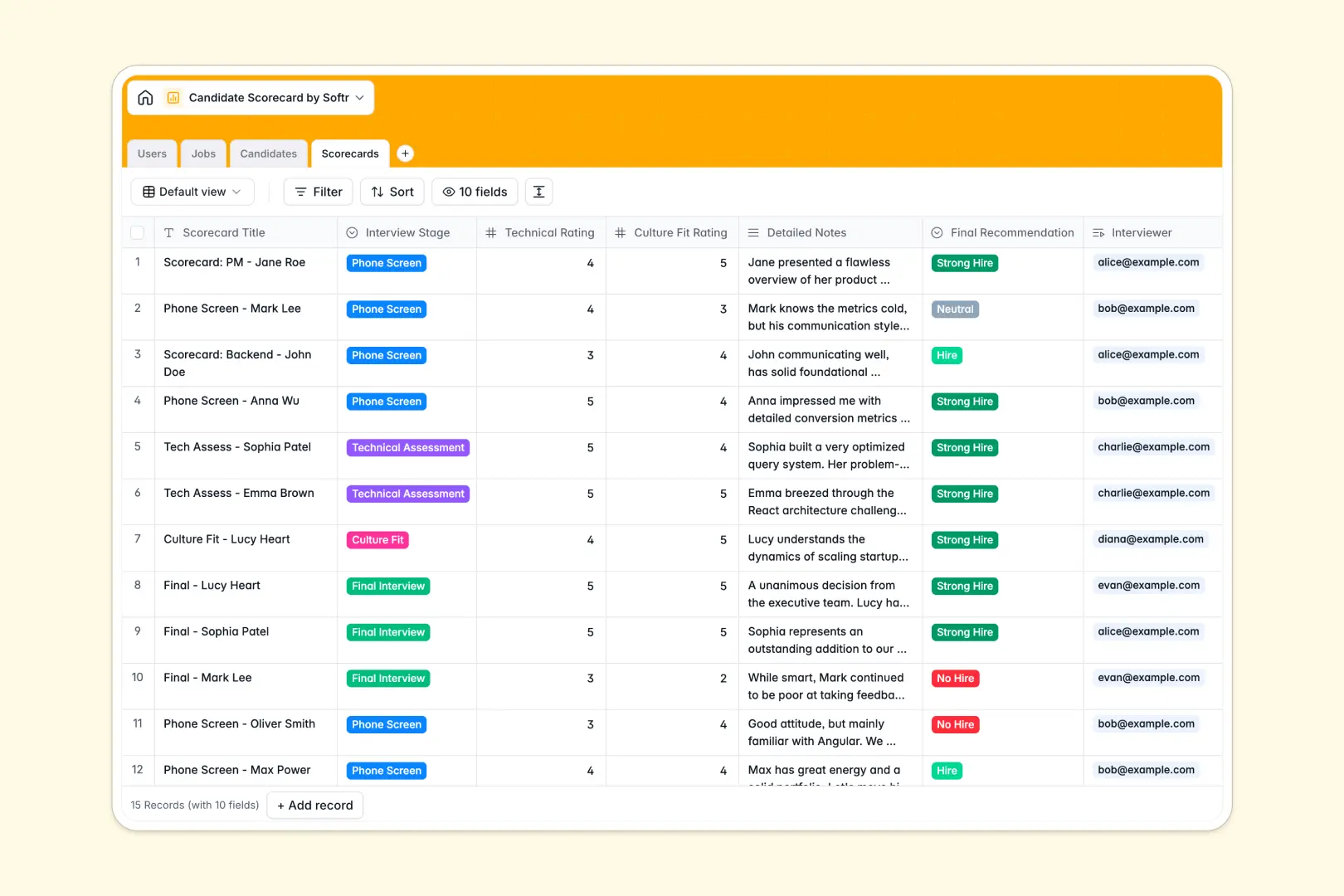
Your Candidate Scorecard database at a glance
This template centralizes your entire interview pipeline, making it easy to capture interviewer evaluations, track candidate stages, and standardize hiring criteria. Every score, note, and final recommendation stays structured and accessible in one place.
Relational tables connect Jobs, Candidates, Scorecards, and internal Users. When an interviewer completes a scorecard, their ratings and notes link directly to the candidate's profile and open role without manual copy-pasting.
Built-in AI fields automatically research applicant backgrounds via LinkedIn and summarize detailed interviewer notes into clear pros and cons.
Why shared interview sheets fail to scale hiring
Google Sheets makes sharing interview sheets easy, but keeping candidate evaluations organized across multiple interviewers quickly leads to broken formulas, missing ratings, and accidental data overwrites.
What a structured database changes
A structured database enforces clean data types so numbers stay numeric, stages follow set dropdowns, and resumes stay attached to the right profile. Tables connect natively, linking multiple interview scorecards to a single candidate without complex formulas.
This is exactly what Softr Databases are designed for. You can easily maintain clean records and keep hiring stages organized as your team scales.
What you can do with this template
Interviewers can submit structured feedback for specific stages like technical assessments or culture fit screenings. Hiring managers get an instant overview of total candidates per role and aggregate score averages.
With Database AI agents, the database can automatically search the web to summarize a candidate's background and extract key strengths and weaknesses from interviewer notes.
-
Users
Manage recruitment staff, hiring managers, roles, and scorecard assignments
-
Jobs
Organize open job requisitions, departments, and linked hiring pipelines
-
Candidates
Track applicant pipelines and generate AI background summaries via LinkedIn
-
Scorecards
Record interview evaluations and synthesize strengths using AI feedback
Who is this Candidate Scorecard database for
This system helps hiring teams collaborate efficiently without losing track of evaluations:
- Recruiting Teams: Standardize interview criteria and monitor candidate progress across all open requisitions.
- Hiring Managers: Compare feedback across interview stages and make faster, data-backed hiring decisions.
- Interviewers: Submit structured ratings and detailed notes directly against assigned candidates quickly.
- People Operations: Maintain clean, auditable recruitment records without dealing with messy shared files.
How to take it further
1. Customize the database
Adjust the interview stages, edit evaluation rating scales, or add custom assessment criteria to match your team's specific hiring process. You can modify dropdown options and add new fields in seconds directly within the database interface.
2. Import your existing data
Upload current candidate pipelines or open requisitions instantly using CSV import. You can also connect external platforms via API to keep your applicant pool updated automatically.
3. Build a full app around it
When you are ready, you can build an app on top of your database by simply describing what you need in a single prompt. Softr's AI Co-Builder generates interview submission forms, role dashboards, and review portals connected to your tables.
Use custom users and permissions to ensure interviewers only view the candidates they are assigned to evaluate while hiring managers see full pipeline summaries. A well-structured database makes launching custom recruitment software straightforward and secure.
-
1
-
2
-
3
-
4
Frequently asked questions
-
What is a candidate scorecard database?
-
Why use a no-code database to build a candidate scorecard system?
-
How can AI help managing data for candidate scorecards?
-
Can I build an app with candidate scorecard database?
-
Is this Candidate Scorecard database free?
-
How is this Candidate Scorecard database different from Google Sheets?
Start building today. It's free!
Build and launch your first app in under 30 minutes.