


Overview
Managing client relationships can be chaotic when relying on messy email threads and scattered documents. With Softr's Client Portal, you can create a unified, branded hub for all your client interactions. Connect your Airtable or Google Sheets data to launch a fully functional app in minutes without writing a single line of code.
Why Use a Custom Client Portal?
While off-the-shelf software gives you rigid structures, building your own ensures that your clients get exactly what they need.
Custom Portals vs. Email Threads
Traditional email communication leads to lost files and miscommunication. A centralized portal built on Softr ensures everyone stays on the same page. Every invoice, deliverable, and update is neatly organized.
Flexible Permissions
By integrating Softr's user authentication features, you can ensure that clients only see the data that belongs to them, providing enterprise-grade security effortlessly.
-
Users
Manage internal team members, their roles, and assigned call tasks
-
Companies
Track client organizations with AI-powered business summaries and web research
-
Contacts
Store individual contact details and their relationships with key companies
-
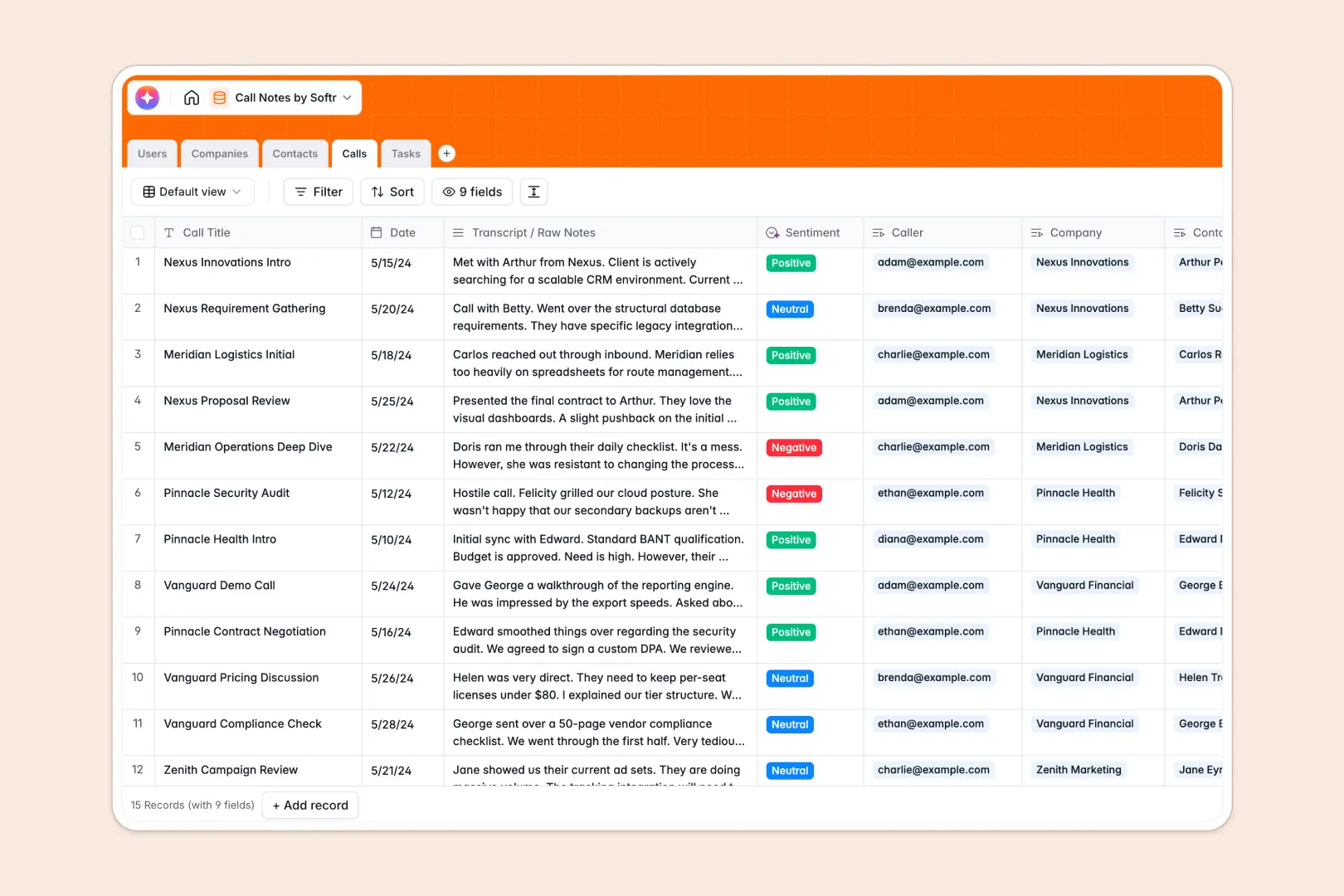
Calls
Log interactions with logs, AI-generated summaries, and sentiment analysis
-
Tasks
Organize actionable next steps and deadlines derived from call discussions
Who is this for?
Our unified client portal template is designed for service-based businesses that need a streamlined way to interact with their customers.
- Agencies: Share deliverables, gather feedback, and present analytics directly to your stakeholders securely.
- Freelancers & Consultants: Manage multiple client projects, invoice tracking, and document sharing in one unified workspace.
- B2B Service Providers: Create custom dashboards that allow partners to update their own information without back-and-forth emails.
How to take it further
Once your foundational portal is up and running, you can scale it using Softr's advanced integrations. Add payment gateways like Stripe to process invoices, or connect automated email triggers via Zapier. You can also customize the design with Softr's custom CSS and styling options to ensure the portal seamlessly matches your agency's branding.
-
1
-
2
-
3
-
4
Frequently asked questions
-
What is a client portal and why do I need one?
-
Can I connect my own database to the portal?
-
How secure is the data shared within the portal?
-
Do I need coding skills to build this portal?
-
Can I customize the portal to match my brand?
Start building today. It's free!
Build and launch your first app in under 30 minutes.