


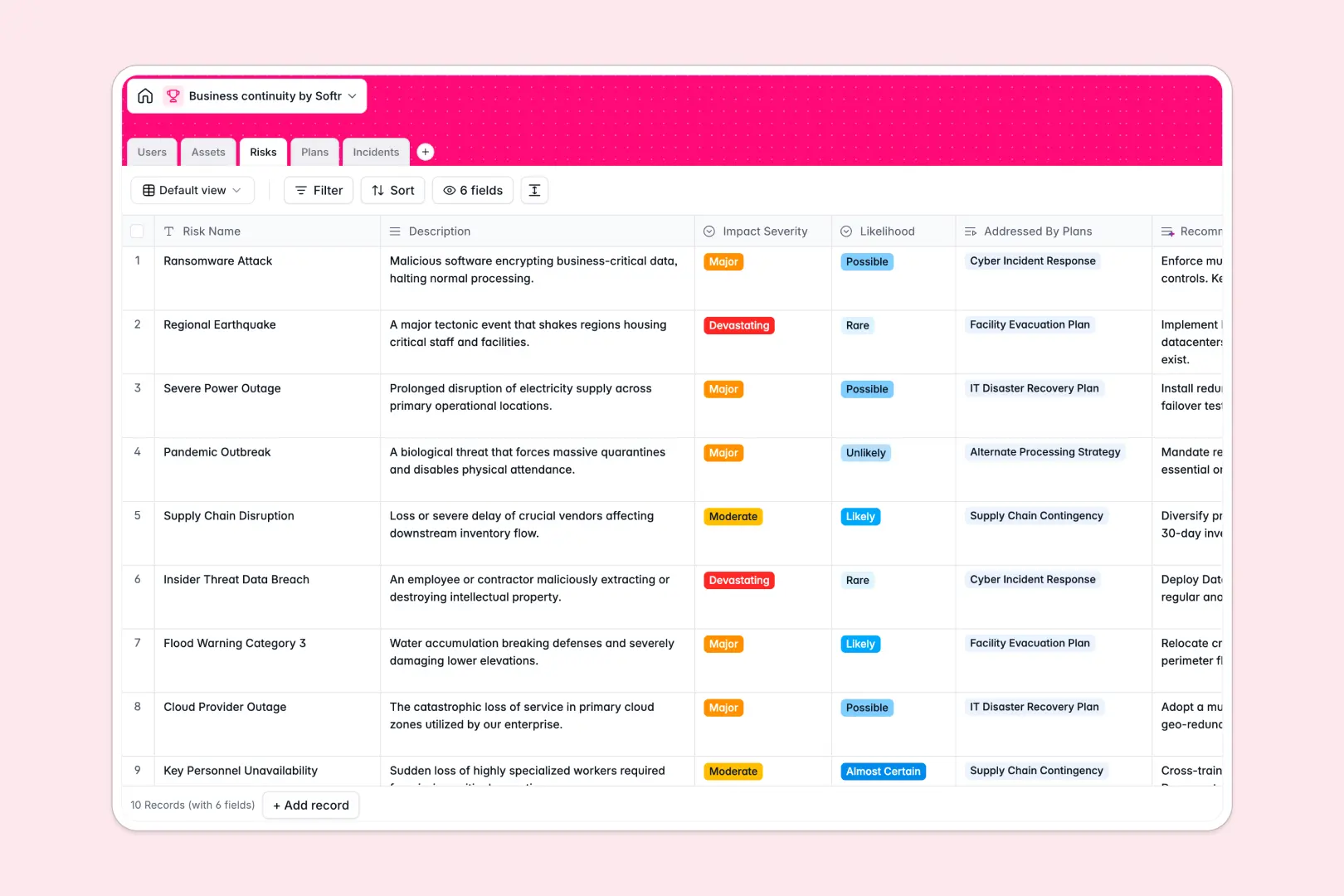
Your Business Continuity database at a glance
This template centralizes your organization's resilience strategy, helping you track mission-critical assets, mitigate operational threats, and coordinate fast incident response.
Five dedicated tables link your Users, Assets, Risks, Plans, and Incidents together seamlessly. When disruptions occur, you instantly see which recovery procedures protect the affected infrastructure without cross-checking disconnected sheets.
Built-in AI fields automatically draft executive summaries for continuity plans, propose actionable risk mitigations, and categorize incoming incidents as they happen.
When a single accidental edit breaks incident recovery across the organization
Google Sheets makes collaboration effortless, but during an active outage, open spreadsheets invite accidental formula overwrites, broken lookups, and misplaced disaster recovery protocols.
What a structured database changes
In a true database, data integrity remains intact under pressure. Dates stay formatted, critical assets link directly to specific risk assessments, and incident counts roll up accurately without fragile cell formulas.
Every record maintains strict relationships across tables, ensuring ownership and recovery steps stay clear when teams need them most. This reliability is exactly what Softr Databases are designed for.
While Softr can connect an existing Google Sheet as an external source, moving your resilience data into a dedicated database provides the strict structure and speed that crisis response demands.
What you can do with this template
Map operational risks directly to recovery procedures and assess overall organizational readiness in real time. Rollup fields automatically track protected assets and calculate incident frequencies for audits.
Native Database AI agents analyze new incident descriptions on the fly, categorizing disruptions into cyber threats, hardware failures, or operational issues to trigger the right mitigation workflows immediately.
-
Users
Manage personnel roles, contact information, and continuity assignments
-
Assets
Track critical infrastructure, systems, and facilities with risk links
-
Risks
Evaluate operational threats and generate AI-driven mitigation strategies
-
Plans
Organize recovery plans, protected assets, and AI executive summaries
-
Incidents
Log disruptive events and classify incident types automatically with AI
Who is this Business Continuity database for
- Operations Leaders: Maintain disaster recovery plans, ensure regulatory compliance, and safeguard critical business assets.
- IT & Security Teams: Log infrastructure incidents, categorize active threats, and link systems to designated recovery owners.
- Risk & Compliance Managers: Quantify risk severity, evaluate mitigation strategies, and prepare clean audit trails.
- Facility Directors: Monitor physical locations, equipment criticality, and emergency procedures across multiple operating sites.
How to take it further
Customize this database immediately by tweaking risk likelihood scales, adding custom asset tags, or adjusting incident status stages to match your standard operating procedures.
Import your existing operational assets and personnel directories in bulk using standard CSV uploads, or use the API to sync live status updates from external monitoring systems.
When your team is ready, build an app on top of this database with Softr's AI Co-Builder. Generate an internal crisis portal with custom users and permissions, giving employees a clean form to log disruptions while restricting emergency plan approvals to continuity managers.
-
1
-
2
-
3
-
4
Frequently asked questions
-
What is a Business Continuity database?
-
Why use a no-code database to build a business continuity system?
-
How can AI help managing data for business continuity?
-
Can I build an app with Business Continuity database?
-
Is this Business Continuity template free?
-
How is a Business Continuity database different from Google Sheets?
Start building today. It's free!
Build and launch your first app in under 30 minutes.