


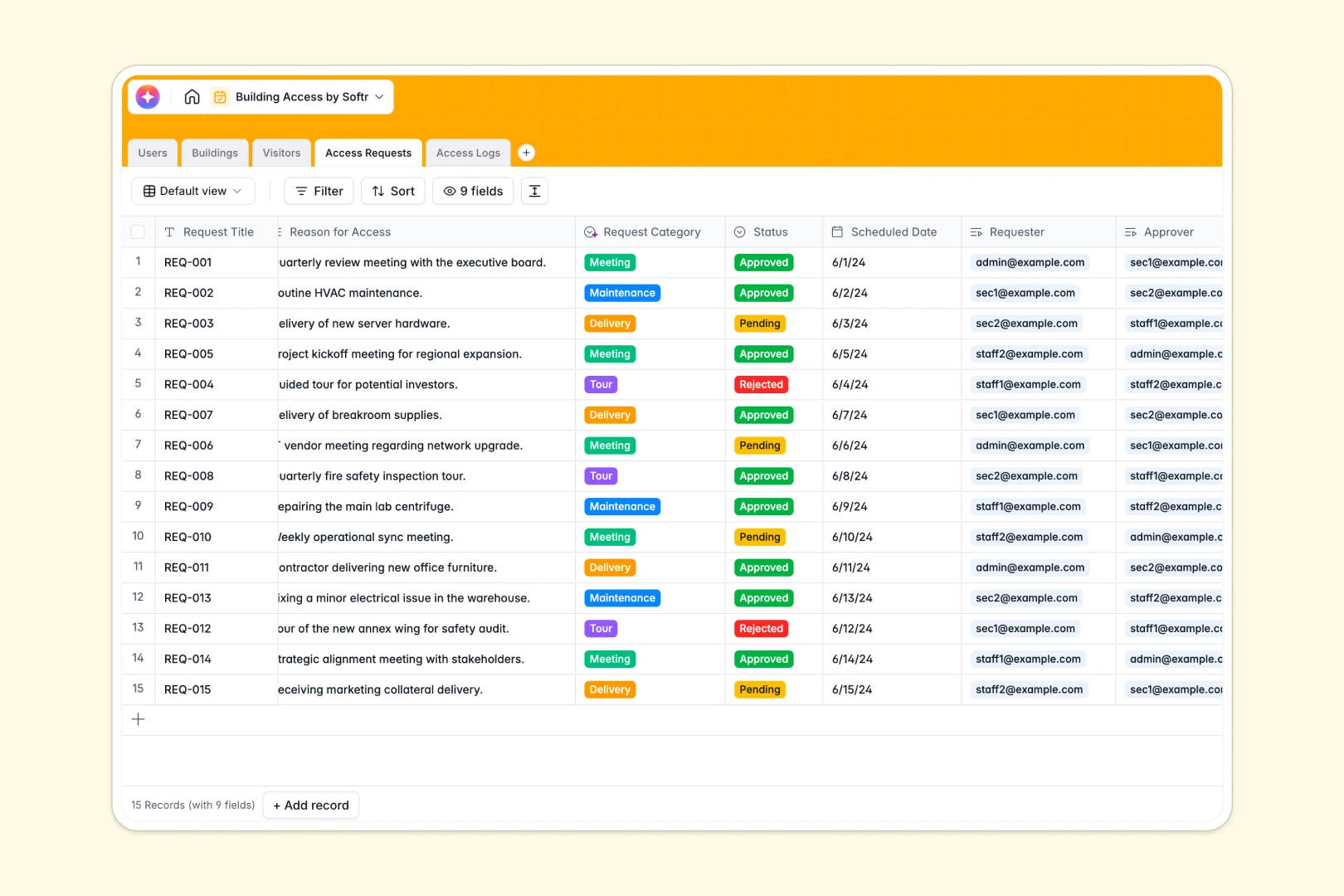
Your Building Access Database at a glance
This template provides a reliable system to manage facility entries, track visitor details, and handle approval workflows. Instead of scattered spreadsheets, you get a clean central hub for complete visibility over who enters your properties.
The database connects essential records automatically so you never lose context. You can link a visitor to an access request and tie every timestamped entry directly to a specific building and guard.
Built-in AI capabilities instantly research external visitors using their company websites. AI also categorizes incoming access requests and summarizes live security notes into scannable one-sentence logs.
Why building access gets messy in Google Sheets
Tracking secure entries and visitors in Google Sheets quickly becomes a liability. Rows get accidentally edited, access timestamps are manual, and keeping logs connected to the right facility requires fragile formulas that constantly break.
What a structured database changes
A true database applies strict rules to your security records so entries stay consistent and reliable. Dedicated columns ensure dates stay as dates and automated timestamps record exactly when a log is created without manual entry.
You can link access logs directly to physical buildings and specific personnel without writing a single VLOOKUP. This is exactly what Softr Databases are designed for, keeping your access controls perfectly organized as traffic scales.
What you can do with this template
You can instantly log real-time entries, exits, and denied attempts using clearly defined status fields. Managing approvals relies on strict relational links, meaning pending requests tie seamlessly to specific security approvers and targeted buildings.
The system self-maintains through intelligent features that automatically classify access reasons like "Maintenance" or "Meeting" upon submission. It dynamically reads security guard notes and generates clean activity summaries so your logs remain readable and actionable.
-
Users
Manage staff profiles, organizational roles and track individual access activities
-
Buildings
Register physical facilities, manage zone statuses and track total occupancy logs
-
Visitors
Monitor external guests with AI-generated company profiles from web research
-
Access Requests
Process entry requests using AI to automatically categorize the visit purpose
-
Access Logs
Record entry events with AI-generated summaries of security notes and activity
Who is this Building Access database for
This template is built for teams that need to secure facilities and monitor visitor traffic reliably.
- Security Teams: Track live entry and exit logs with exact timestamps and attached security notes.
- Facility Managers: Monitor access across multiple buildings and systematically manage ongoing maintenance requests.
- Office Administrators: Process visitor approvals, log corporate guests, and keep staff directories strictly organized.
How to take it further
Because this is a native no-code database, you can easily customize it to fit your exact building rules. Simply add new zone locations or modify the status fields to include tailored access levels like "VIP" or "Contractor."
You can immediately populate your staff directory and past visitor sheets by importing a standard CSV file directly into the tables.
When your team is ready, you can transform this database into a self-serve visitor check-in kiosk or an internal security portal. Well-structured data makes creating full-stack apps simple, effortlessly connecting your tables to functional interfaces. By defining strict permissions, you guarantee that front desk staff only see today's expected visitors while managers access full historical security audits.
-
1
-
2
-
3
-
4
Frequently asked questions
-
What is a building access database?
-
Why use a no-code database to build an access control system?
-
How can AI help managing data for building access?
-
Can I build an app with this building access database?
-
Is this Building Access template free?
-
How is a building access database different from Google Sheets?
Start building today. It's free!
Build and launch your first app in under 30 minutes.