


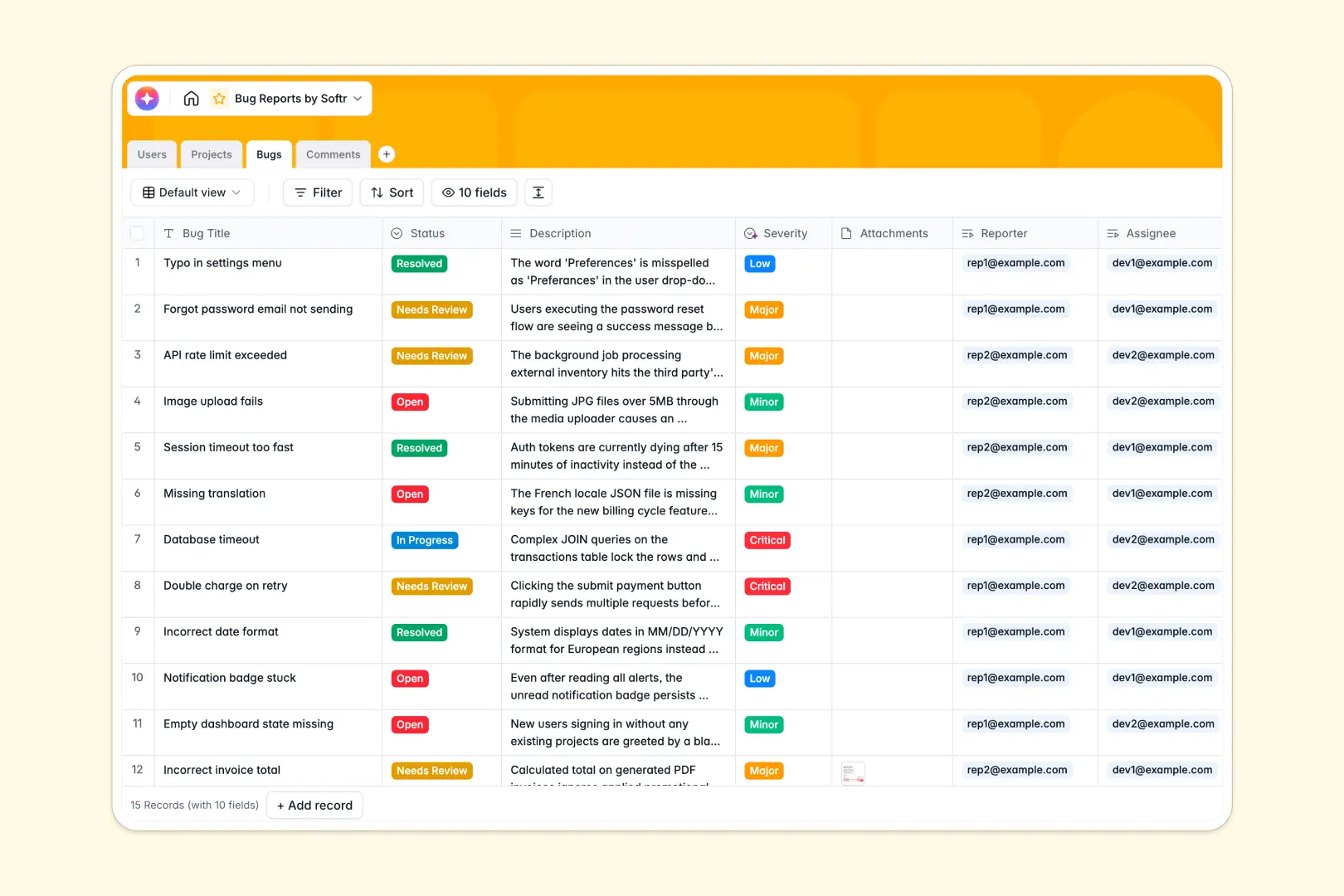
Your Bug Reports Database at a glance
This ready-to-use bug tracking template centralizes every issue, request, and flaw across your software projects. It gives your team a clean structure to log bugs, assign them to developers, and track resolutions without digging through messy rows.
The system connects naturally—users report bugs, bugs tie directly to specific projects, and activity is logged in a dedicated comments table. Every status, from "Open" to "Resolved," stays organized and seamlessly linked.
Built-in AI fields eliminate manual triage by automatically summarizing long bug descriptions. They instantly categorize the severity as Low, Minor, Major, or Critical as soon as the ticket is logged.
Why bug reports get messy in Google Sheets
Spreadsheets are great for basic lists, but using them to track complex software bugs quickly becomes chaotic. As tickets pile up, linking issues to specific projects, attaching screenshots, and tracking comment histories in single cells breaks down.
What a structured database changes
In a true database, every column enforces a specific rule. Attachments stay cleanly organized, statuses are standardized, and you can easily link a single bug exactly to its reporter and project without fragile formulas.
This structured approach is exactly what Softr Databases are built to deliver. You get relational tables that scale effortlessly, keeping your engineering pipeline organized no matter how many tickets are submitted.
What you can do with this template
Start tracking issues immediately by logging tickets with standardized statuses, severity levels, and assigned project leads.
You can easily jump straight to rolled-up metrics, like the total number of open bugs per project, without writing complex queries. Plus, Database AI agents automatically process incoming issues to generate concise summaries, saving your triage team hours of manual reading.
-
Users
Manage system roles, contact information, and ticket assignments for team members
-
Projects
Organize software modules with dedicated leads and track total bug resolutions
-
Bugs
Track issues using AI to classify severity and generate concise ticket summaries
-
Comments
Centralize communication logs and timestamped updates for each reported issue
Who is this Bug Reports database for
This template provides a scalable and reliable tracking foundation for technical teams of all sizes.
- Product Managers: Gain clear visibility into project health and easily track unresolved critical bugs across different modules.
- QA Teams: Standardize how flaws are logged, complete with dedicated screenshot attachments and AI status categorization.
- Engineering Leads: Easily distribute workload by assigning tickets directly to individual developers.
- Support Teams: Track user requests seamlessly and communicate updates accurately as tickets move to the "Resolved" stage.
How to take it further
Easily adjust the exact details of your workflow by adding custom fields or editing the "Status" select options to include steps like "QA Review". Because it is a native database structure, these structural changes take just seconds.
Bring in your existing ticket backlog fast. Use CSV imports to pull your messy spreadsheet data directly into this structured format, instantly matching historical bugs to their assignees and projects.
When your team is ready, you can transform this database into a fully functioning internal portal or client-facing tracker. Using a no-code interface builder, you can create intuitive forms for external users to submit bugs directly into this table.
With built-in users and permissions, you can ensure that reporters only see their own tickets while developers view their assigned queue. A well-structured database makes it effortless to build scalable apps layered right on top of your data.
-
1
-
2
-
3
-
4
Frequently asked questions
-
What is a bug reports database?
-
Why use a no-code database to build a bug tracking system?
-
How can AI help managing data for bug tracking?
-
Can I build an app with this bug reports database?
-
Is this bug reports template free?
-
How is a bug reports database different from Google Sheets?
Start building today. It's free!
Build and launch your first app in under 30 minutes.