


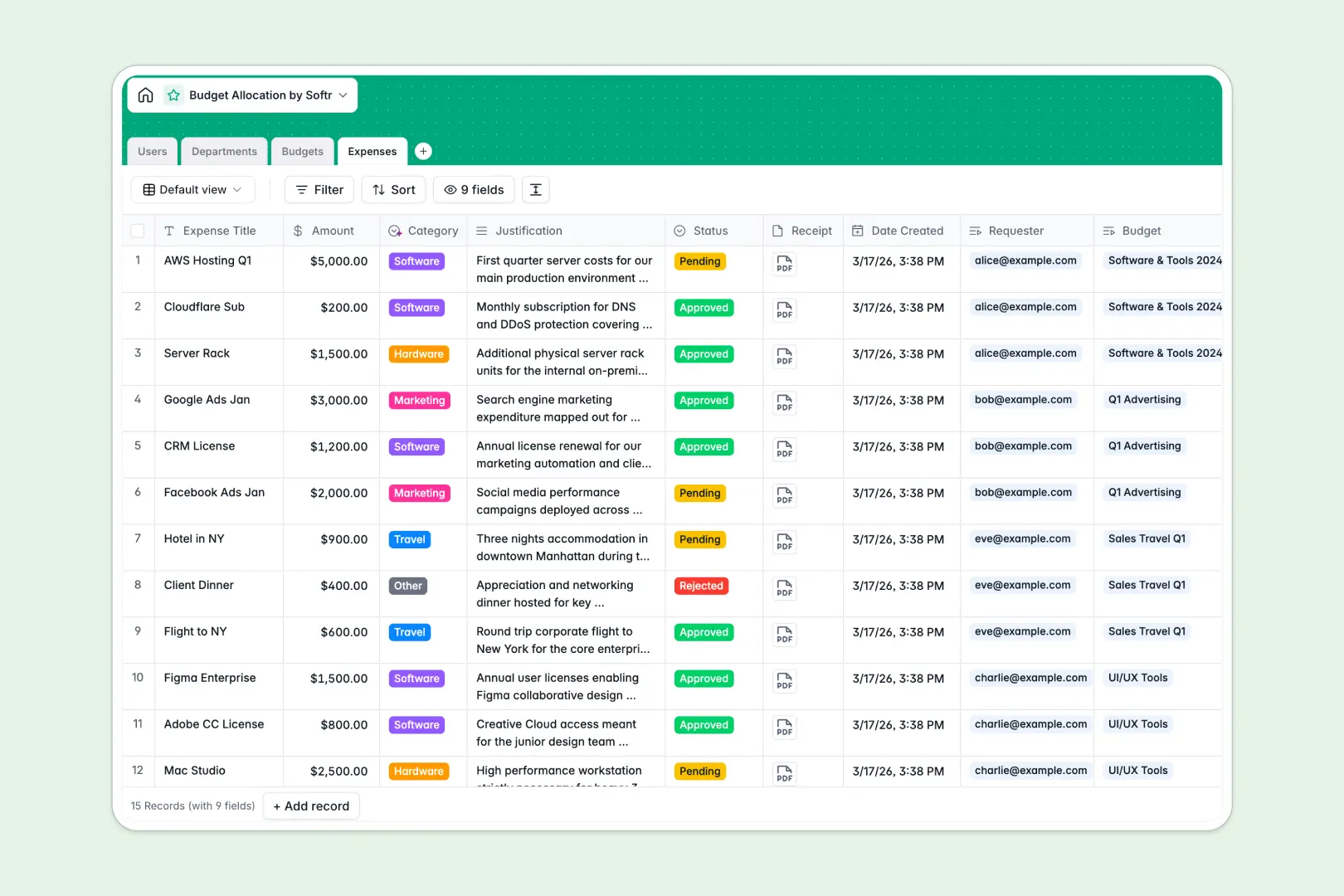
Your Budget Allocation database at a glance
This template helps you manage company funds, departmental spending limits, and expense requests in real time. It keeps financial balances accurate across your entire organization without manual recalculations.
Four dedicated tables: Users, Departments, Budgets, and Expenses link together natively. Every logged expense automatically rolls up into its parent budget, instantly updating remaining spend and department totals.
Built-in AI agents automatically categorize expense justifications into standard operational buckets, evaluate budget health, and draft strategic department objectives.
When a shared sheet lets department spending slip through
Google Sheets makes collaboration easy, but it was never designed to run critical financial controls. When everyone shares edit access to the same sheet, sensitive salary lines get exposed, lookup formulas break after a row is inserted, and expense entries arrive with missing categories or invalid amounts.
What a structured database changes
A database enforces strict field types: currency fields stay numeric, attachments hold receipts securely, and links connect transactions directly to specific budget owners.
Instead of brittle cross-sheet formulas, rollups recalculate spent amounts and remaining balances automatically whenever an expense is logged. This is exactly what Softr Databases are designed for: reliable structure without the risk of accidental formula deletion.
While Softr can connect an existing Google Sheet as an external data source, moving to a native database gives your team structured tables that maintain clean numbers as spending scales.
What you can do with this template
Record expense requests with attached receipts, link them to specific department budgets, and approve or reject items with clear status tags.
Leverage Database AI agents to automatically classify expense lines like travel or software and generate instant budget health summaries when balances drop below target thresholds.
The template is ready to use immediately, giving your finance team complete oversight over company spending from day one.
-
Users
Manage team members, budget managers, roles, and expense requests
-
Departments
Track corporate units, total funds, and AI-researched objectives
-
Budgets
Monitor allocated funds, total spend, and AI health status updates
-
Expenses
Process purchase requests, receipts, and AI expense classifications
Who is this Budget Allocation database for
- Finance Directors: Oversee company-wide department budgets, monitor rollups, and ensure allocations remain balanced.
- Department Heads: Track assigned budget pools, evaluate team spend, and review project expenses against objectives.
- Operations Managers: Standardize purchase justifications, monitor recurring costs, and keep operational spending organized.
- Team Leads: Submit expense requests with receipts and follow approval statuses without back-and-forth messaging.
How to take it further
1. Customize the database
Adapt the database structure directly to your organization's workflow. Modify the expense category select options, add custom fiscal year tags to budgets, or adjust approval statuses in seconds.
2. Import your existing data
Bring in historical department spend or existing budget plans via CSV import in a few clicks. You can also connect your external accounting software through the API to sync transaction logs automatically.
3. Build a full app around it
Turn this database into an interactive internal finance portal when your team is ready. Use Softr's AI app generator to generate custom interfaces, submission forms, and workflows from a single prompt.
Set granular users and permissions so department heads only see their own budget allocations while finance admins retain complete visibility. Softr unites the database, frontend interface, and automated workflows into one secure system.
-
1
-
2
-
3
-
4
Frequently asked questions
-
What is a budget allocation database?
-
Why use a no-code database to build a budget allocation tool?
-
How can AI help managing data for budget allocation?
-
Can I build an app with Budget Allocation database?
-
Is this Budget Allocation database free?
-
How is a budget allocation database different from Google Sheets?
Start building today. It's free!
Build and launch your first app in under 30 minutes.