


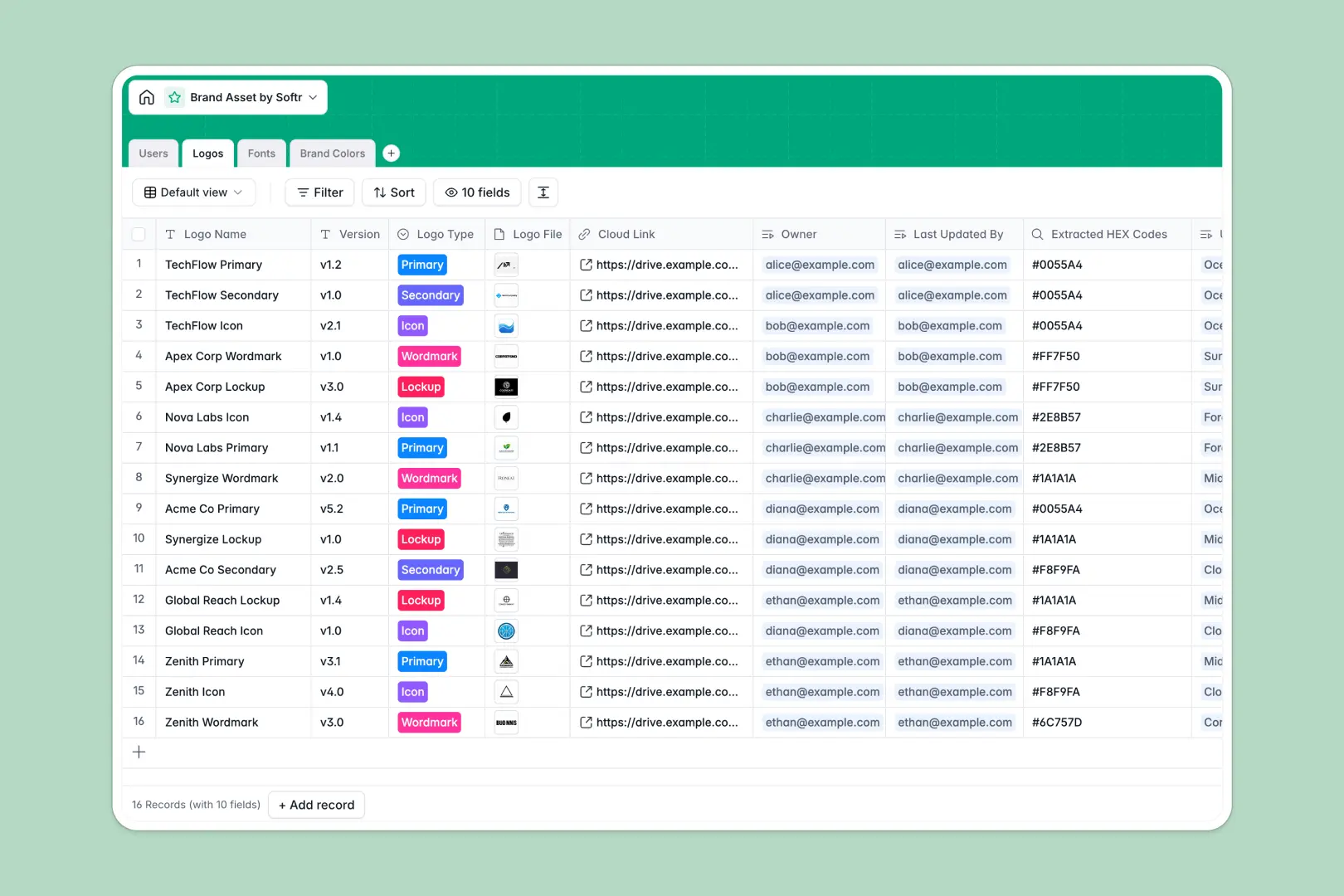
Your Brand Asset database at a glance
This template gives your team a single source of truth for logos, typography, and color palettes. It ensures everyone uses the correct, approved files and stays entirely on-brand.
It organizes your visual identity into beautifully connected tables for Users, Logos, Fonts, and Brand Colors. Instead of hunting for loose attachments, you instantly see which specific fonts and HEX codes belong to every logo version.
Built-in AI automatically researches font origins and generates complementary color pairings based on your live color data.
Why managing brand assets gets messy in Google Sheets
Spreadsheets are built for numbers, not complex visual assets. Pasting logo files into tiny cells or tracking constantly evolving HEX codes across endless tabs quickly becomes an unmanageable mess.
What a structured database changes
A true database handles files, images, and specific data formats naturally. Logos stay high-resolution, fonts are instantly downloadable, and exact color values remain strictly formatted without breaking.
You can easily link an approved logo directly to its required brand colors and typography without relying on fragile formulas or copy-pasting. This is exactly what Softr Databases are designed for—keeping structured records clean as you scale.
What you can do with this template
Instantly store and securely share primary logos, wordmarks, and typography files with your entire team. You can effortlessly track who owns which asset and when it was last updated.
Thanks to native Database AI agents, this template works for you by automatically suggesting analogous color schemes whenever you add a new HEX code. It completely eliminates the manual work of maintaining brand guidelines.
-
Users
Manage team profiles and access levels for brand asset management
-
Logos
Store official logo versions with linked brand colors and typography
-
Fonts
Catalog font families with AI generating type history and classifications
-
Brand Colors
Define color codes and use AI to generate complementary pairing schemes
Who is this Brand Asset database for
This system is built for teams that need to maintain strict visual consistency without bottlenecks.
- Marketing Teams: Access the right logo versions instantly for campaigns without relying on your designers.
- Design Leads: Centralize fonts and color palettes so the entire company stays perfectly on-brand.
- External Partners: Provide agencies and contractors with a clear, unified space to fetch official assets.
How to take it further
Customizing this structure is immediate and completely code-free. You can easily add new logo variants to the select fields or introduce a whole new table for document templates.
If your assets are currently scattered across drives, simply upload a CSV of your fonts and color codes directly into the workspace. The database instantly maps them to the right structural columns.
When your team is ready, you can transform this raw data into an easily navigable visual brand portal to share company-wide. A robust structure makes spinning up connected public pages incredibly fast.
You maintain total control over your most sensitive files with advanced users and permissions. This ensures only authorized lead designers can delete or update core brand files, while everyone else interacts safely as viewers.
-
1
-
2
-
3
-
4
Frequently asked questions
-
What is a brand asset database?
-
Why use a no-code database to build a brand asset system?
-
How can AI help managing data for brand assets?
-
Can I build an app with this brand asset database?
-
Is this Brand Asset database free?
-
Why is managing brand assets in Google Sheets a bad idea?
Start building today. It's free!
Build and launch your first app in under 30 minutes.