


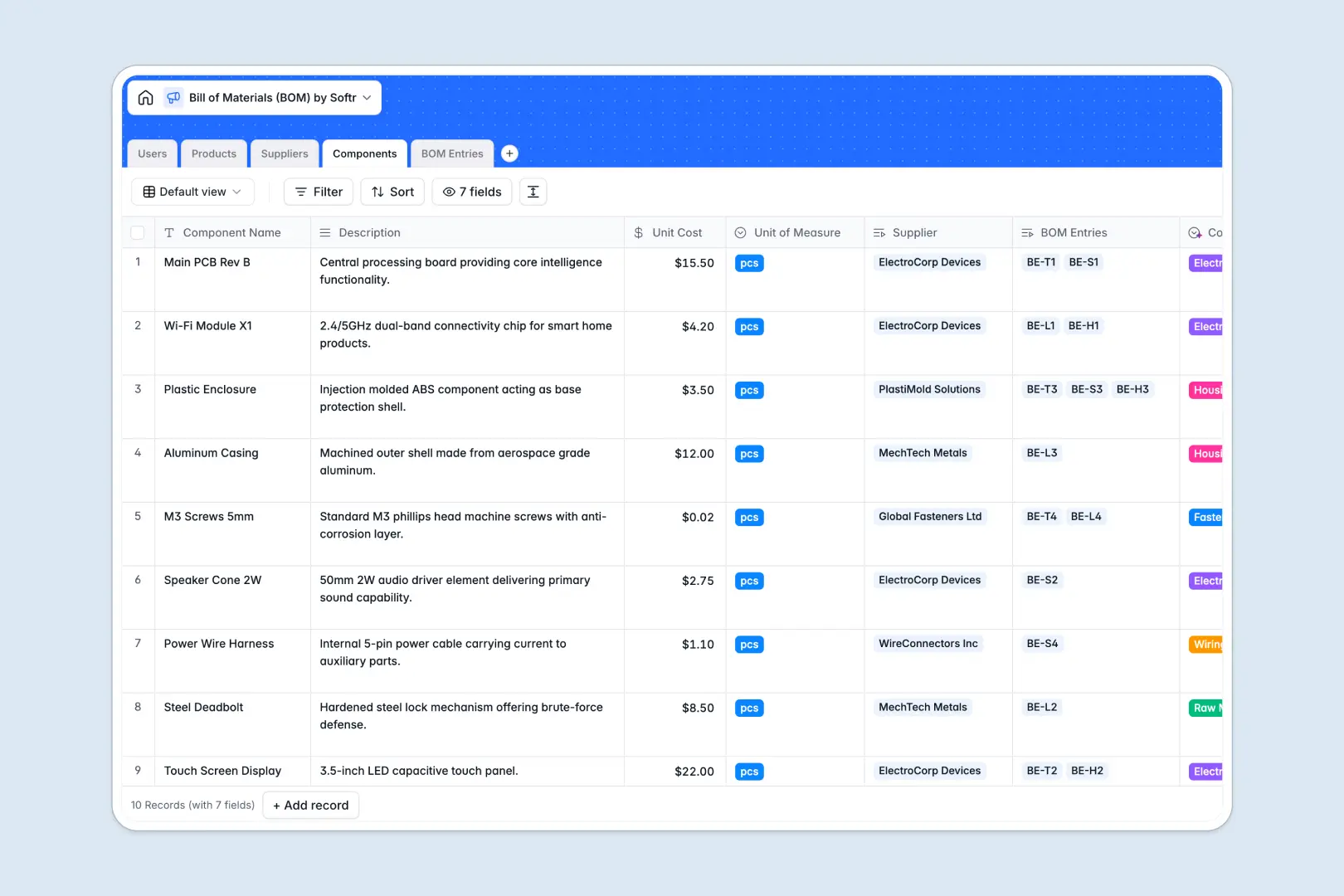
Your Bill of Materials database at a glance
This template gives hardware teams, manufacturers, and product leads a unified system to manage product assemblies, component inventories, and vendor details in one place.
It connects Products directly to Components via BOM Entries, calculating accurate unit costs and totals automatically without fragile lookups.
Native AI fields also help classify raw materials automatically, draft product pitches, and research supplier backgrounds straight from company websites.
When a shared spreadsheet breaks your multi-level BOM calculations
Google Sheets makes it easy to share a list of parts, but it quickly breaks down when managing nested assemblies, dynamic unit costs, and multi-team edits.
What a structured database changes
In a spreadsheet, inserting a row or sorting a tab can instantly break formulas, while free-text cells allow mismatched units and invalid pricing.
Relational tables ensure that every component belongs to a verified supplier, with unit costs pulling through to every product assembly automatically.
This is exactly what Softr Databases are built for, giving you typed fields, strict relations, and clean rollups that stay accurate. While you can connect an existing Google Sheet to Softr, using a dedicated database ensures your production data never suffers from accidental formula deletions.
What you can do with this template
Link components to BOM entries with fixed quantities to calculate total product costs instantly using native rollups and formulas.
Use built-in Database AI agents to automatically categorize components based on descriptions and pull supplier overviews from live web links.
Keep product managers, supply chain leads, and engineers aligned around single-source-of-truth part definitions and vendor ratings.
-
Users
Manage system users, roles, and assignments for products and suppliers
-
Products
Track finished assemblies with launch dates and AI marketing copy generation
-
Suppliers
Evaluate component vendors with ratings and web-powered AI overviews
-
Components
Catalog raw materials and unit costs with AI automated categorization
-
BOM Entries
Map product component quantities and costs with AI requirement summaries
Who is this Bill of Materials database for
This system is built for product teams and operations managers who need reliable manufacturing data.
- Hardware Product Managers: Track assemblies, monitor total BOM costs, and link launched products directly to technical specifications.
- Supply Chain & Procurement: Manage vendor tiers, track component unit costs, and evaluate supplier relationships in one view.
- Manufacturing Engineers: Define exact component quantities, standard units of measure, and part classifications without data errors.
- Operations Leads: Maintain a single source of truth for component inventories across multiple finished product lines.
How to take it further
Customize this database in minutes by adding custom fields for part revisions, lead times, minimum order quantities, or CAD file attachments.
Import your existing component lists and vendor rosters using a CSV upload or sync data automatically via API.
When you are ready to give your team dedicated portals, generate an app with AI directly on top of this database. You can define granular users and permissions so suppliers update their own pricing while engineers focus on BOM configurations.
-
1
-
2
-
3
-
4
Frequently asked questions
-
What is a Bill of Materials database?
-
Why use a no-code database to build a bill of materials system?
-
How can AI help managing data for a bill of materials?
-
Can I build an app with this Bill of Materials database?
-
Is this Bill of Materials database free?
-
How does this database compare to using Google Sheets for a BOM?
Start building today. It's free!
Build and launch your first app in under 30 minutes.