


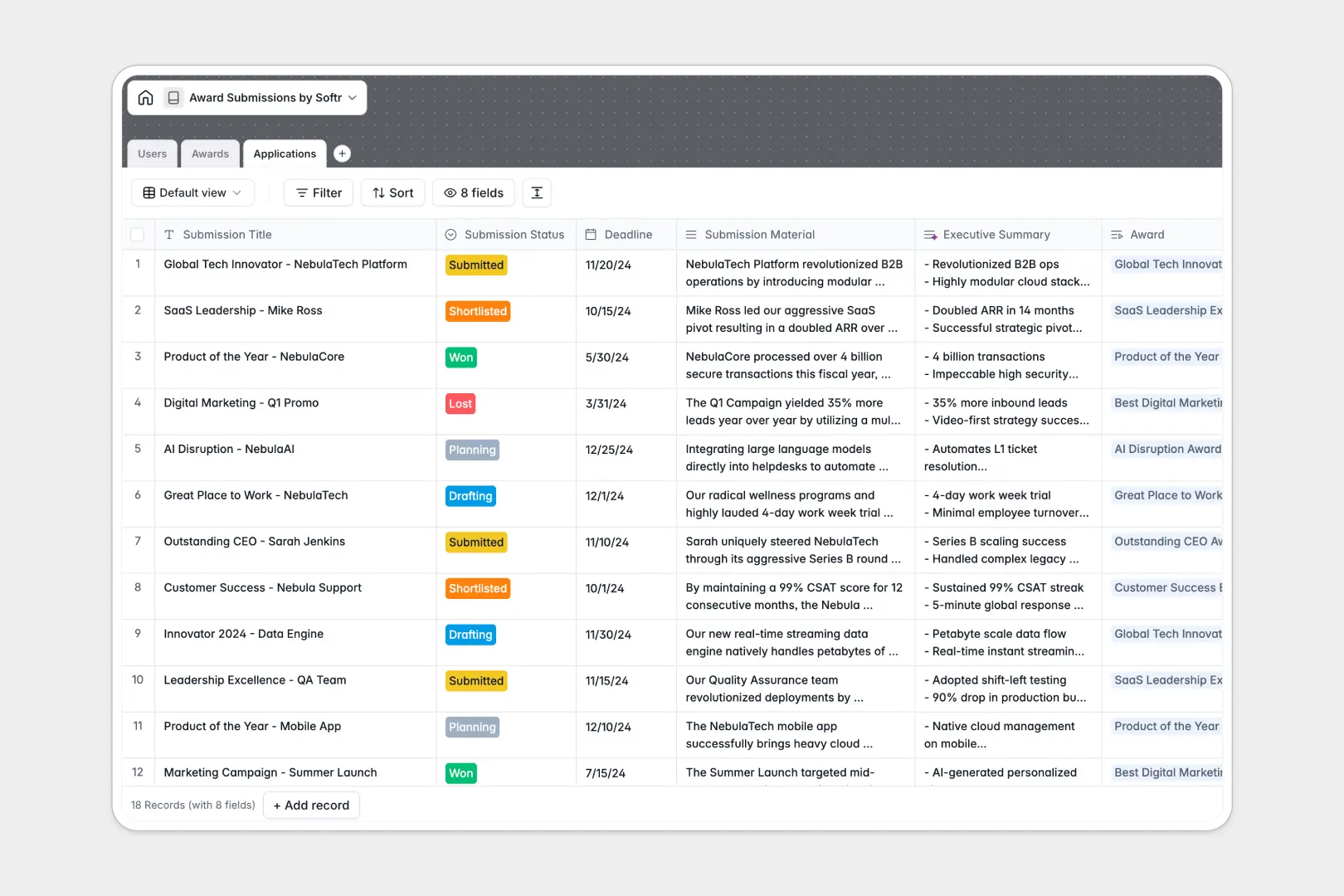
Your Award Submissions Database at a glance
This template lets your team track, manage, and evaluate industry award applications from one organized workspace. You can finally say goodbye to missed deadlines and scattered submission files.
It features connected tables linking specific Awards to your team's Applications and Users. This ensures every submission status, from drafting to winning, is tied directly to the right applicant and award criteria.
Native AI fields automatically search the web to summarize award criteria directly from the organizer's website. They also instantly generate 3-bullet executive summaries of your long submission materials to speed up managerial review.
Why tracking award submissions gets messy in Google Sheets
Spreadsheets quickly become chaotic when teams try to track dozens of submissions, complex documents, and moving deadlines in a flat grid.
What a structured database changes
A structured system keeps everything clean because each column has a strict data type. Your deadlines stay formatted as dates, statuses remain consistent drop-downs, and supporting documents attach safely without breaking rows.
Instead of wrestling with fragile VLOOKUPs, you can perfectly link multiple applications to a single award or team member. This is exactly what Softr Databases are designed for.
What you can do with this template
Easily track real-time progression through statuses like planning, drafting, shortlisting, and winning.
You can also leverage Database AI agents to automatically research award organizers and summarize lengthy application texts. This cuts down hours of manual research and keeps your team focused on writing winning entries.
-
Users
Manage internal team profiles, roles and specific prize application owners
-
Awards
Catalog industry prizes with AI-generated overviews of criteria and web data
-
Applications
Track submission status with AI-powered executive summaries of materials
Who is this Award Submissions database for
This template provides a clean, ready-to-use foundation for teams pushing for industry recognition.
- PR & Marketing Teams: Track deadlines, manage submission materials, and keep organizing bodies clearly scoped.
- Department Managers: Easily review executive summaries of applications and approve entries prior to final deadlines.
- Company Leadership: Get a bird's-eye view of all targeted awards, from innovation categories to company culture.
How to take it further
Customize this database to fit your brand's specific industry niches. You can simply edit the award category drop-downs or add new text fields to capture unique application requirements.
Seamlessly bring over historical award wins by importing your current tracking CSV. Your team immediately gets full visibility into past successes and upcoming deadlines without manual data entry.
When your submission pipeline grows, naturally transition this database into a portal by using the interface builder. This lets you create a dedicated app where external agencies or remote applicants can log in and submit materials securely.
Thanks to built-in users and permissions, you guarantee applicants only see their own drafts, while managers can review the entire pipeline. Starting with a structured database like this makes creating scalable tools entirely pain-free.
-
1
-
2
-
3
-
4
Frequently asked questions
-
What is an award submissions database?
-
Why use a no-code database to build an award submission system?
-
How can AI help managing data for award submissions?
-
Can I build an app with this award submissions database?
-
Is this Award Submissions template free?
-
How is this award submissions database different from Google Sheets?
Start building today. It's free!
Build and launch your first app in under 30 minutes.